Free shipping


2% discount coupon!
Sedef MECHANICAL TIMER OUTLET-210420--04251
No reviews yet.
-75%
30.19
AED
122.70
(incl. VAT)
Free shipping
Delivery address

Select your address, find out the delivery date!
International delivery
Trendyol's commitments
Easy and free return in 15 days.
Payment methods




Coupons
Highlighted features:
Sedef MECHANICAL TIMER OUTLET-210420--04251 features
Type
Power Outlet
Origin
TR

YAMAN HIRDAVAT EVİM
10
6.2K followers
Seller information
Sedef MECHANICAL TIMER OUTLET-210420--04251 reviews
No reviews yet.
Product details
Additional info
- Made in Türkiye
- A maximum of 10 units of this product can be ordered. Trendyol reserves the right to cancel orders over 10 units.
- Sold by .
- The selling price on Trendyol already includes the export-related costs.
- Barcode No: 210420-SEDEF-04251
- Origin: TR
Sedef MECHANICAL TIMER OUTLET-210420--04251 features
Type
Power Outlet
Origin
TR
Safety information
Product safety information
Product description
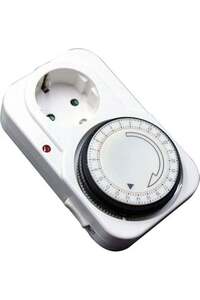
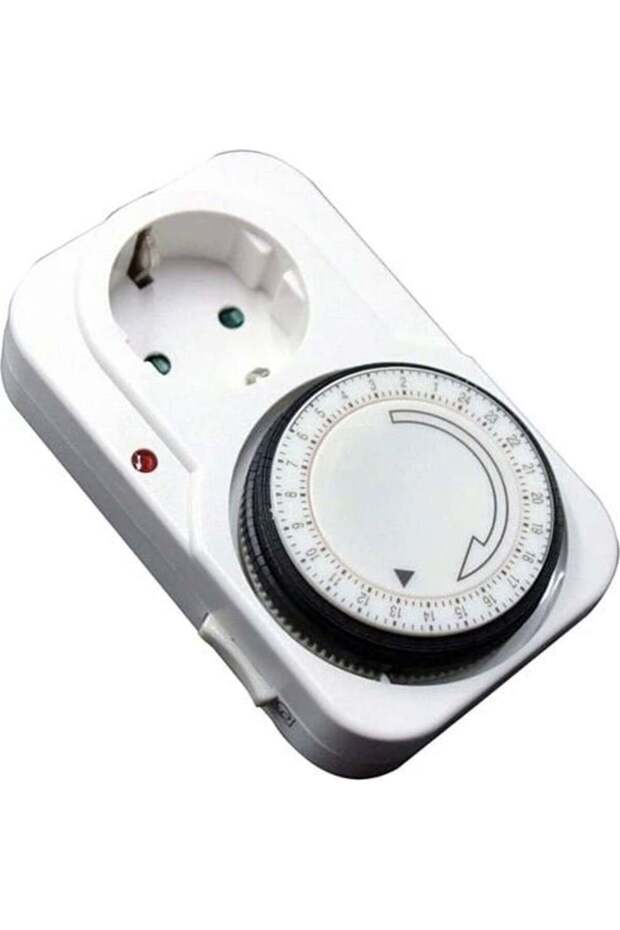
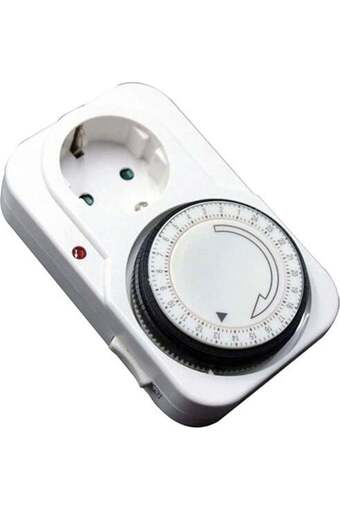
Mechanical Timer Outlet (Power Tools / Product Code: 210420--04251), by automatically turning your electrical appliances on and off at specific timesEnergy savings and safetyIt is a programmable daily outlet-type timer.
Specifications
Maximum load capacity:16A, 3500W – 3600W (Suitable for water heaters, lighting, aquariums, chargers, and space heaters).
Working voltage:220 - 240V AC / 50 Hz.
Minimum Time Interval:15 minutes (Each mark on the dial represents 15 minutes).
Programming cycle:A total of 96 different on/off cycles over a 24-hour period.
Security:They typically feature child-proof outlet covers. How Do You Set a Mechanical Timer Outlet?
Set the Current Time: Turn the round dial in the center of the outlet clockwise (toward the arrow) so that the tip of the arrow the current time Make sure it shows the correct time (e.g., if it is currently 2:00 p.m., set the dial to 14).
Select the Duration (Set the Time):There are small black or blue tabs on the outer edge of the outlet.
The device'sYou want it to workthe quotes in the time zonePush down on the(Each nail takes 15 minutes.)
The device'sthat you want to keep closedAs for the notches on the clock hands,aboveMake it stay.
Set the Mode Switch:There is usually a switch on the side of the outlet.
Clock/Timer Icon:It ensures that the outlet operates according to the program you set.
"I" or the Outlet Symbol:Disabling the timer ensures that the outlet provides a constant power supply (fixed outlet mode). To run the program, press this buttonclock symbolYou should move it to that position.
Run:After configuring the settings, first plug the timer outlet into the wall outlet, then plug the device you want to monitor into that outlet.
It has a 2 year warranty...
Specifications
Maximum load capacity:16A, 3500W – 3600W (Suitable for water heaters, lighting, aquariums, chargers, and space heaters).
Working voltage:220 - 240V AC / 50 Hz.
Minimum Time Interval:15 minutes (Each mark on the dial represents 15 minutes).
Programming cycle:A total of 96 different on/off cycles over a 24-hour period.
Security:They typically feature child-proof outlet covers. How Do You Set a Mechanical Timer Outlet?
Set the Current Time: Turn the round dial in the center of the outlet clockwise (toward the arrow) so that the tip of the arrow the current time Make sure it shows the correct time (e.g., if it is currently 2:00 p.m., set the dial to 14).
Select the Duration (Set the Time):There are small black or blue tabs on the outer edge of the outlet.
The device'sYou want it to workthe quotes in the time zonePush down on the(Each nail takes 15 minutes.)
The device'sthat you want to keep closedAs for the notches on the clock hands,aboveMake it stay.
Set the Mode Switch:There is usually a switch on the side of the outlet.
Clock/Timer Icon:It ensures that the outlet operates according to the program you set.
"I" or the Outlet Symbol:Disabling the timer ensures that the outlet provides a constant power supply (fixed outlet mode). To run the program, press this buttonclock symbolYou should move it to that position.
Run:After configuring the settings, first plug the timer outlet into the wall outlet, then plug the device you want to monitor into that outlet.
It has a 2 year warranty...