Free shipping
Almost sold out!
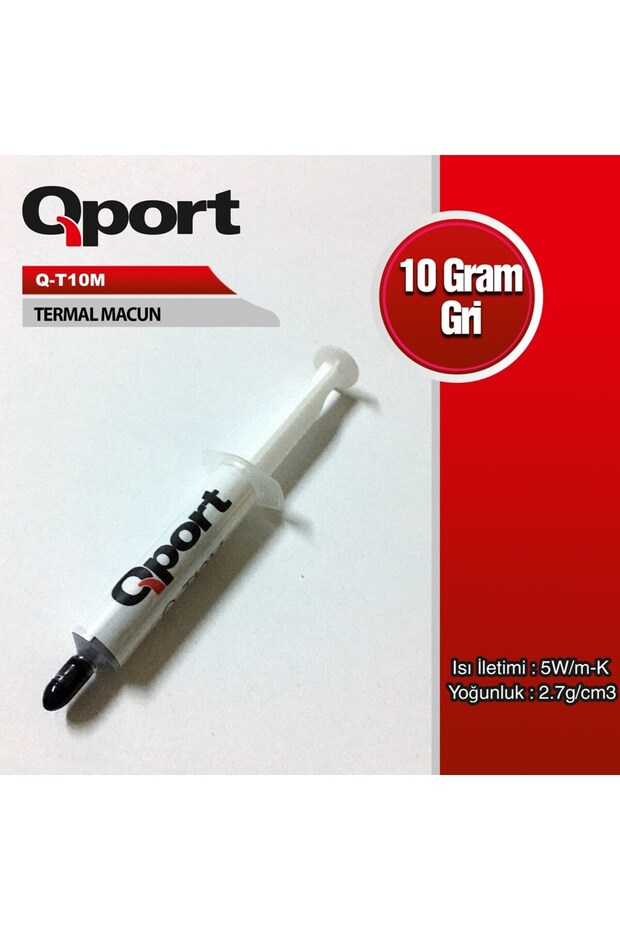
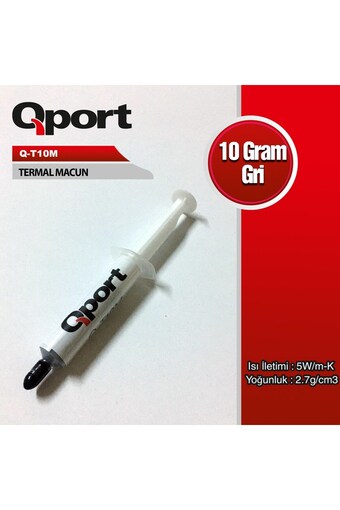
Qport Q-T10m 10-gram 5 W/m-K 2.7 Cm³ Thermal Paste
No reviews yet.
 Trendyol Plus Exclusive
At checkout 60.03 AED
61.49 AED103.23 AED
Free shipping
Delivery address

Select your address, find out the delivery date!
International delivery
Trendyol's commitments
Easy and free return in 15 days.
Payment methods




Highlighted features:
Qport Q-T10m 10-gram 5 W/m-K 2.7 Cm³ Thermal Paste features
Origin
CN

İleri Port Teknoloji
7.8
2.2K followers
Seller information
Qport Q-T10m 10-gram 5 W/m-K 2.7 Cm³ Thermal Paste reviews
No reviews yet.
Product details
Product description
Qport q-t10m 10 gr 5w/m-k 2.7/cm3 thermal paste
Additional info
- A maximum of 5 units of this product can be ordered. Trendyol reserves the right to cancel orders over 5 units.
- Sold by .
- The selling price on Trendyol already includes the export-related costs.
- Barcode No: 8681949012242
- Origin: CN
Qport Q-T10m 10-gram 5 W/m-K 2.7 Cm³ Thermal Paste features
Origin
CN
Safety information
Product safety information
Product description
Set Contents: 10 grams of Qport Q-T10m thermal paste, according to the product information. Product Type: Thermal paste; listed under the "CPU Fans" product category within the computer components category. Product Name: Qport Q-T10m 10 grams 5 W/m-K 2.7 cm³ Thermal Paste; the technical specifications in the product name are 5 W/m-K and 2.7 cm³.
About Qport Q-T10m 10-gram 5 W/m-K 2.7/cm³ Thermal Paste
Qport Q-T10m Thermal Paste is a computer component consumable used to facilitate heat transfer between the processor and the heat sink surface. The 10 grams value in the product name specifies the amount of paste to be used during processor maintenance. The name also includes Thermal conductivity of 5 W/m·K and Density of 2.7 g/cm³ values. This information can be taken into account when evaluating the paste’s basic technical specifications.
It helps transfer heat to the heatsink by maintaining surface contact between the processor and the heatsink. When the computer’s processor heatsink is removed and reinstalled, replacing the old thermal paste is one of the key steps in the maintenance process. This ensures that thermal paste is applied between the surfaces during reassembly.
A 10-gram quantity is suitable not only for a single application but also for those looking for an amount that can be stored properly and reused as needed. However, the thermal paste is not a substitute for a CPU cooler or fan; it should not be expected to solve high-temperature issues on its own. Cooler compatibility, installation, and case airflow also affect the system’s operating temperature.
Qport Q-T10m Thermal Paste Technical Specifications
The key factors in the purchasing decision are the thermal conductivity and density values indicated by 10-gram amount in the product name. These properties help in evaluating the type and amount of thermal paste; however, they do not, on their own, determine the compatibility of the CPU cooler or the expected CPU temperature.
| Feature | Value |
|---|---|
| Brand | Qport |
| Model | Quarter-Tens of Meters |
| Product type | Thermal paste |
| Weight | 10 grams |
| Thermal conductivity | 5 W/m·K |
| Density | 2.7 g/cm3 |
| Usage category | CPU Cooling Maintenance |
Product quantity
10 grams
Thermal conductivity
5 W/m·K
Density
2.7 g/cm3
📌 note:Thermal paste is the interface material between the processor and the heat sink. It is not a substitute for the heat sink or fan system; these components must be installed correctly during maintenance.
⚠ attention:A value of 5 W/m·K indicates thermal conductivity; it does not, on its own, guarantee the processor’s operating temperature or cooling performance. The result depends on the processor, the cooler, the application, and the installation conditions.
How Does Thermal Paste Work?
Even if the processor surface and the base of the heatsink appear completely smooth, there may be very small gaps between the two surfaces. Thermal paste helps transfer heat from the processor to the heatsink by forming a thin layer at this contact point. The heatsink, in turn, dissipates the absorbed heat from the system through its own structure and, if present, with the help of a fan. For this reason, thermal paste is part of the processor cooling chain; it is not a device that dissipates heat on its own.
During the procedure, the computer must be turned off and disconnected from the power source. If the heatsink has been removed, any residue from the old thermal paste must be carefully cleaned from the surface; a controlled amount of new thermal paste should be applied to the processor surface, and the heatsink should be reattached evenly. Using too much thermal paste does not result in better cooling; the goal is to create a suitable, thin layer of contact between the surfaces.
After assembly, when the computer is turned on, the processor and cooler work together to dissipate heat. If the computer shuts down unexpectedly or the overheating issue persists, instead of repeatedly reapplying thermal paste, you should check the cooler installation, fan connections, and the system’s airflow. A power outage does not affect the thermal paste’s function; power is required for the computer to operate. However, if the cooler is not detected, the thermal paste cannot resolve a fan or cooler malfunction.
Who Is the Qport Q-T10m Thermal Paste Suitable For?
- Desktop computer maintenance:It offers a 10-gram quantity for users who want to replace the old thermal paste when removing and reinstalling the CPU cooler.
- People who build their own computers:Those who need to use thermal interface material when installing a processor and heatsink can consider the 5 W/m·K value listed in the product name.
- Computer technical services:This product is intended for service technicians looking for 10-gram tubes of thermal paste for use in computers undergoing CPU cooling maintenance.
- Users who plan to replace their CPU thermal paste:This is suitable for those who want to remove the old sealant from the surface and apply a new layer after removing the radiator.
- Those who upgrade computer components:Those who need thermal paste when installing a new processor or cooler can evaluate the product by checking the installation instructions for their components before application.
- For those who want to keep a spare tube of thermal paste on hand:Users who consider the 10-gram package size to be suitable for their computer maintenance needs may choose this option.
✗ When it might not be enough:Thermal paste alone won’t solve the problem in a computer with a fan that isn’t working, a cooler that isn’t compatible with the processor, or insufficient airflow inside the case.