


Free shipping


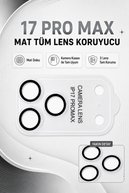
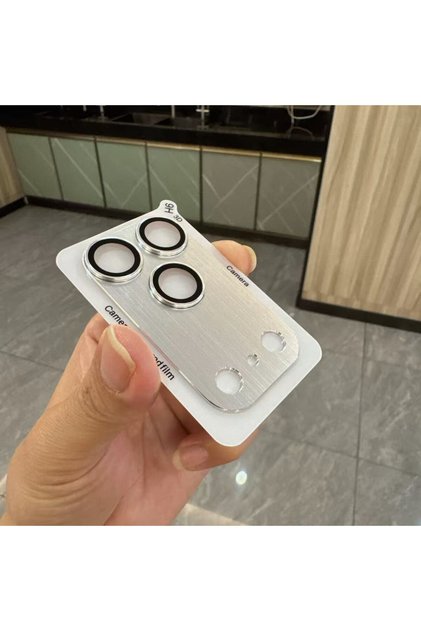
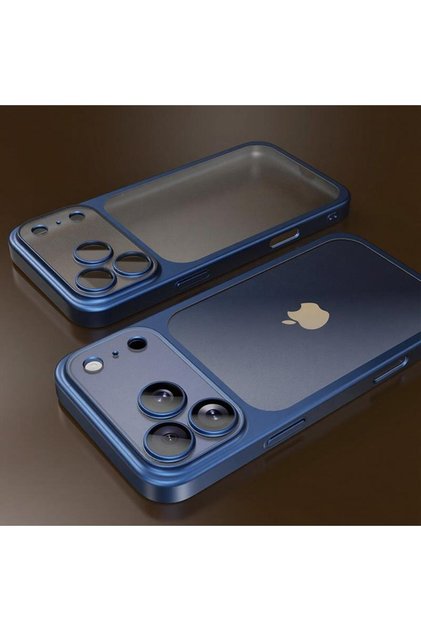
Phonextra iPhone 17 Pro Max Compatible All Matte Sapphire Camera Lens Protector Anti-Scratch Full Protection
Lowest price in 14 days
-58%
25.13
AED
59.65
(incl. VAT)
Color:Big Brother Blue


Delivery address
Free shipping
Select your address, find out the delivery date!
International delivery
Trendyol's commitments
Easy and free return in 15 days.
Payment methods



Highlighted features:
Phonextra iPhone 17 Pro Max Compatible All Matte Sapphire Camera Lens Protector Anti-Scratch Full Protection features
Compatible Brand
Apple Compatible
Color
Blue
Instructions for Use/Warnings
Carefully clean the phone’s camera module with a cleaning wipe. Dry the surface completely with a dry cloth and make sure no dust remains. Remove the protective film from the back of the screen protector. Do not touch the adhesive side. Align the screen protector with the camera lenses, flash, and sensor openings. Gently place the screen protector over the camera module. Gently press around the edges of the lens to ensure it adheres properly. Carefully remove the application tool and check that the protector is fully adhered. For best adhesion, do not apply pressure to the product for approximately 30 minutes after application. Warning: Perform the application in a clean, dust-free environment. Removing and reattaching a misaligned protector may reduce its adhesive properties.
Origin
CN


Similar items
![[3m Lens] iPhone 17 Pro Max Compatible 3m Full Coverage Waterproof Dustproof Lev Rug Glass Camera Lens Protector](https://cdn.dsmcdn.com/mnresize/420/620/ty1796/prod/QC_PREP/20251130/12/63db2571-159d-3db2-8e6f-58b8b351f1f1/1_org_zoom.jpg)

 [3m Lens] iPhone 17 Pro Max Compatible 3m Full Coverage Waterproof Dustproof Lev Rug Glass Camera Lens Protector








Shoppers also viewed








Phonextra iPhone 17 Pro Max Compatible All Matte Sapphire Camera Lens Protector Anti-Scratch Full Protection reviews
1 ratings
1 reviews

Product details

Additional info
- The selling price on Trendyol already includes the export-related costs.
- Sold by .
- A maximum of 5 units of this product can be ordered. Trendyol reserves the right to cancel orders over 5 units.
- Barcode No: PHXMTTMLENS17PM02
- Origin: CN
Phonextra iPhone 17 Pro Max Compatible All Matte Sapphire Camera Lens Protector Anti-Scratch Full Protection features
Compatible Brand
Apple Compatible
Color
Blue
Instructions for Use/Warnings
Carefully clean the phone’s camera module with a cleaning wipe. Dry the surface completely with a dry cloth and make sure no dust remains. Remove the protective film from the back of the screen protector. Do not touch the adhesive side. Align the screen protector with the camera lenses, flash, and sensor openings. Gently place the screen protector over the camera module. Gently press around the edges of the lens to ensure it adheres properly. Carefully remove the application tool and check that the protector is fully adhered. For best adhesion, do not apply pressure to the product for approximately 30 minutes after application. Warning: Perform the application in a clean, dust-free environment. Removing and reattaching a misaligned protector may reduce its adhesive properties.
Origin
CN
Safety information
Product safety information