Free shipping
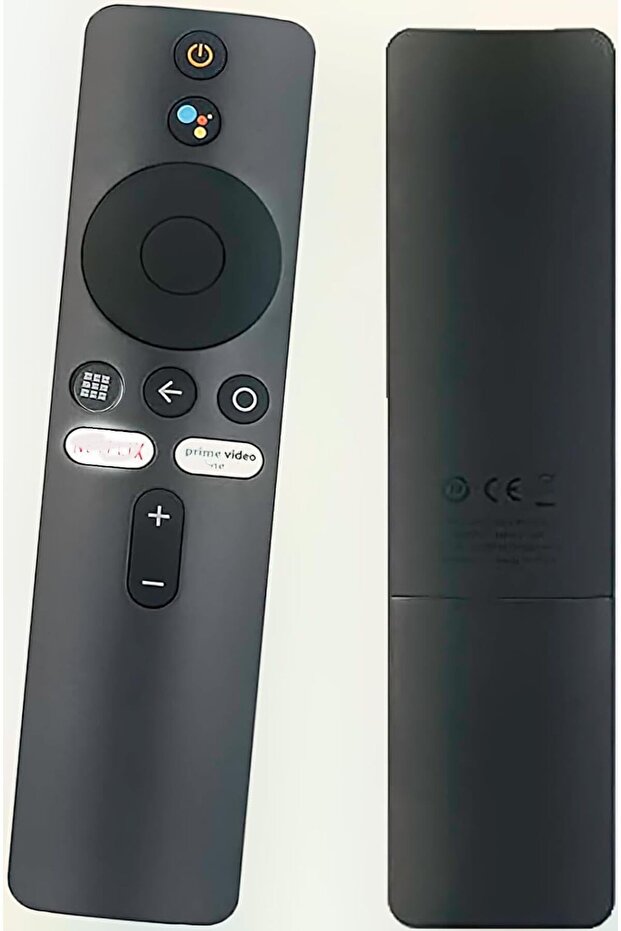


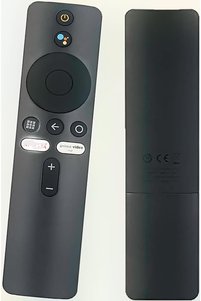
Generic Remote Control for Xiaomi Mi TV Stick / MI Box 4S 4K - Replacement with Bluetooth & Voice Control
No reviews yet.
Almost sold out!
-37%
62
AED
99
(incl. VAT)
Delivery address
Free shipping
Local delivery
Estimated delivery: 23 - 24 October
Select your address, find out the delivery date!
Trendyol's commitments
Easy and free return in 15 days.
Payment methods



Highlighted features:
Generic Remote Control for Xiaomi Mi TV Stick / MI Box 4S 4K - Replacement with Bluetooth & Voice Control features
Color
Black
Instructions for Use/Warnings
Pairing instructions: 1) Turn on the Xiaomi TV or box. Place the remote near the TV/box and press and hold the red wireframe button underneath for 15–30 seconds. 2) When the TV displays the pairing interface, release the button and wait for successful pairing. If pairing is unsuccessful, repeat the steps. Alternate pairing: unplug the TV power cord, reconnect and turn on the TV, then press and hold the "MI" and "Home" buttons simultaneously until a remote icon appears on the TV and wait for synchronization.
Other sellers
Generic Remote Control for Xiaomi Mi TV Stick / MI Box 4S 4K - Replacement with Bluetooth & Voice Control prices
Similar items










Shoppers also viewed






Generic Remote Control for Xiaomi Mi TV Stick / MI Box 4S 4K - Replacement with Bluetooth & Voice Control reviews
No reviews yet.
Product details
Product description
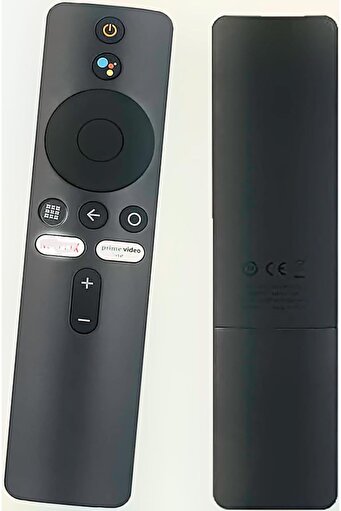
Replacement remote control compatible with Xiaomi Mi TV Stick and MI BOX 4S 4K.
Features Bluetooth connectivity and voice control.
Material: ABS shell, black.
Operates with 2 AAA batteries (not included).
Weight about 42 g (1.41 ounces).
Package includes 1x remote control.
Pairing instructions: 1) Turn on the Xiaomi TV or box.
Place the remote near the TV/box and press and hold the red wireframe button underneath for 15–30 seconds.
2) When the TV displays the pairing interface, release the button and wait for successful pairing.
If pairing is unsuccessful, repeat the steps.
Alternate pairing: unplug the TV power cord, reconnect and turn on the TV, then press and hold the "MI" and "Home" buttons simultaneously until a remote icon appears on the TV and wait for synchronization.
Date first available: May 8, 2022..
Additional info
- Sold by .
- A maximum of 5 units of this product can be ordered. Trendyol reserves the right to cancel orders over 5 units.
- Barcode No: PMPVR3ECHERHZFDB32
Generic Remote Control for Xiaomi Mi TV Stick / MI Box 4S 4K - Replacement with Bluetooth & Voice Control features
Color
Black
Instructions for Use/Warnings
Pairing instructions: 1) Turn on the Xiaomi TV or box. Place the remote near the TV/box and press and hold the red wireframe button underneath for 15–30 seconds. 2) When the TV displays the pairing interface, release the button and wait for successful pairing. If pairing is unsuccessful, repeat the steps. Alternate pairing: unplug the TV power cord, reconnect and turn on the TV, then press and hold the "MI" and "Home" buttons simultaneously until a remote icon appears on the TV and wait for synchronization.
Safety information
Product safety information