Product description
! ! !palm detection is not available. if you touch your hand to the screen, it will not write, it will write in discontinuously!!! Tablet settings (do this if the pen isn't writing)
in some tablets, factory settings or settings opened later may prevent the use of an external pen. Before using the stylus, you must turn off the following settings according to your device: 🍏 For apple ipad users:
the ipad is set to block touches other than the original pen.
go to settings > apple pencil menu. Turn off the "only draw with apple pencil" option. If you have an original apple pencil already connected to your ipad, disconnect this pencil from the bluetooth settings ("forget this device").
🤖 For samsung, huawei, honor and android tablets: if your device has "pen mode only" enabled or the original pen is connected, this pen will not work.
disconnect: an original pen that came with the tablet (s-pen, etc. If there is, disconnect it from the bluetooth settings.
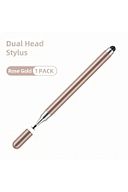
app permission: in the note-taking app you are using (samsung notes, etc. Turn on "allow finger drawing" in the settings in the upper right corner. "if it has the setting ""draw only with s-pen"", turn that off." The product works flawlessly on all touch devices. if it doesn't work, there is definitely a problem with your device's settings. The 2 in 1 stylus disk pen, which combines two different functions in a single device, provides ease of use on your tablets and phones.
-compatible with devices with android os, appealing to a wide range of users.
- it offers a stylish and professional look with its pink color option
it can be easily used on all kinds of touch screens. Generated with the support of artificial intelligence


 Trendyol Plus Exclusive