Free shipping
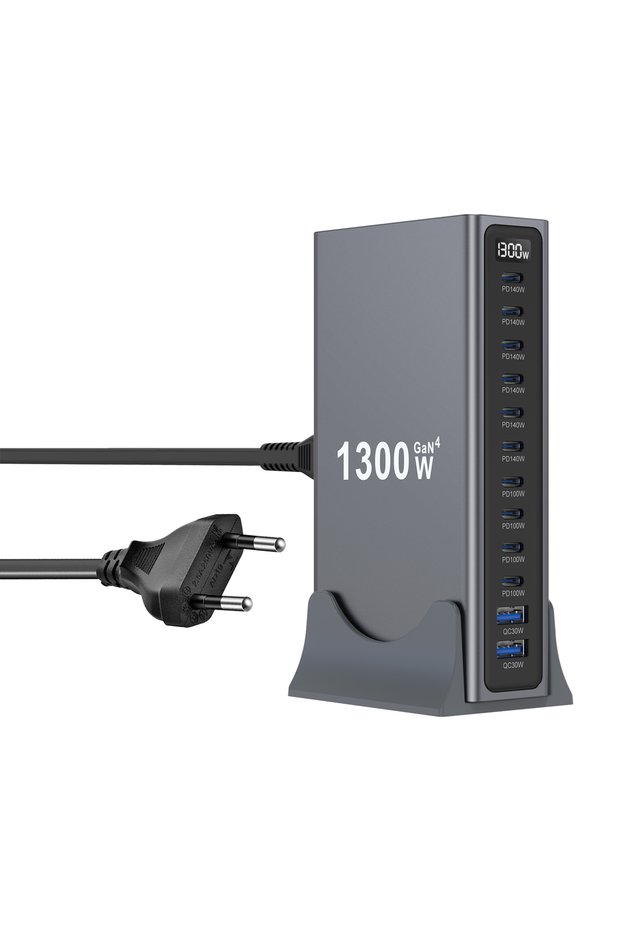
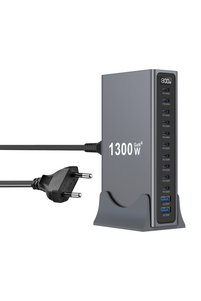
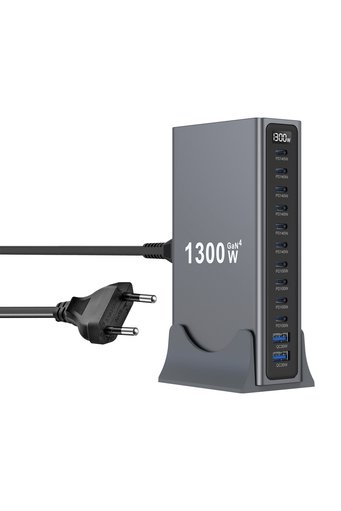
Choice EU 1300W GaN IV 12-Port USB C Charging Station PD140W Laptop Charger IPhone17/18 Samsung Xiaomi Tabl
No reviews yet.

Special Deals
169.31126.98AED
Color:Plug Type=EU
Free shipping
Delivery address

Select your address, find out the delivery date!
Trendyol's commitments
Easy and free return in 15 days.
Payment methods



Highlighted features:
Choice EU 1300W GaN IV 12-Port USB C Charging Station PD140W Laptop Charger IPhone17/18 Samsung Xiaomi Tabl features
Color
Multicolor
Connection Type
USB

Big Save Store
8.9
81.5K followers
Seller information
Shoppers also viewed





 Trendyol Plus Exclusive



 X614 Charger with Retractable Cable 45 Watts - Gray (X614-65823)





Choice EU 1300W GaN IV 12-Port USB C Charging Station PD140W Laptop Charger IPhone17/18 Samsung Xiaomi Tabl reviews
No reviews yet.
Product details
Additional info
- A maximum of 10 units of this product can be ordered. Trendyol reserves the right to cancel orders over 10 units.
- Barcode No: 3675979750173
Choice EU 1300W GaN IV 12-Port USB C Charging Station PD140W Laptop Charger IPhone17/18 Samsung Xiaomi Tabl features
Color
Multicolor
Connection Type
USB
Safety information
Product safety information
Product description
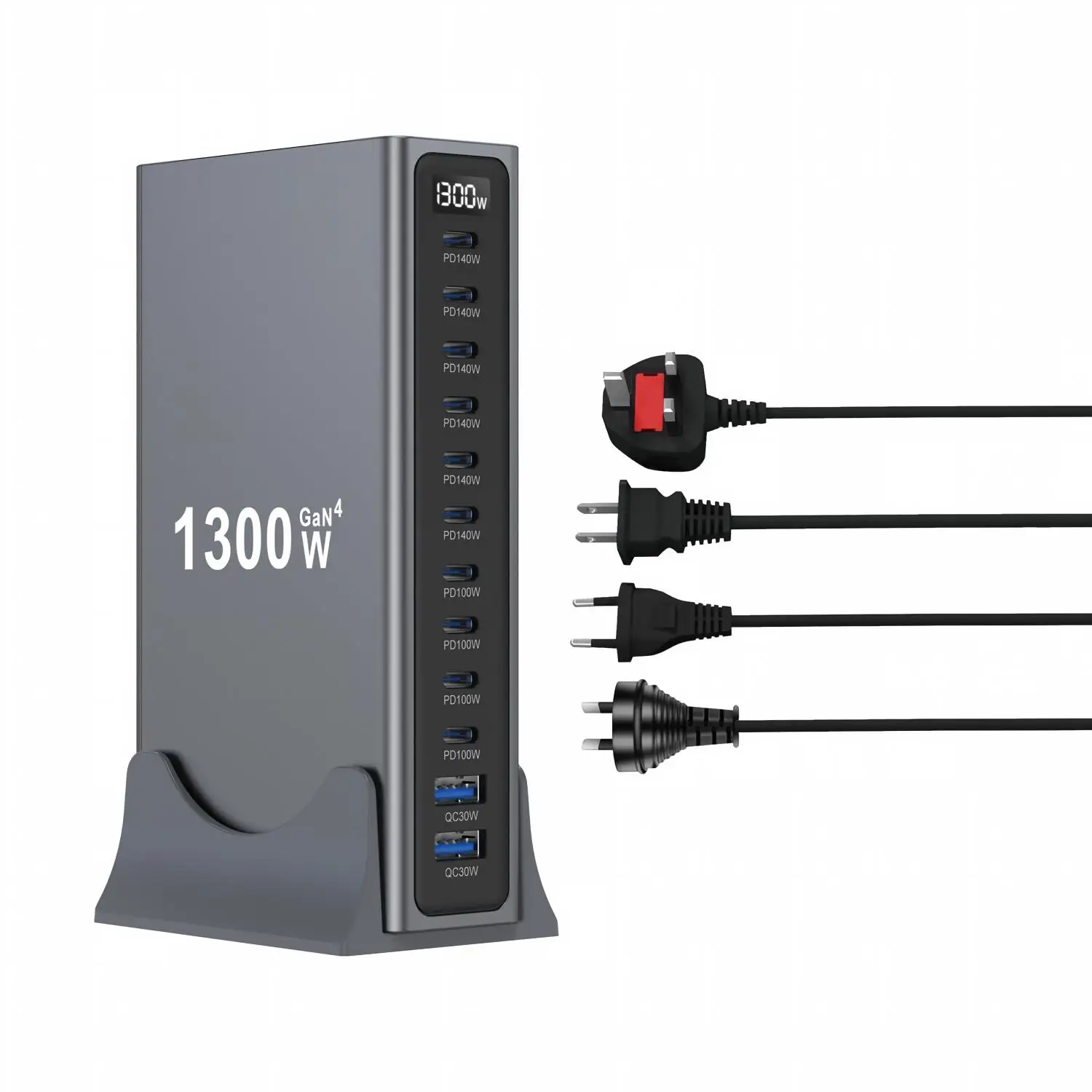
Plug Type:EU
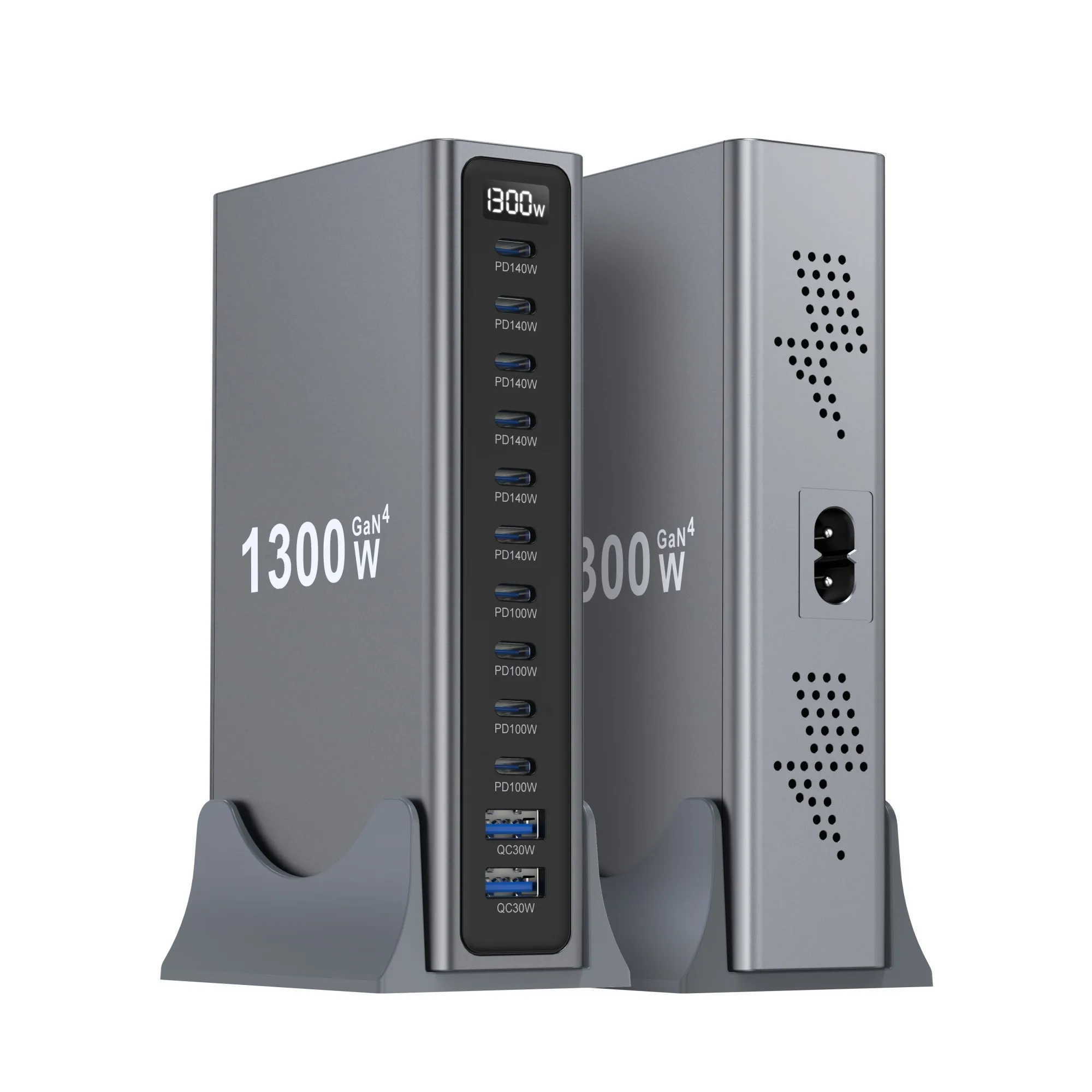
Input:AC110-240V, 50/60Hz, 2.5AMax
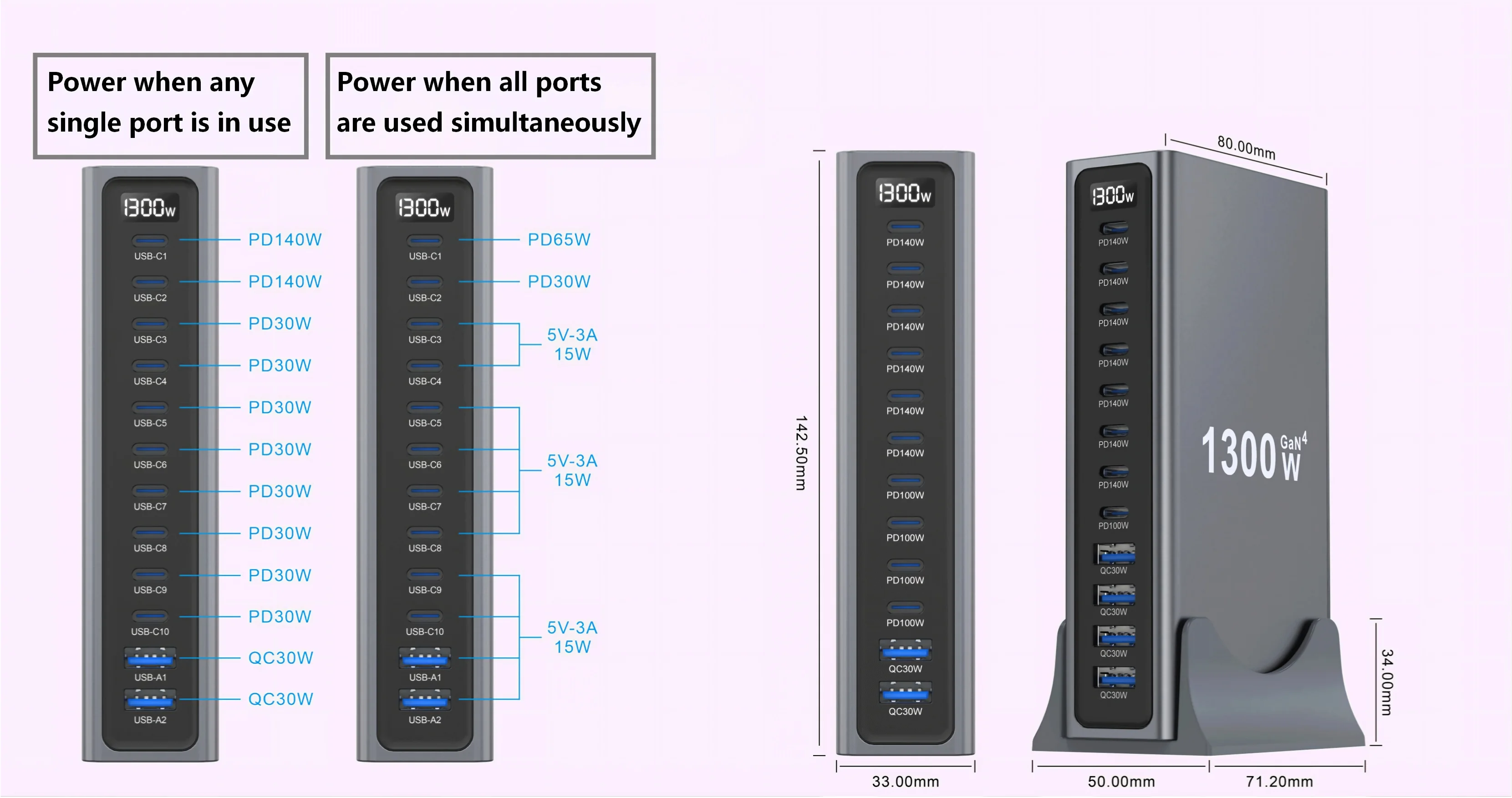
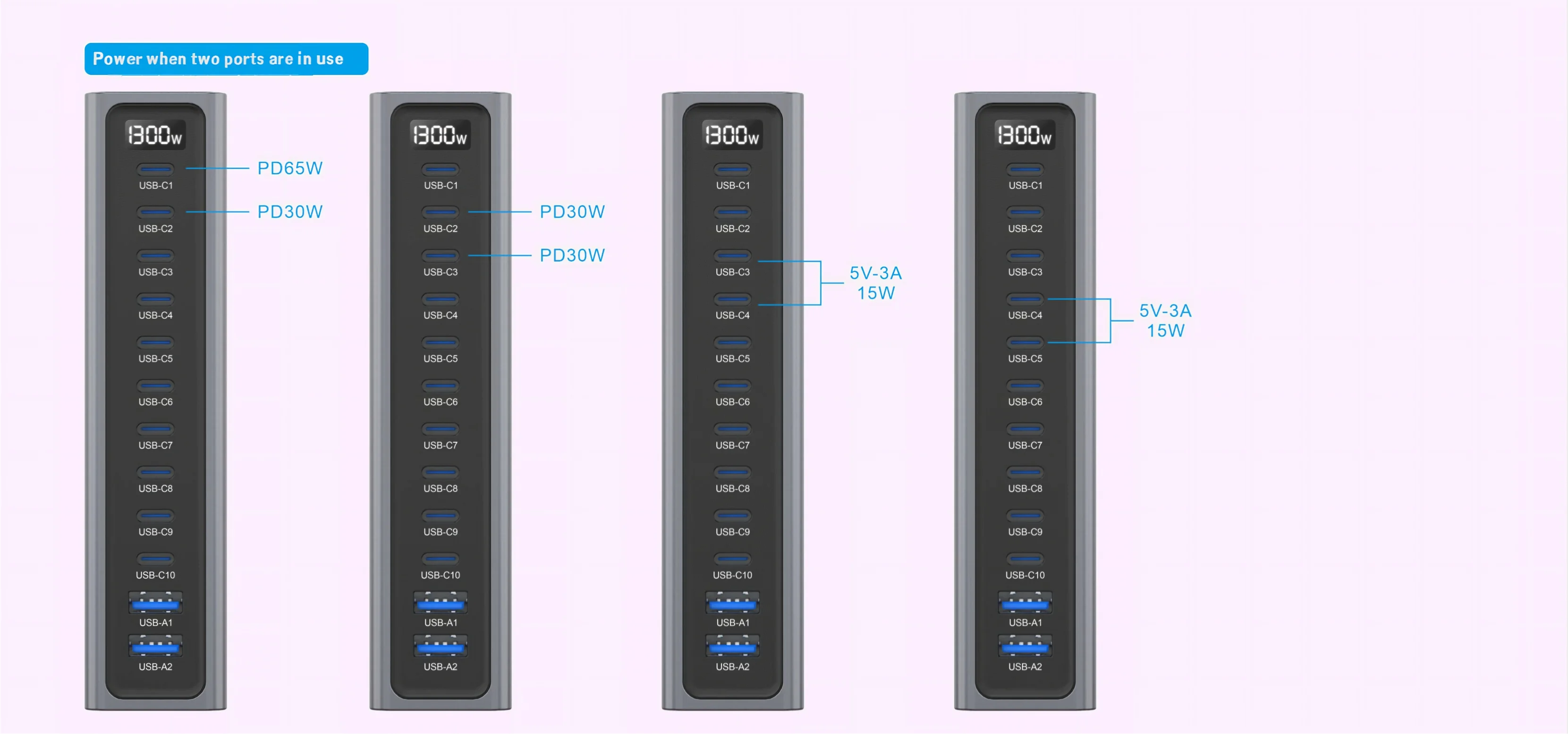
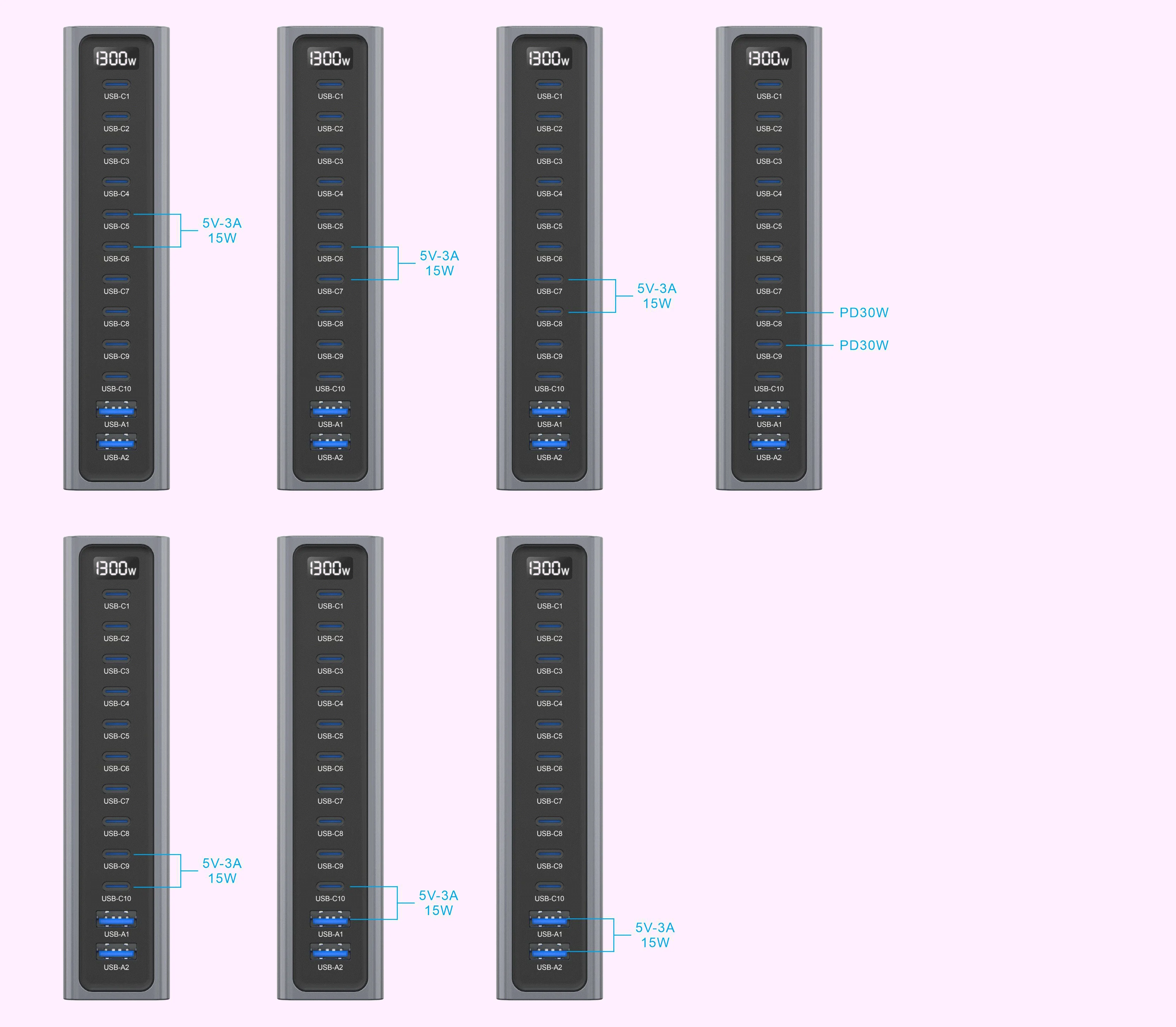
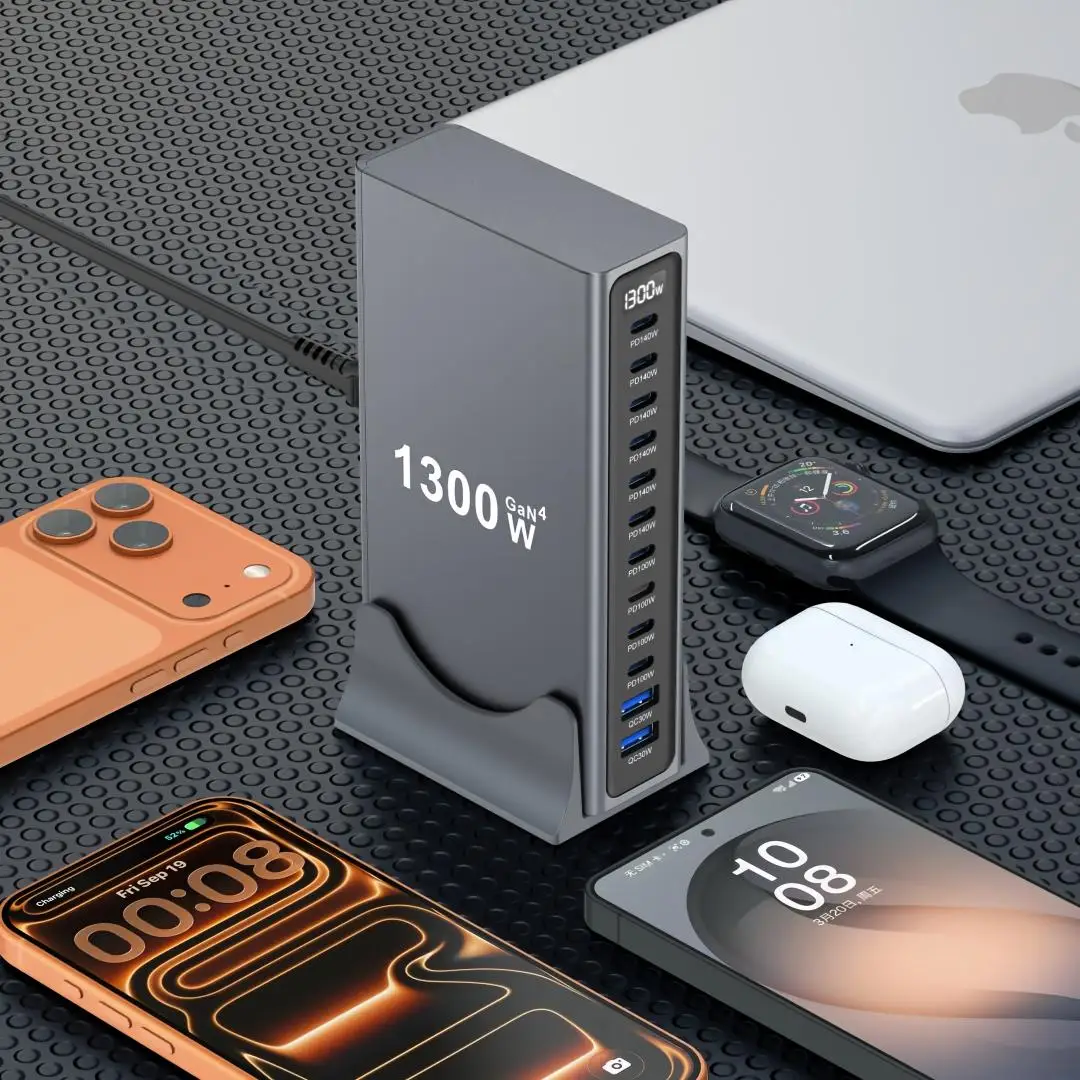
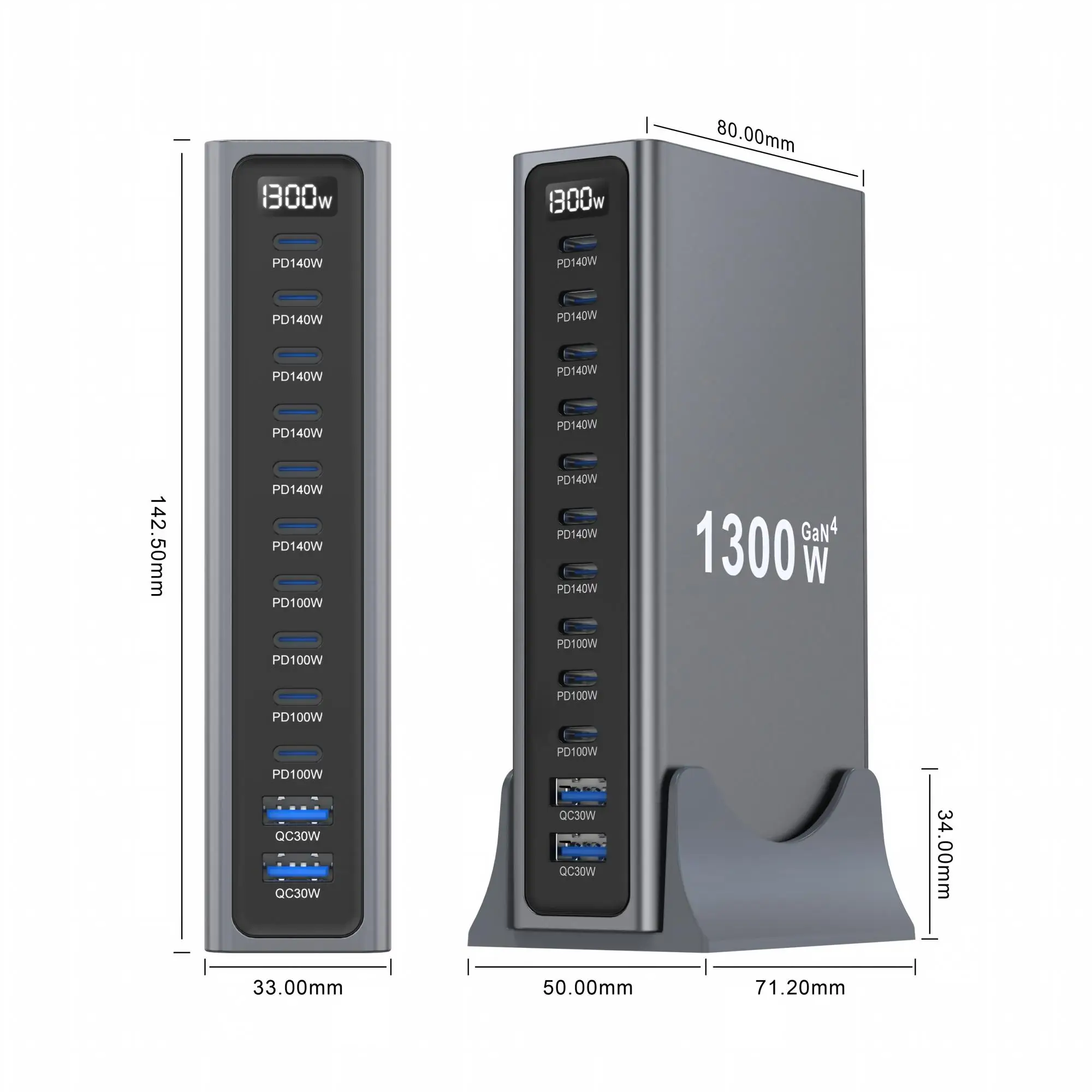
Output:USB-C:5V3A/9V3A/12V3A/15V3A/20V5A/28V5A 140W(Max)
Output:USB-C:5V3A/9V3A/12V3A/15V3A/20V5A 100W(Max)
Output:USB-A:5V3A/9V3A/12V2.5A/20V1.5A 30W(Max)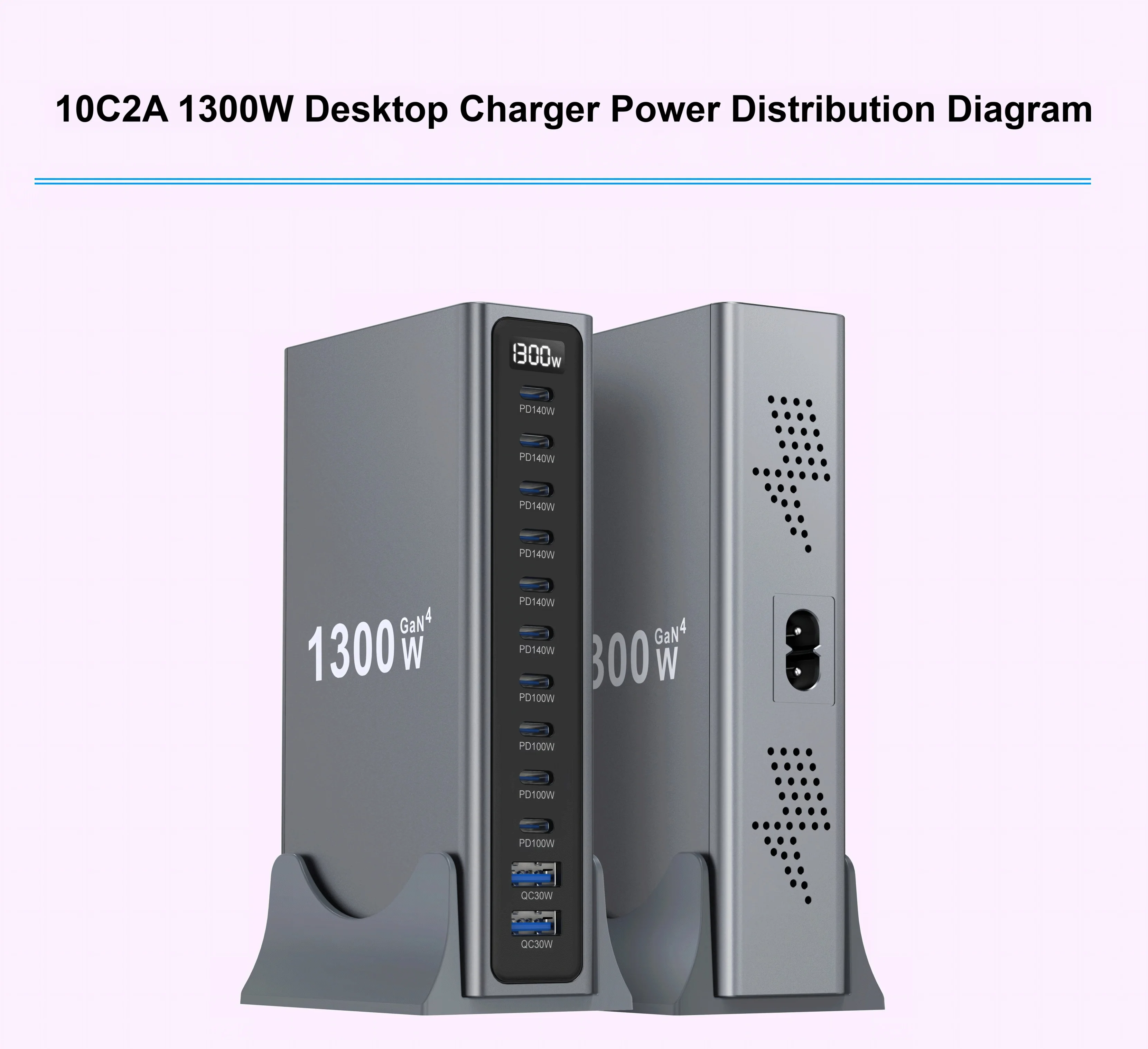
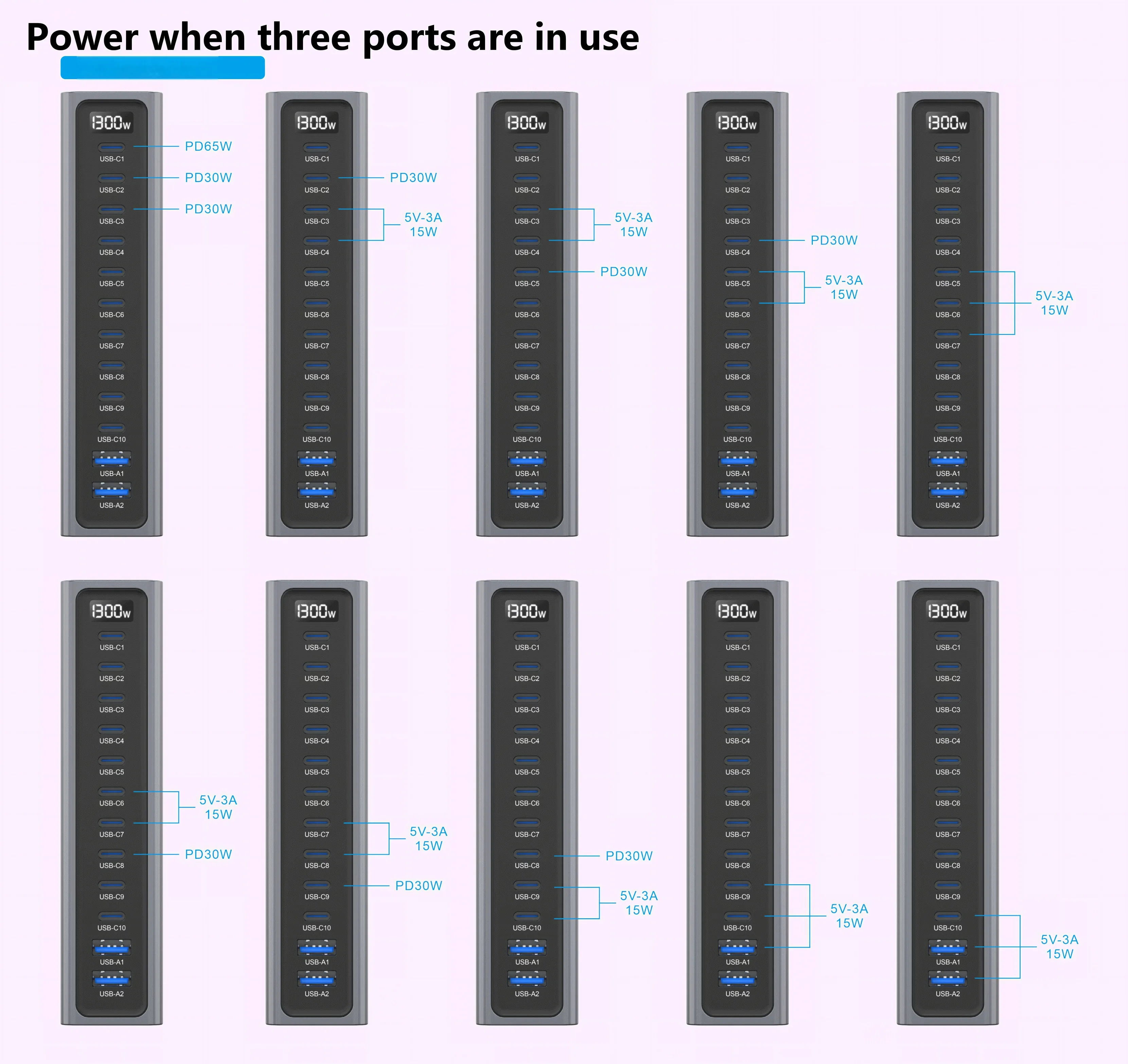
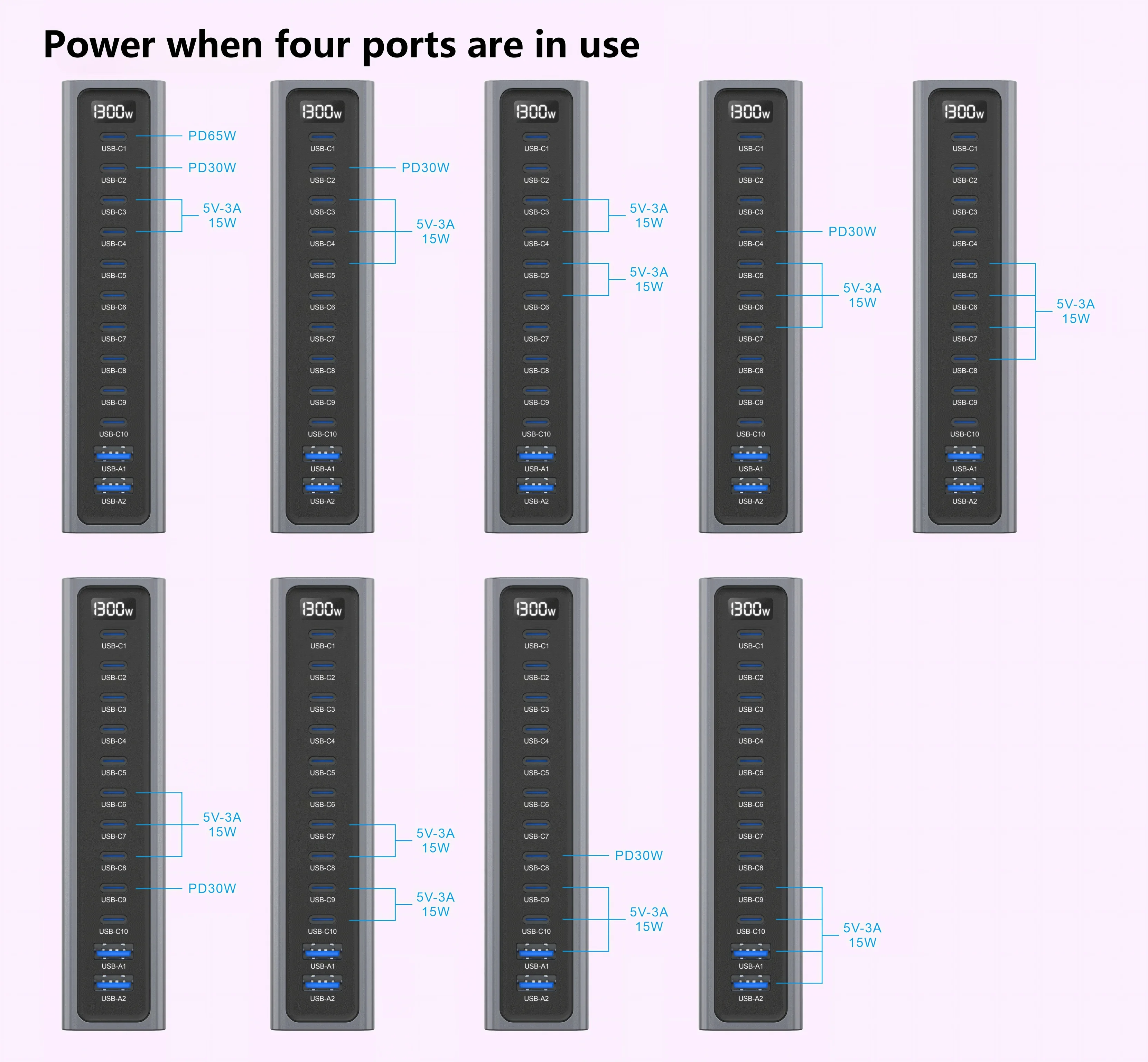
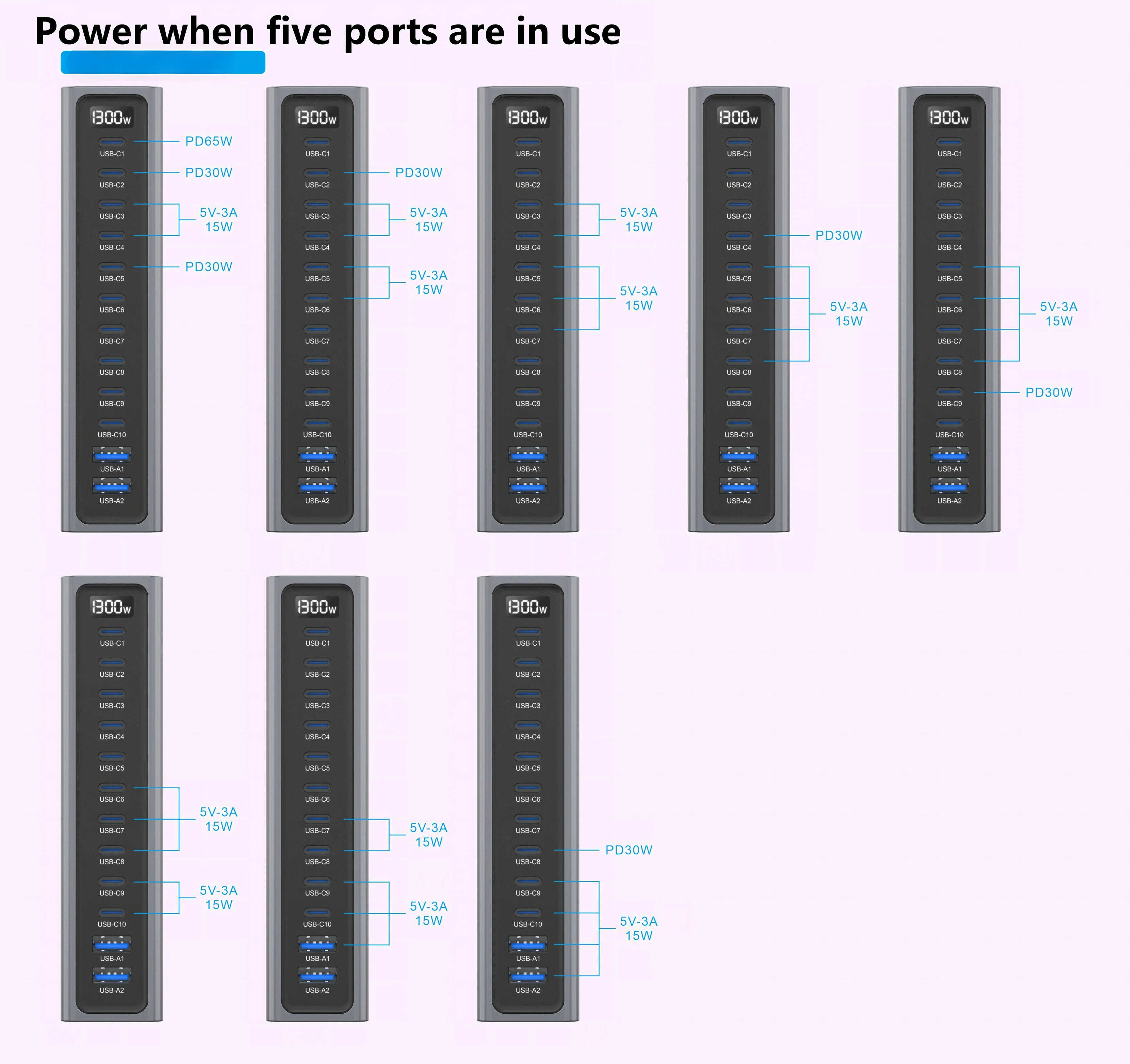
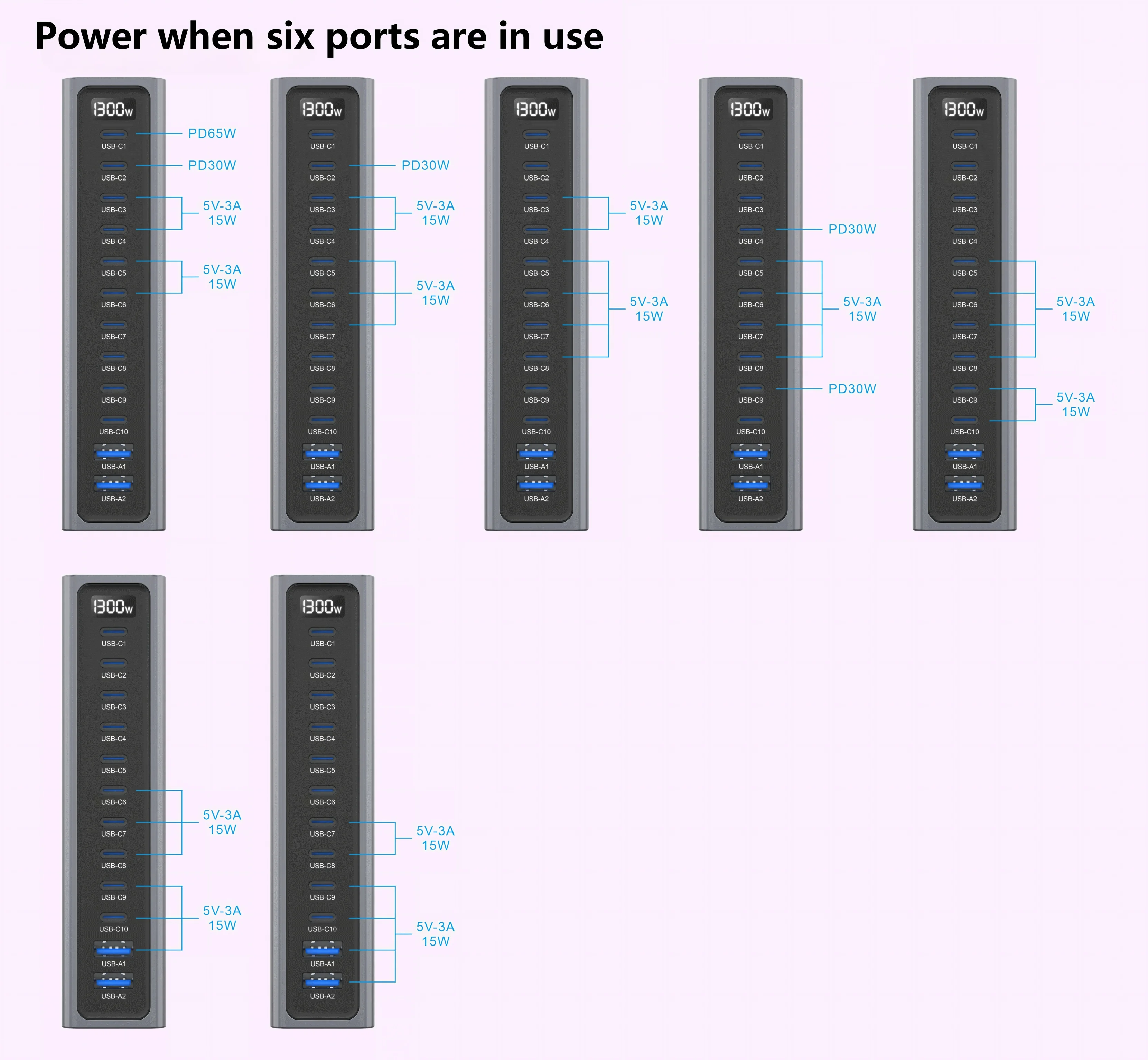
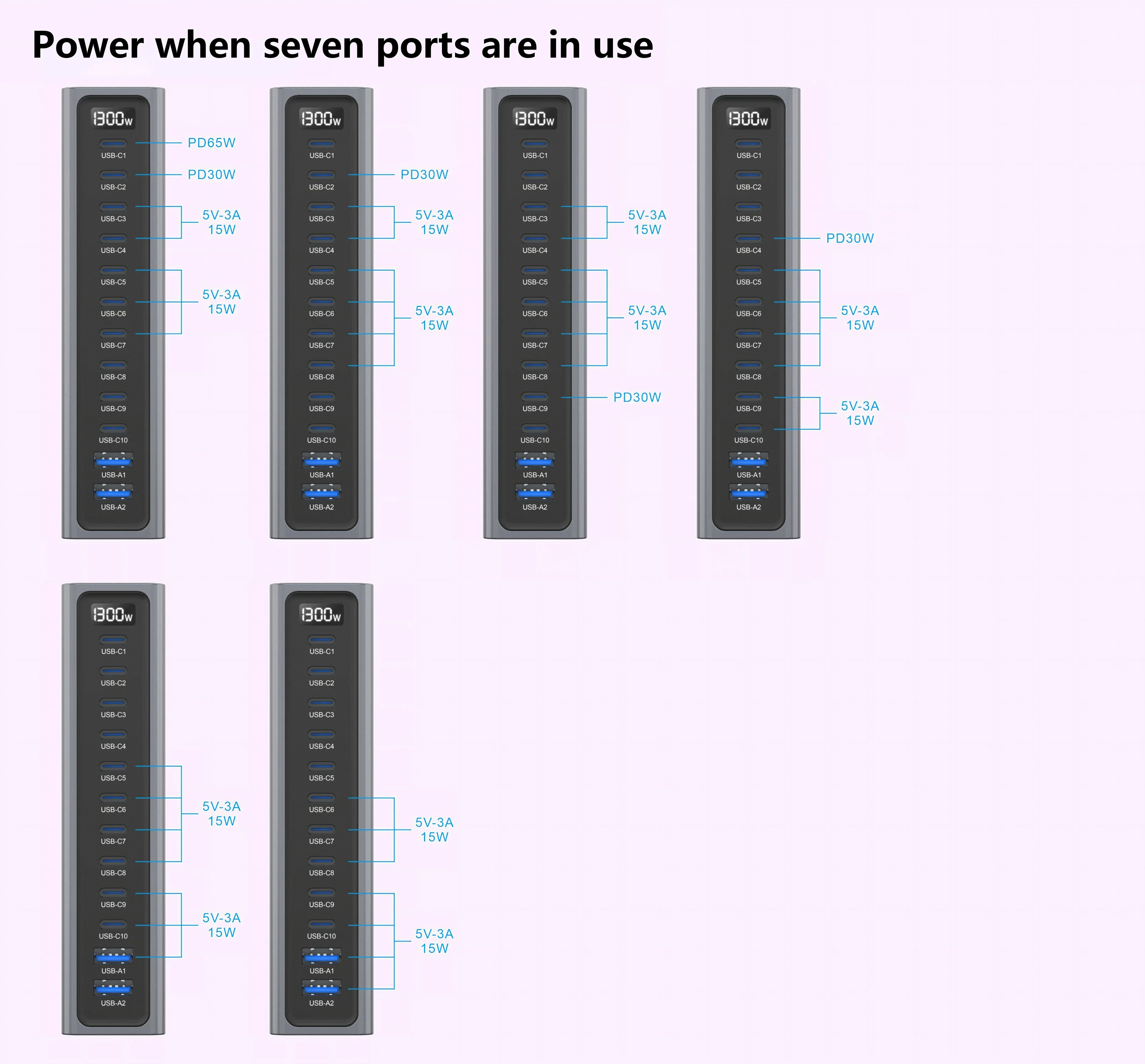
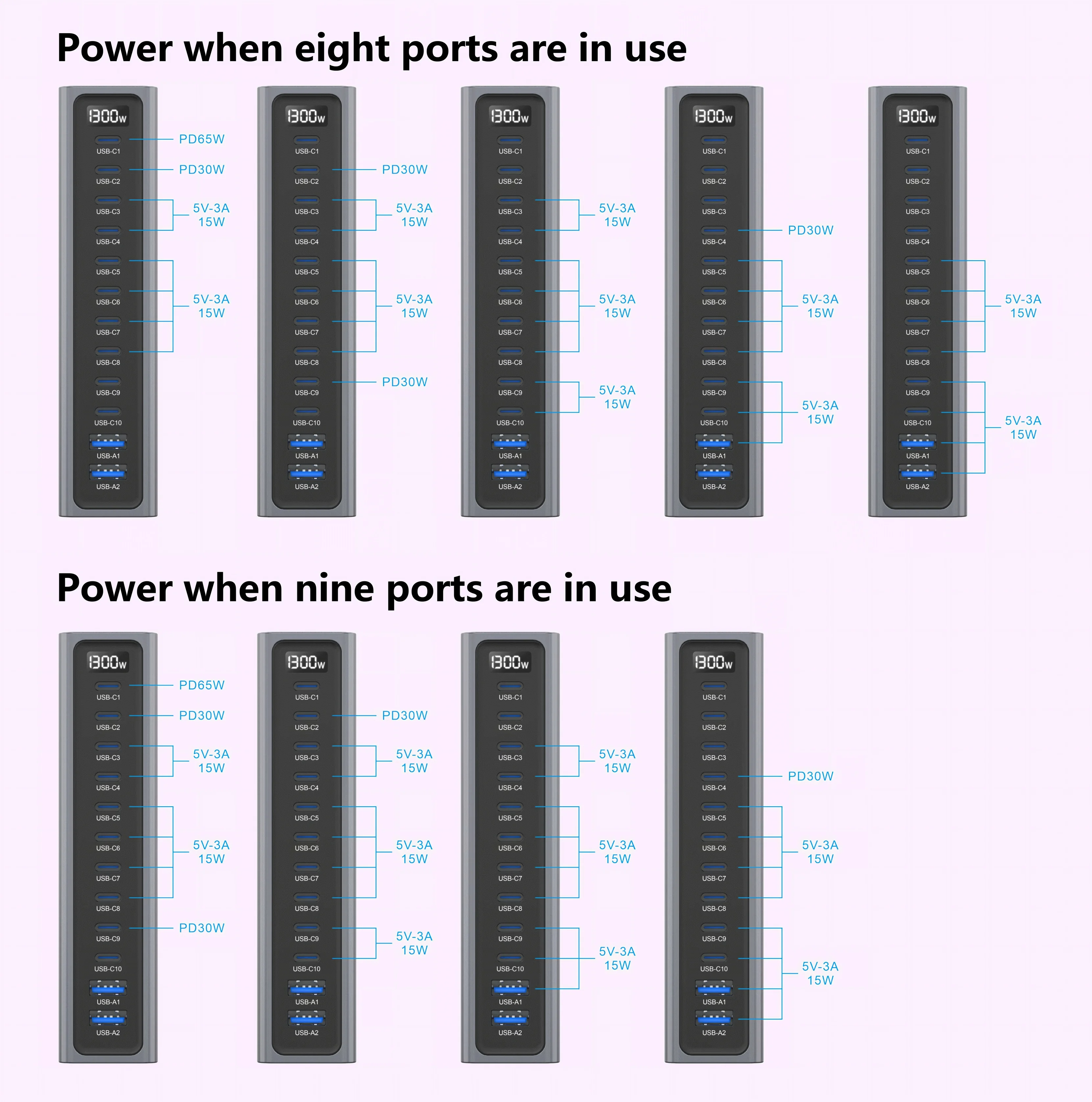
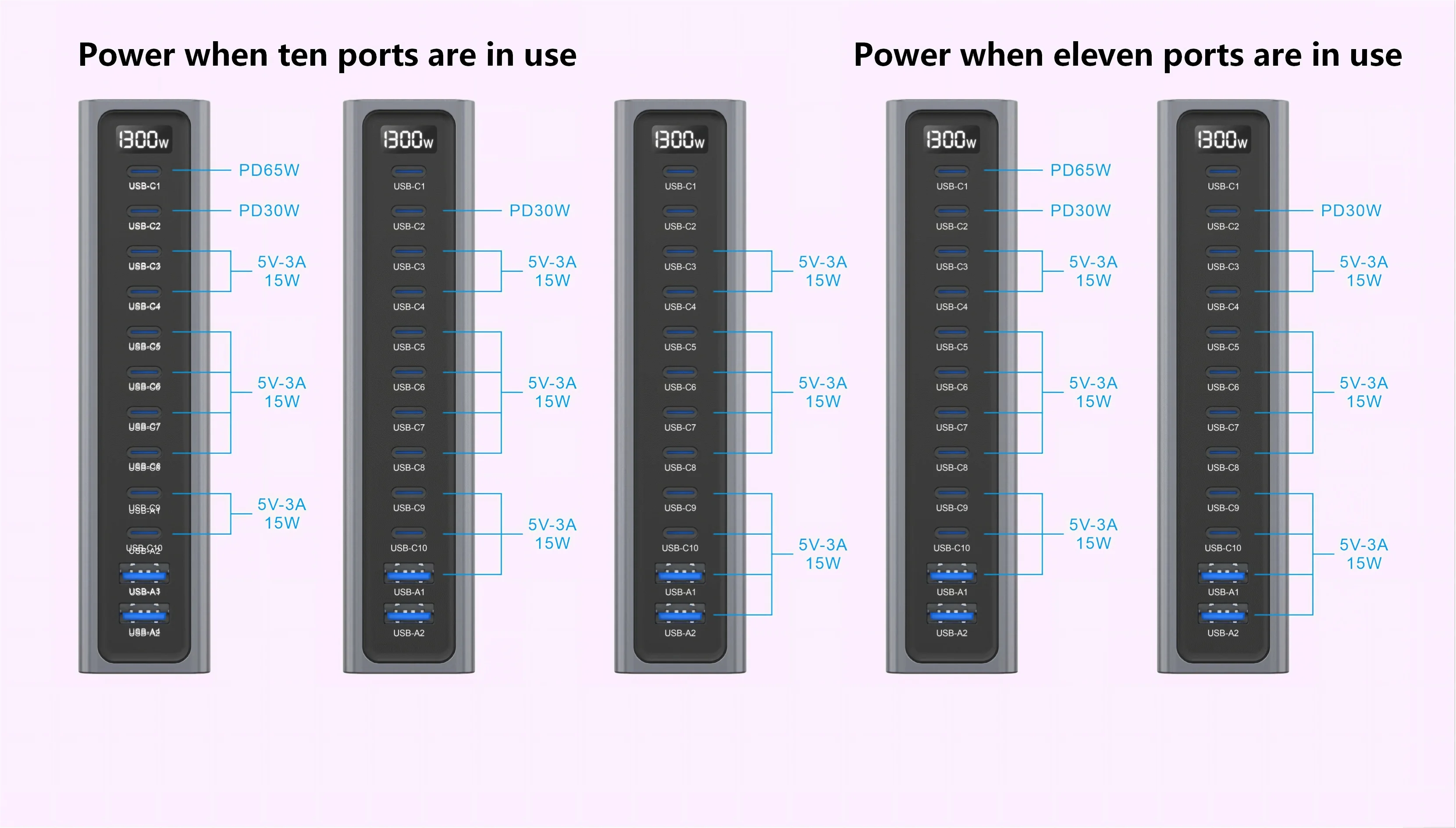
 GaN Multi-Port Charger FAQ
Q1
Question: Why does charging pause for one second then restart when I plug more devices into other ports?
Answer: This is normal. The charger has multi-layer safety circuits including OVP, OCP, short-circuit, overcharge and overdischarge protection. When new devices are connected, it cuts power briefly to recalculate and redistribute power evenly to all connected devices, then resumes charging to protect both the charger and your electronics.
Q2
Question: My laptop only supports 65W or 100W max charging. Can I charge it with this 140W port?
Answer: Absolutely yes. Your laptop will only draw its rated power automatically, the charger won’t push excess power. Built with upgraded GaN II Pro chips, it features full overvoltage protection and smart power adjustment for safe fast charging.
Q3
Question: This charger has high output power. Is it safe for daily use?
Answer: It is completely safe for home and office daily use. Adopting advanced GaN II Pro technology, it comes with 9 safety protections: over-temperature, short-circuit, discharge leakage, overvoltage, overcurrent, flame-retardant shell and more. These protections prevent overheating, voltage surges and short-circuit risks.
Q4
Question: Why won’t my device charge at full 140W even when plugged into the 140W port?
Answer: 140W is the port’s maximum output limit instead of fixed forced power. Actual charging wattage depends on three factors: the charger, charging cable and your device’s native max power input. For example, a 65W laptop will only take up to 65W power. The built-in smart chip adjusts output power dynamically to match your device safely without overload.
Q5
Question: What should I do if my device fails to charge?
Answer: Follow these troubleshooting steps:
Power connection: Plug the charger into a standard 100–240V 50/60Hz wall outlet and confirm the socket works.
Port selection: Pick the matching USB-C or USB-A port for your device.
Checklist tips:
Confirm the wall outlet works and the charger indicator light turns on.
Make sure your device is intact and supports fast charging protocols like PD and QC.