Free shipping
Only 3 left!
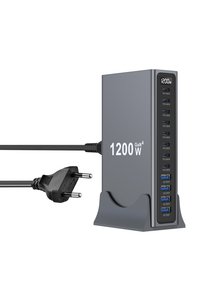
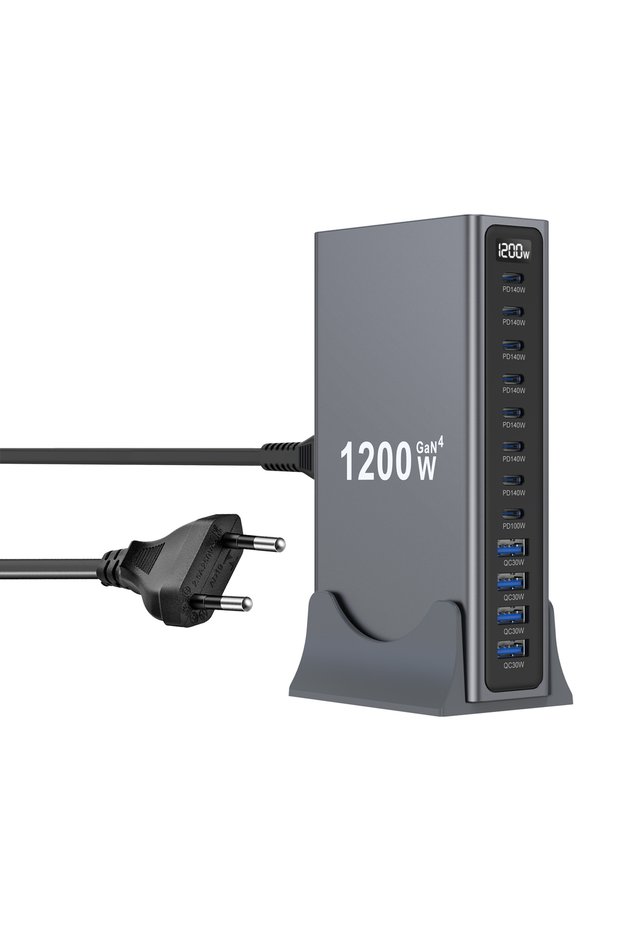
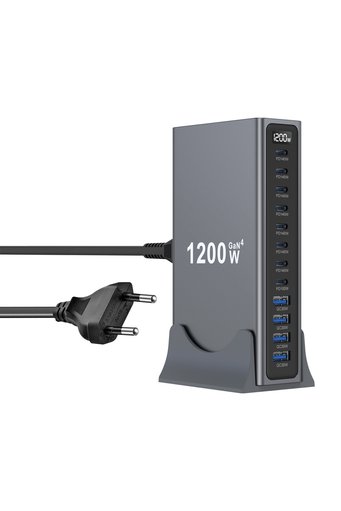
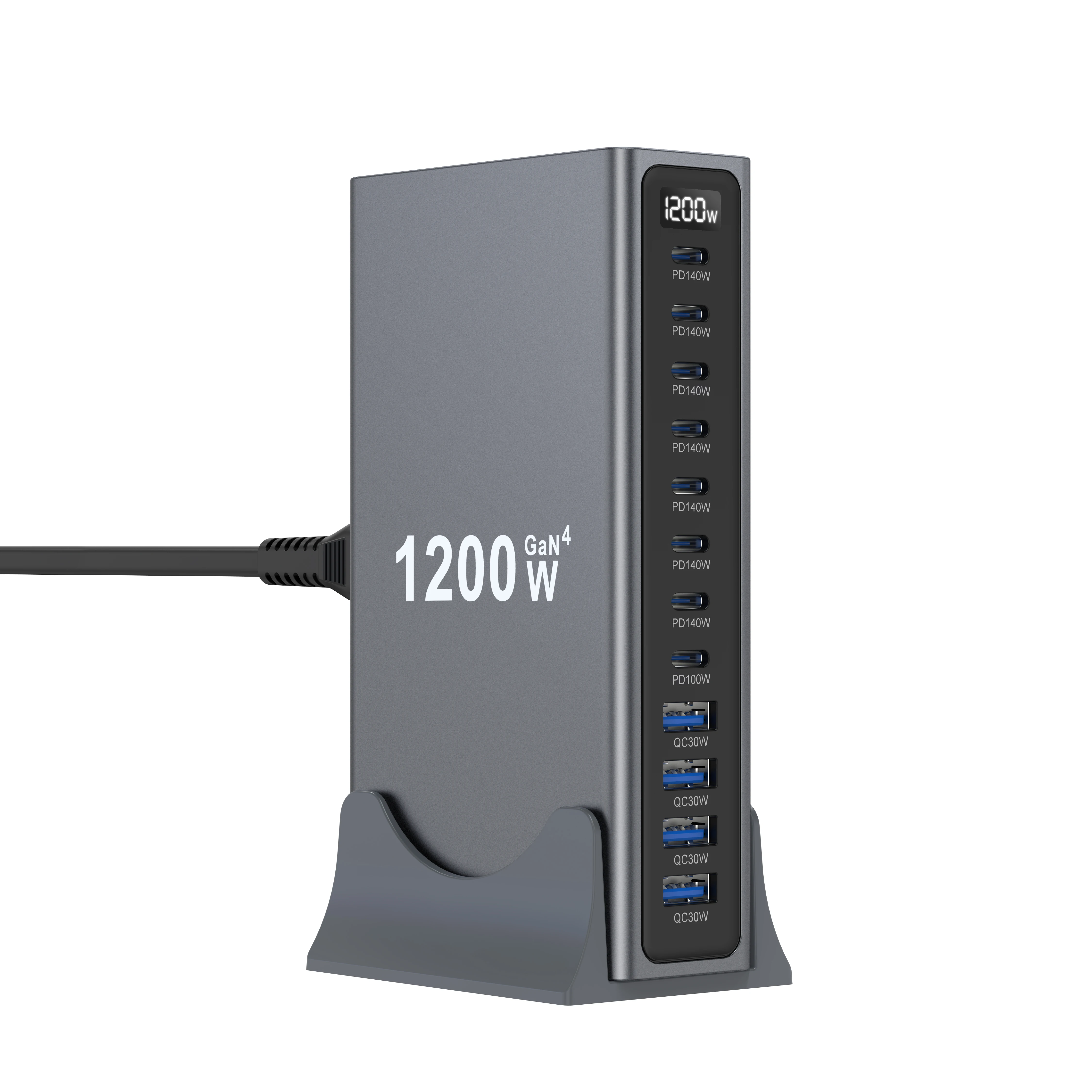
Choice EU 1200W GaN Desktop Charger 8C4A 12-Port PD Fast Station PD140W QC30W for Laptop iPhone 17 18 Multi
No reviews yet.
Checkout Discount 10% Off
At checkout
145.41 AED
161.57 AED
Color:Plug Type=EU
Free shipping
Delivery address

Select your address, find out the delivery date!
Trendyol's commitments
Easy and free return in 15 days.
Payment methods



Highlighted features:
Choice EU 1200W GaN Desktop Charger 8C4A 12-Port PD Fast Station PD140W QC30W for Laptop iPhone 17 18 Multi features
Color
Multicolor

Big Save Store
8.8
80.9K followers
Seller information
Shoppers also viewed




 Trendyol Plus Exclusive






Choice EU 1200W GaN Desktop Charger 8C4A 12-Port PD Fast Station PD140W QC30W for Laptop iPhone 17 18 Multi reviews
No reviews yet.
Product details
Additional info
- A maximum of 10 units of this product can be ordered. Trendyol reserves the right to cancel orders over 10 units.
- Barcode No: 3675976167512
Choice EU 1200W GaN Desktop Charger 8C4A 12-Port PD Fast Station PD140W QC30W for Laptop iPhone 17 18 Multi features
Color
Multicolor
Safety information
Product safety information
Product description
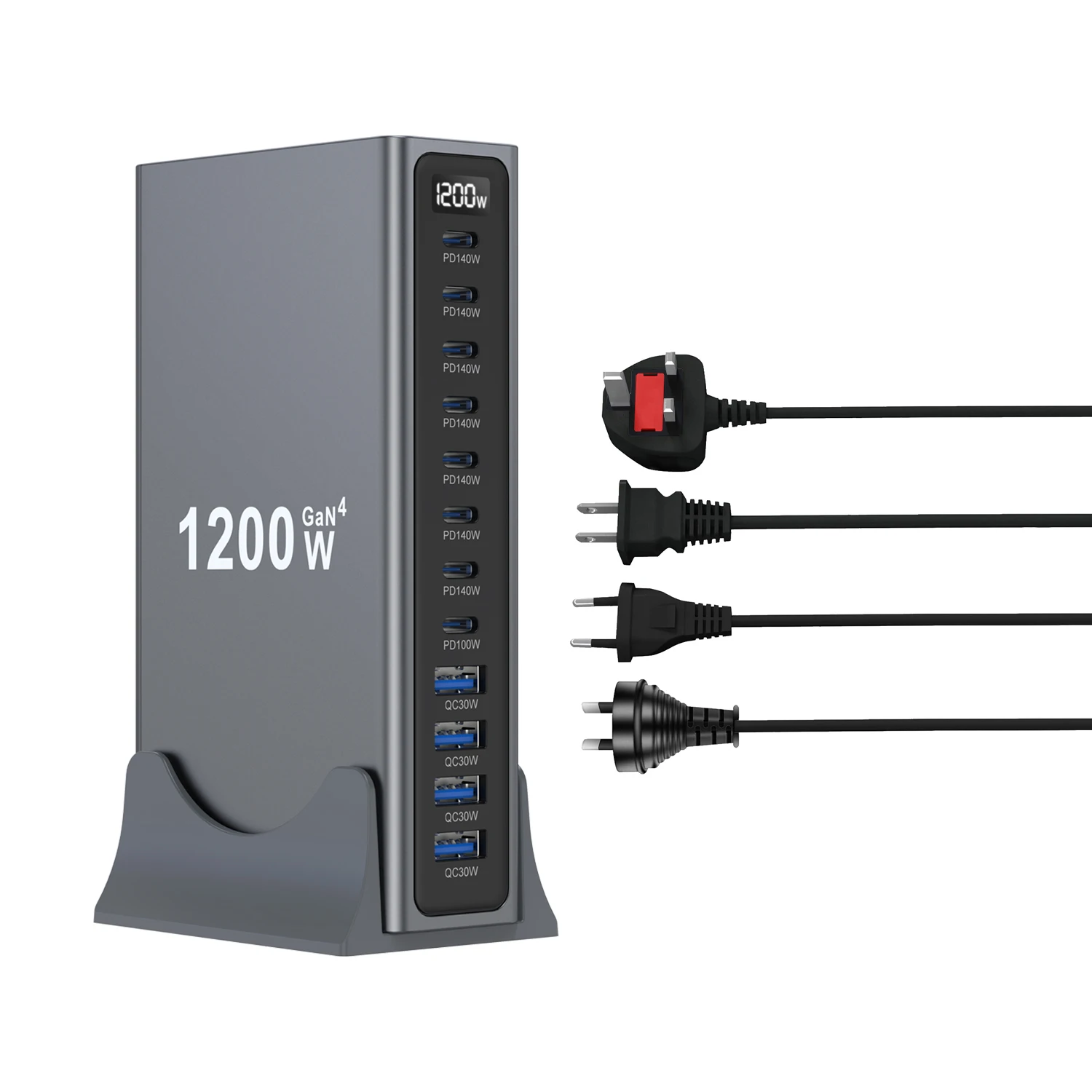
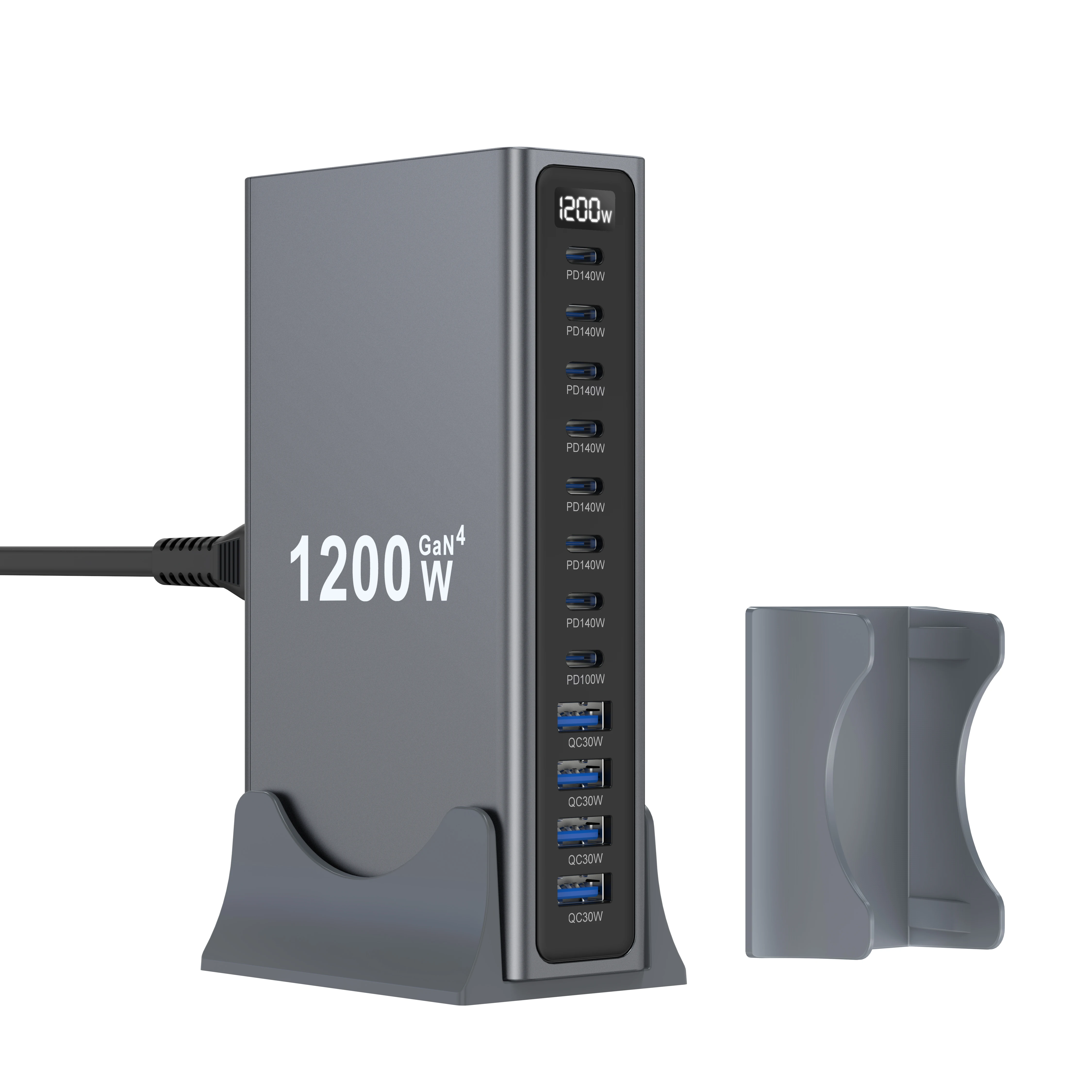
Plug Type:EU
Input:AC110-240V, 50/60Hz, 2.5AMax
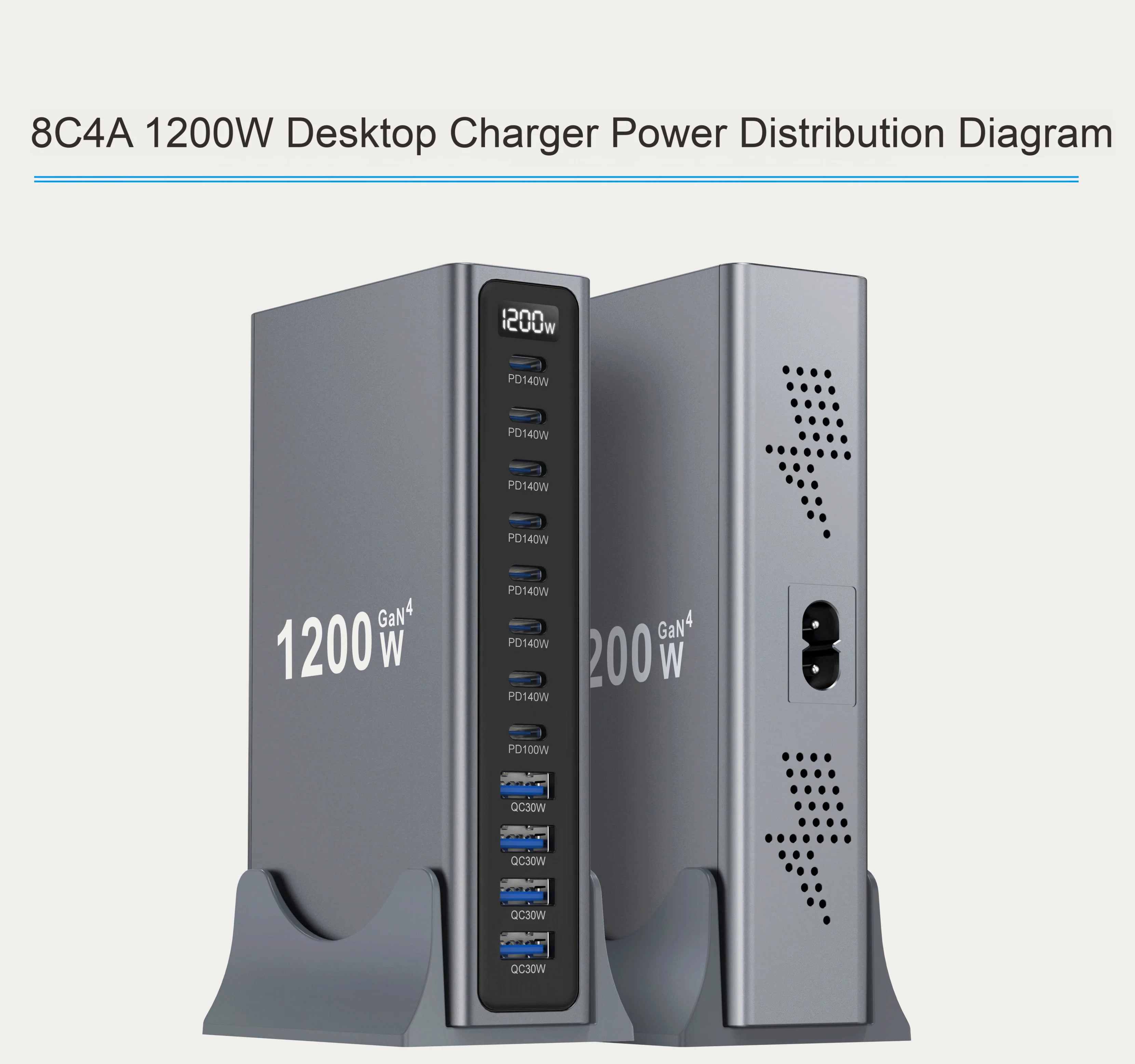
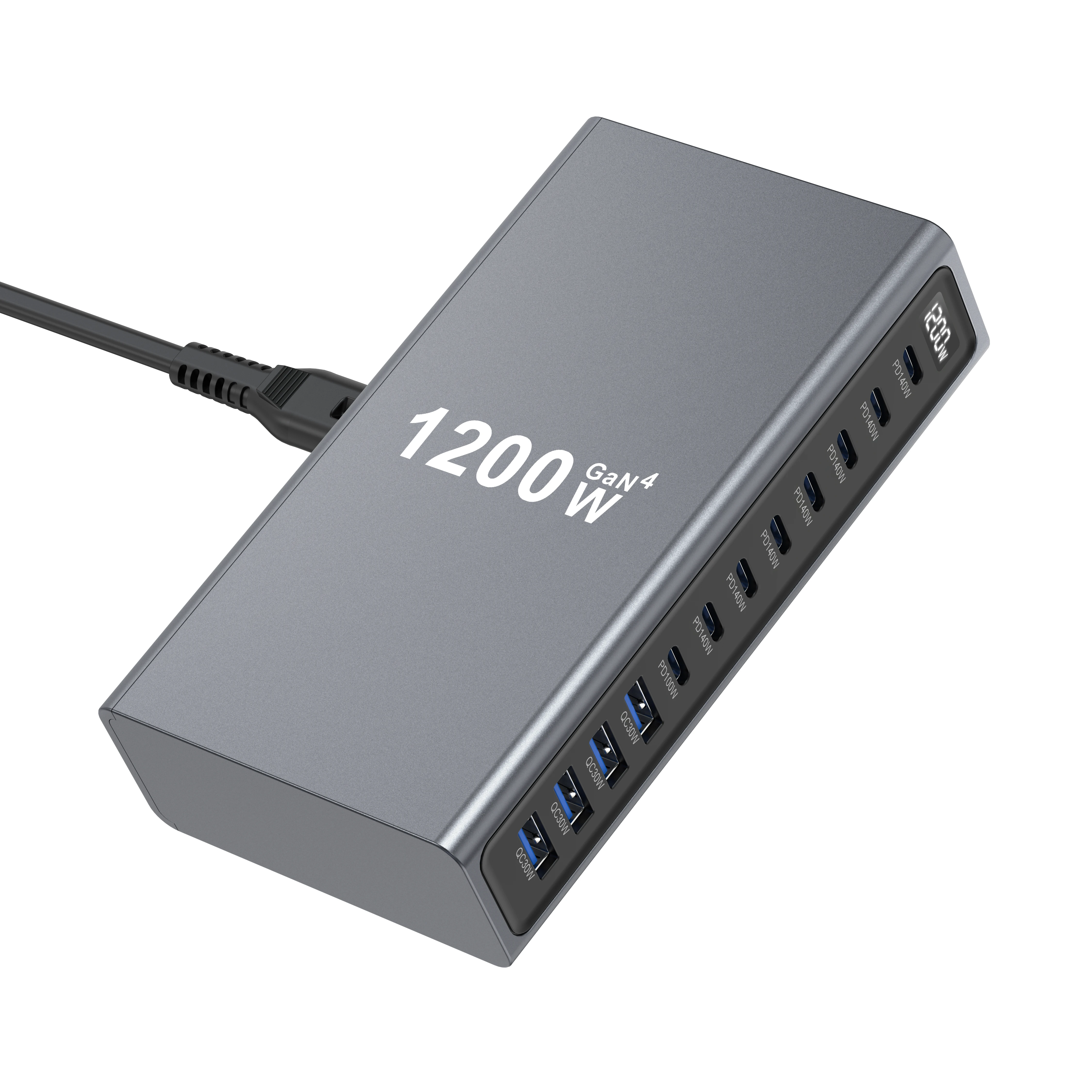
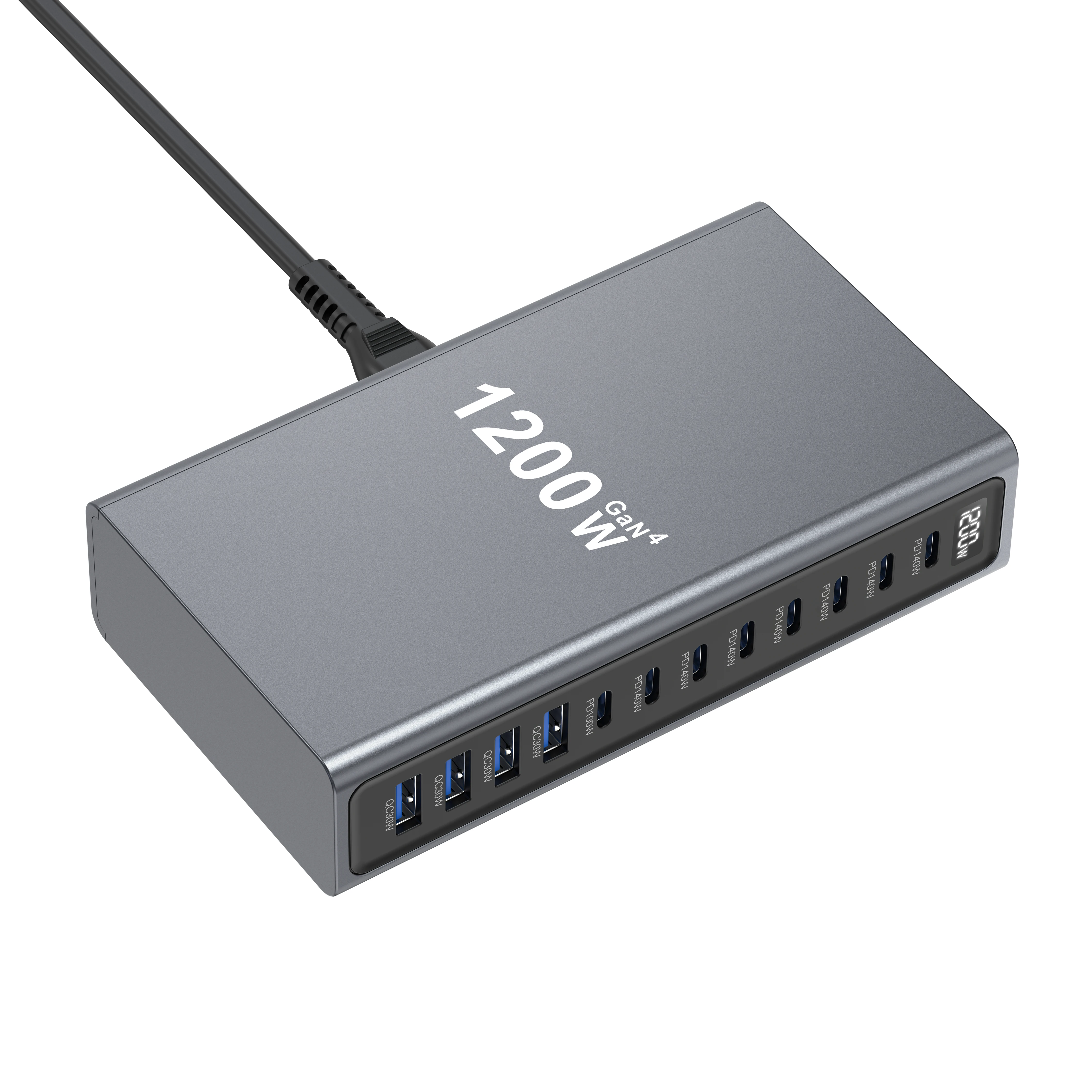
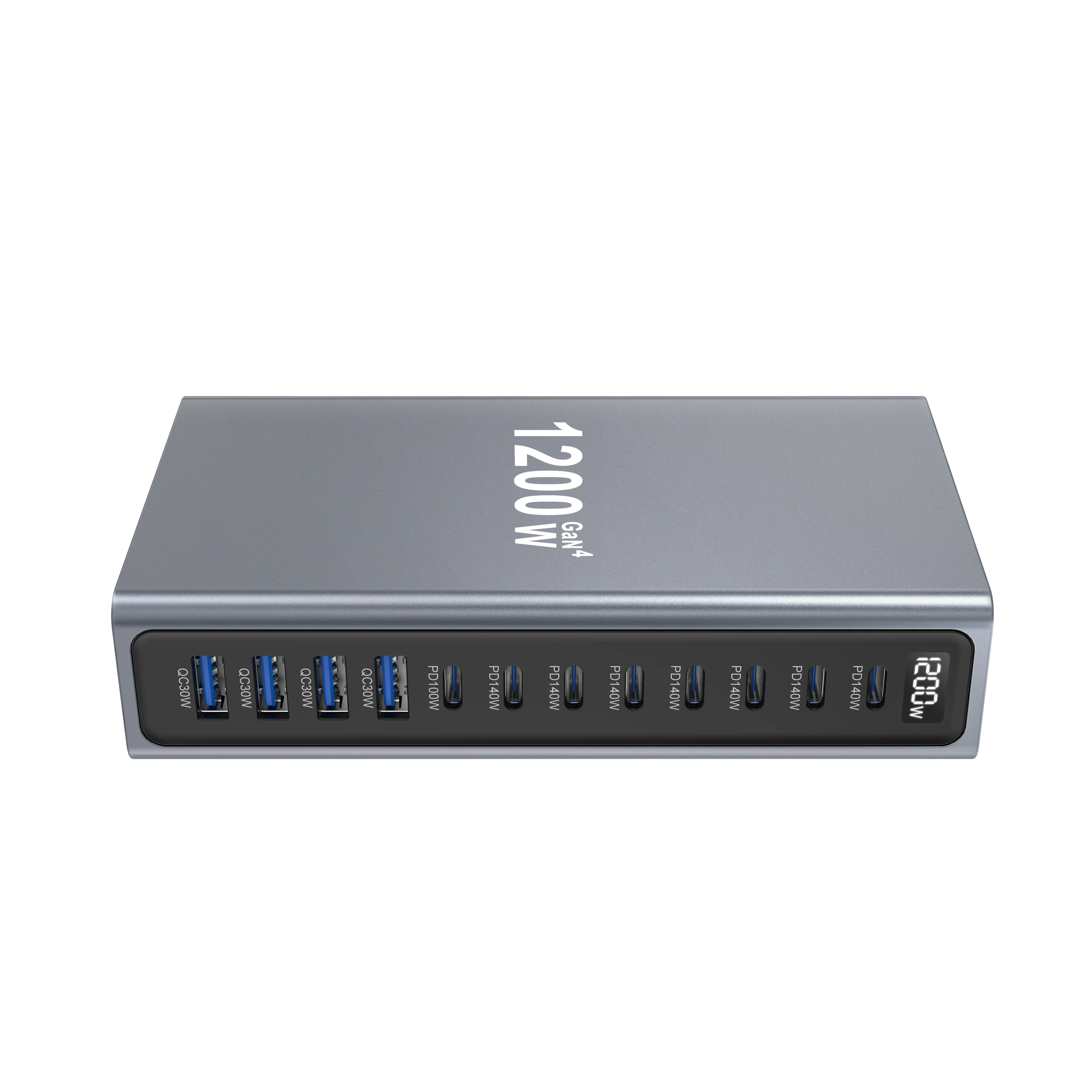
Output:USB-C:5V3A/9V3A/12V3A/15V3A/20V5A/28V5A 140W(Max)
Output:USB-C:5V3A/9V3A/12V3A/15V3A/20V5A 100W(Max)
Output:USB-A:5V3A/9V3A/12V2.5A/20V1.5A 30W(Max)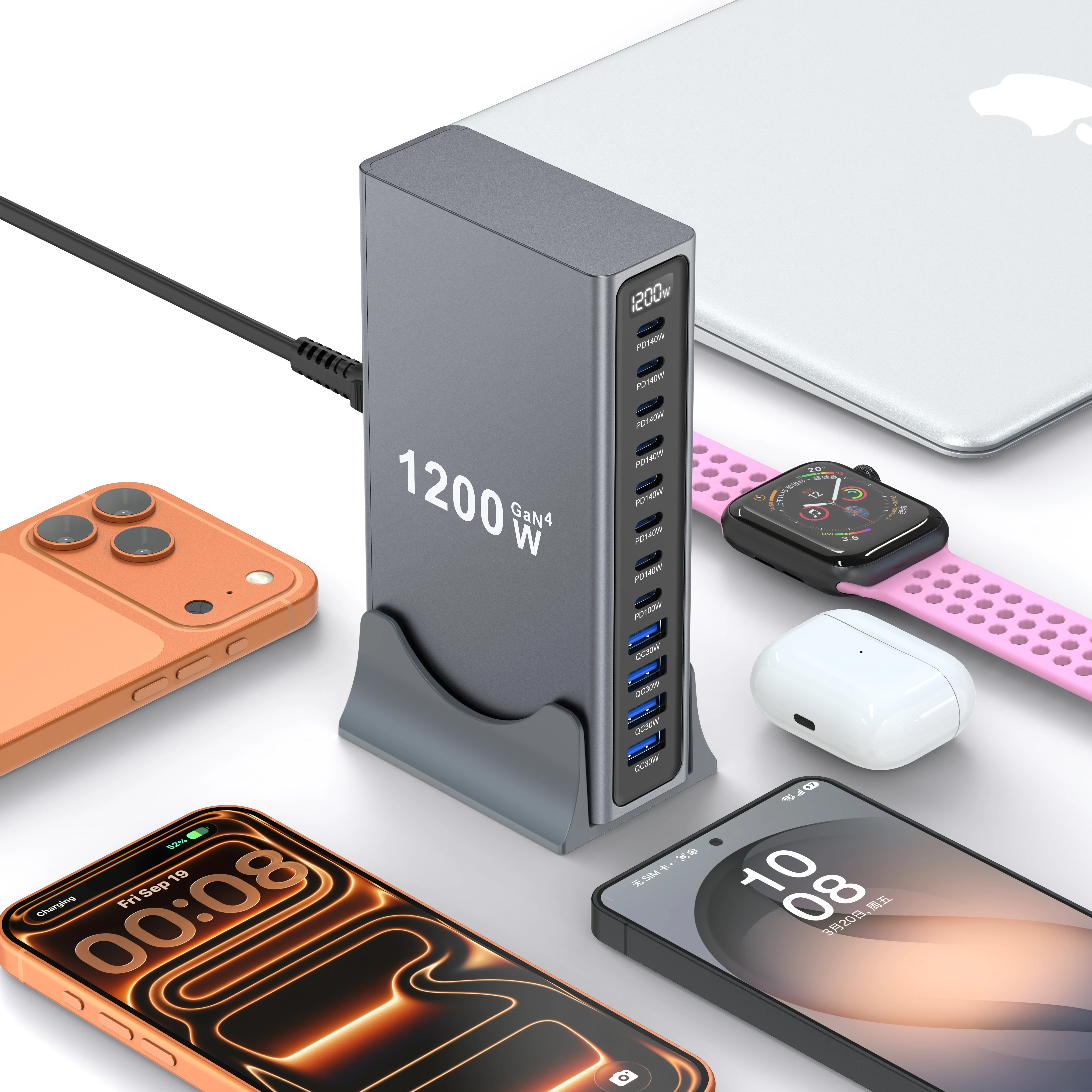
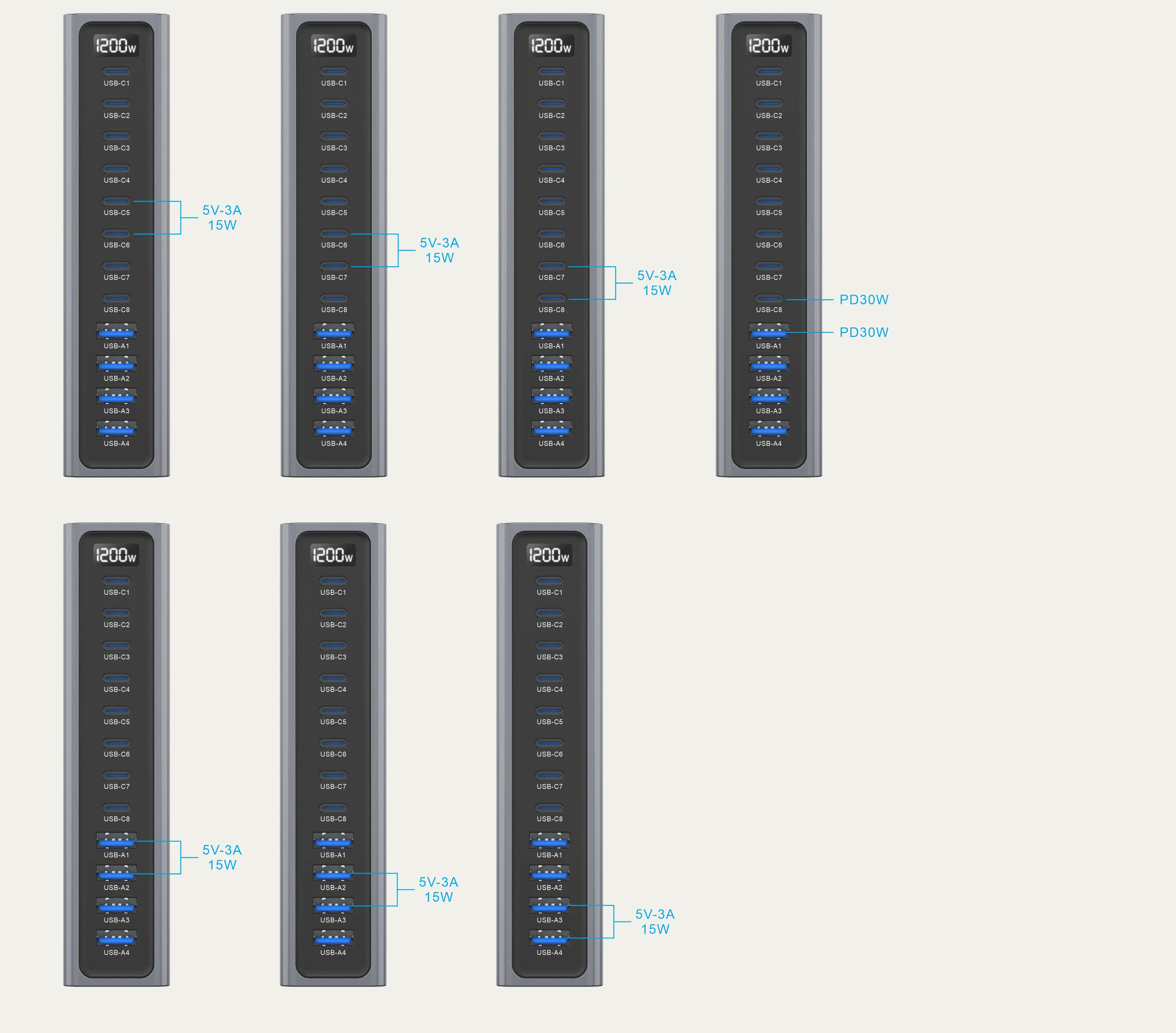
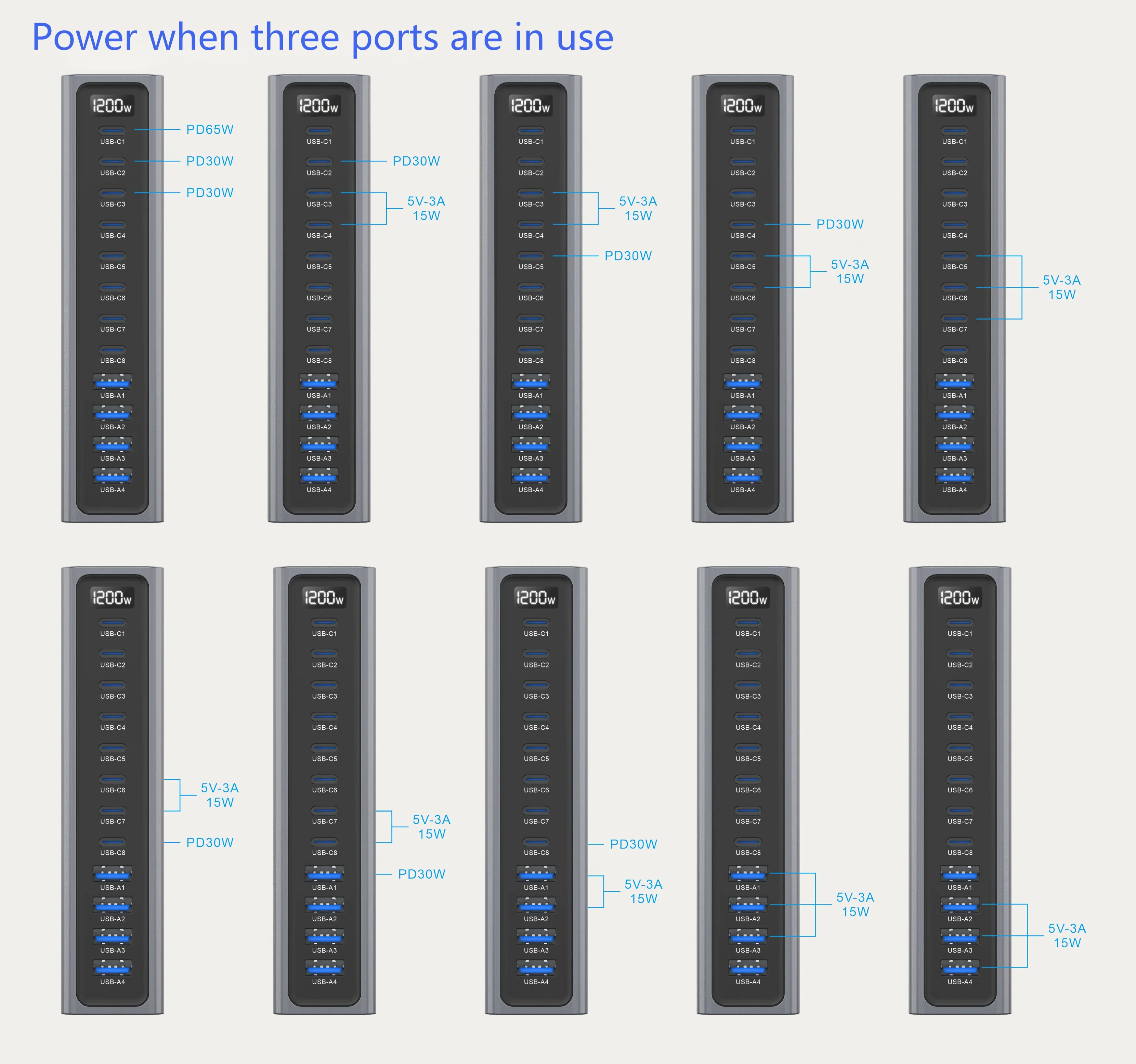
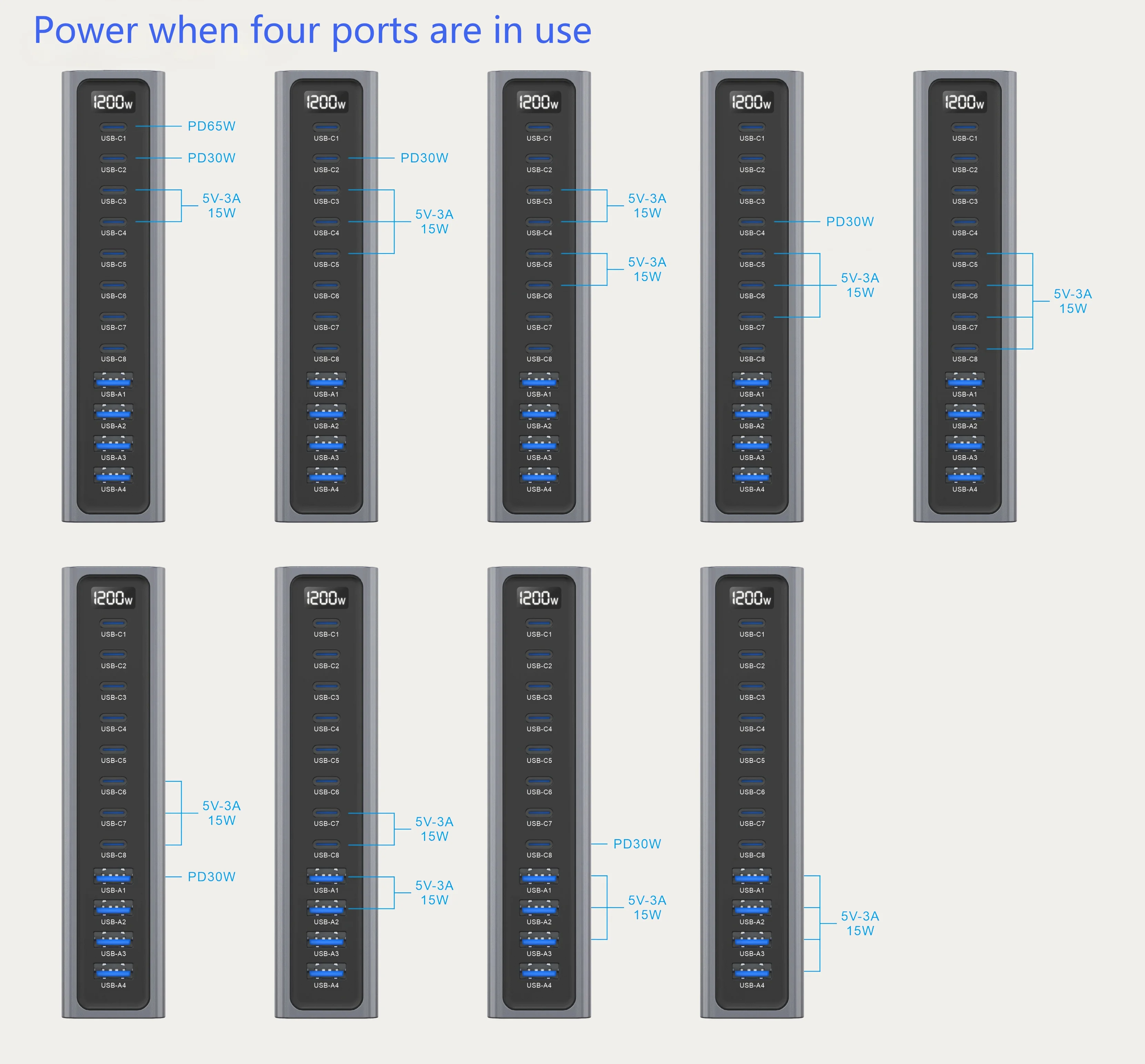
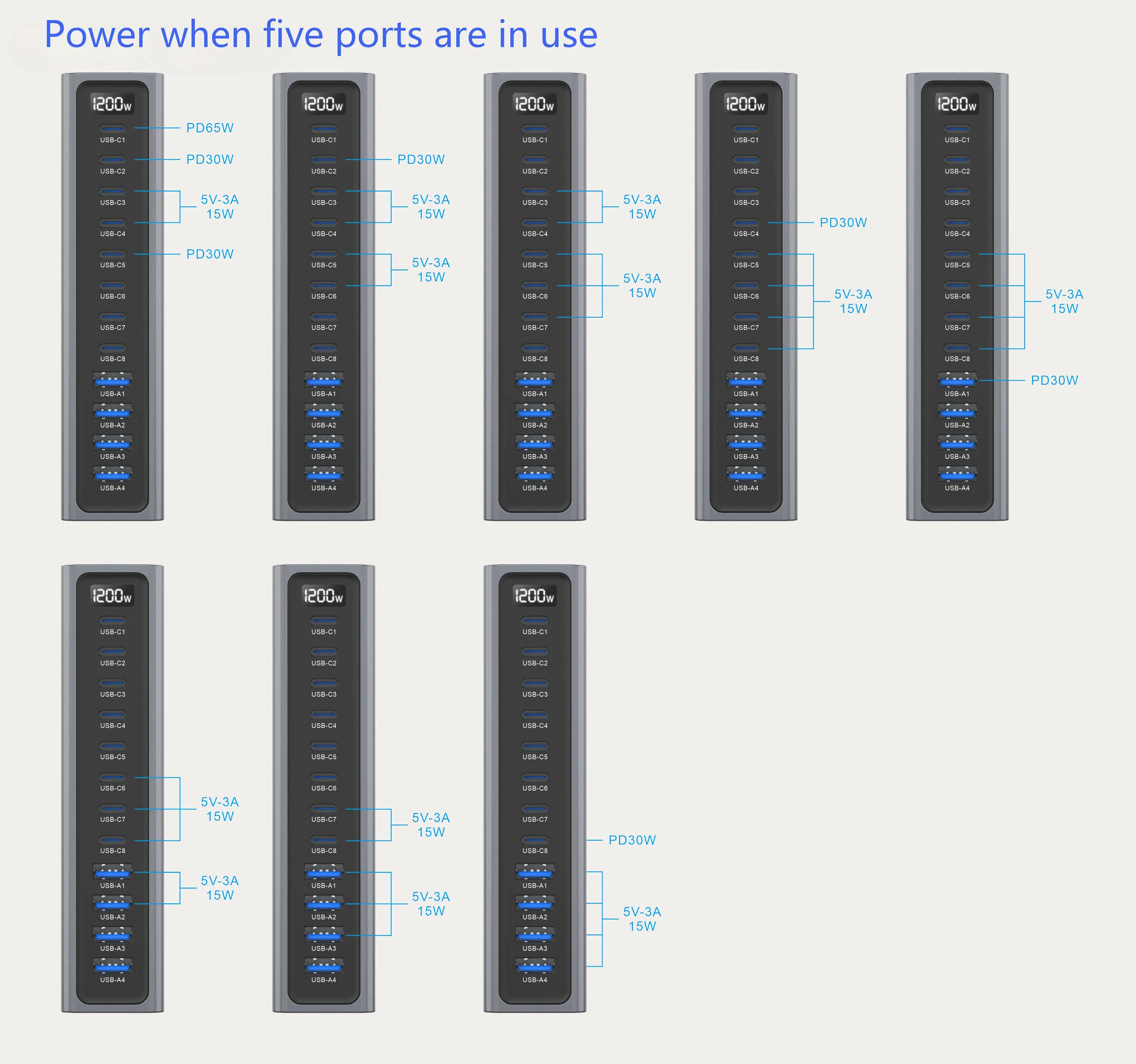
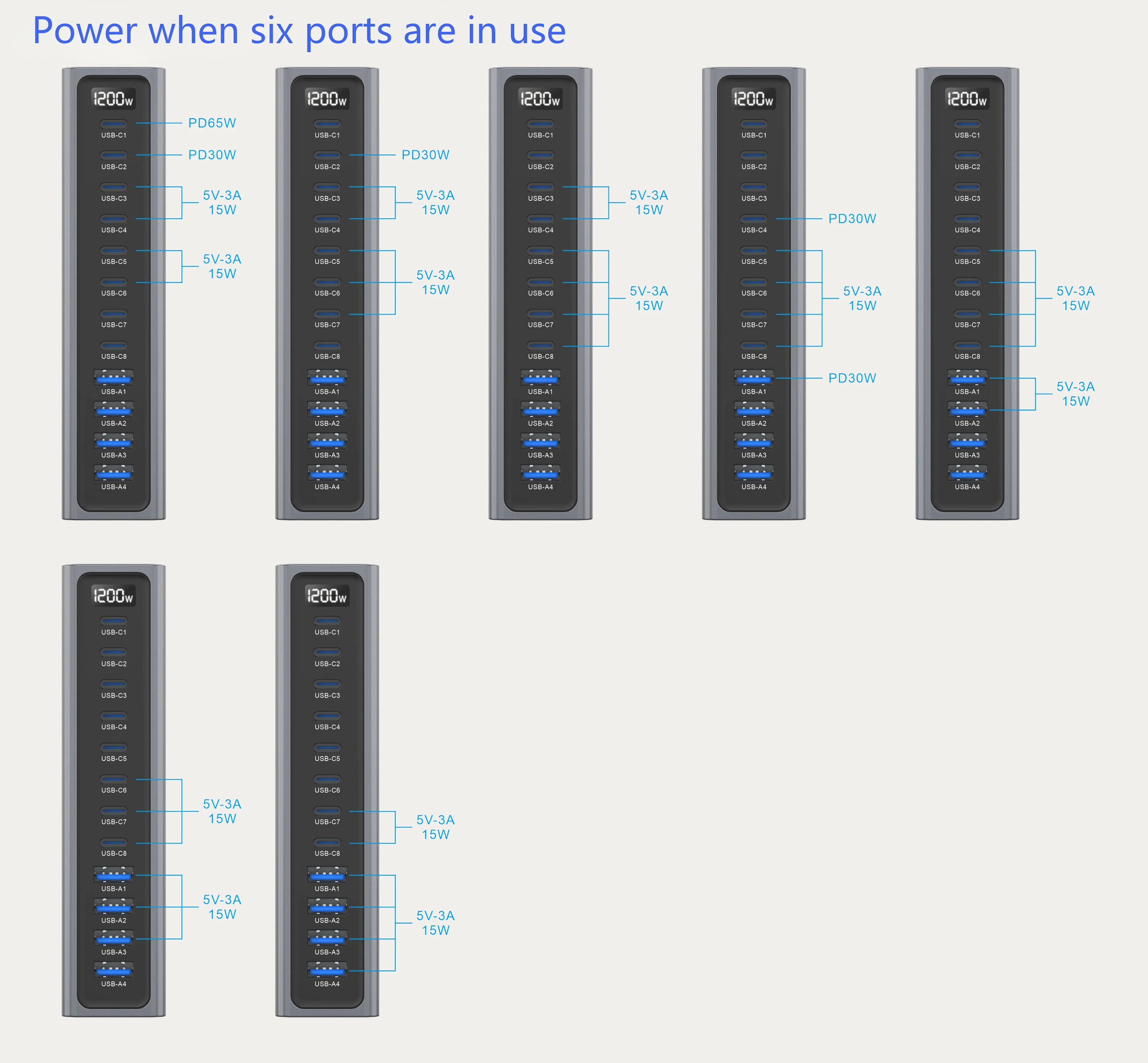
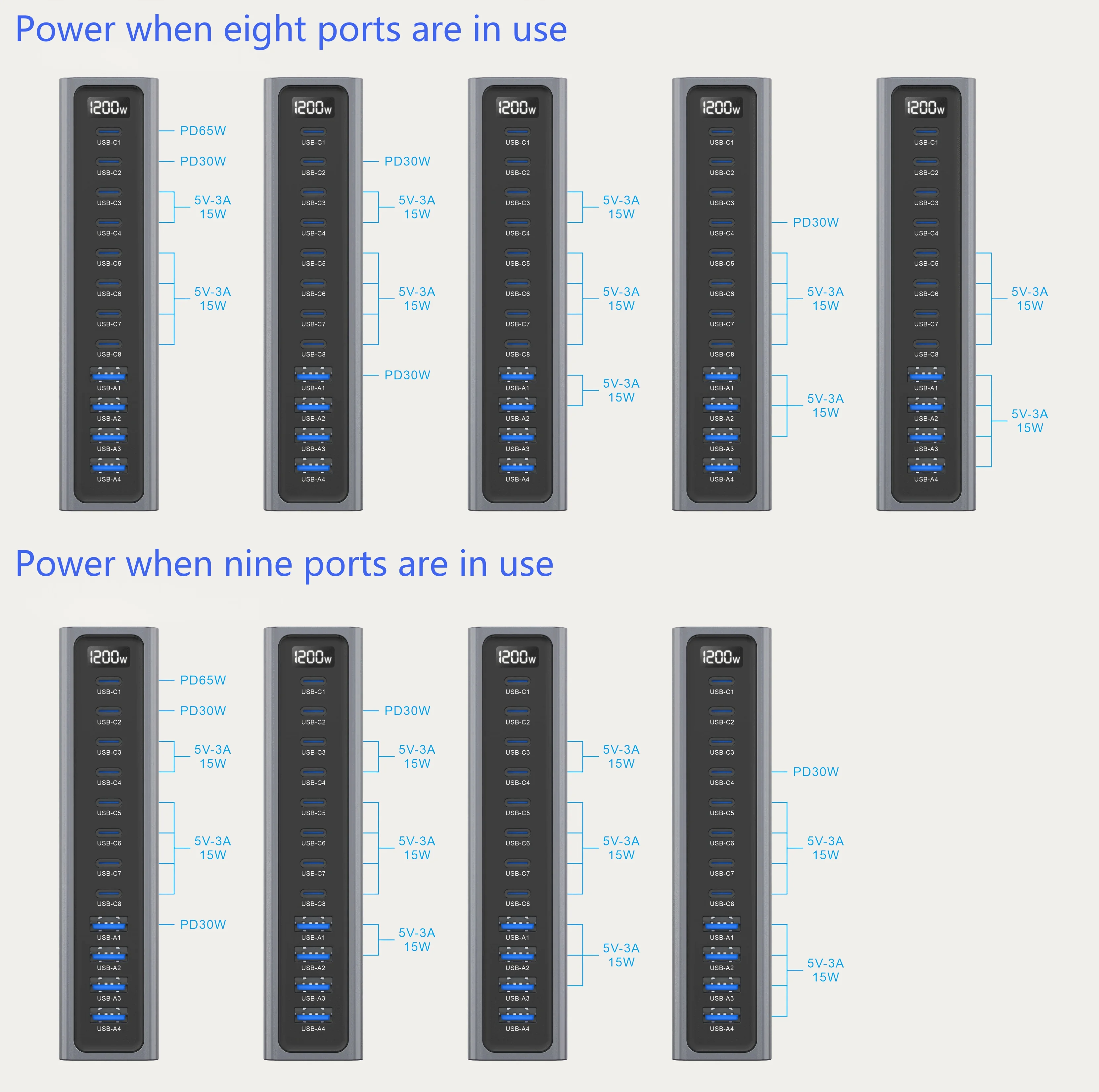
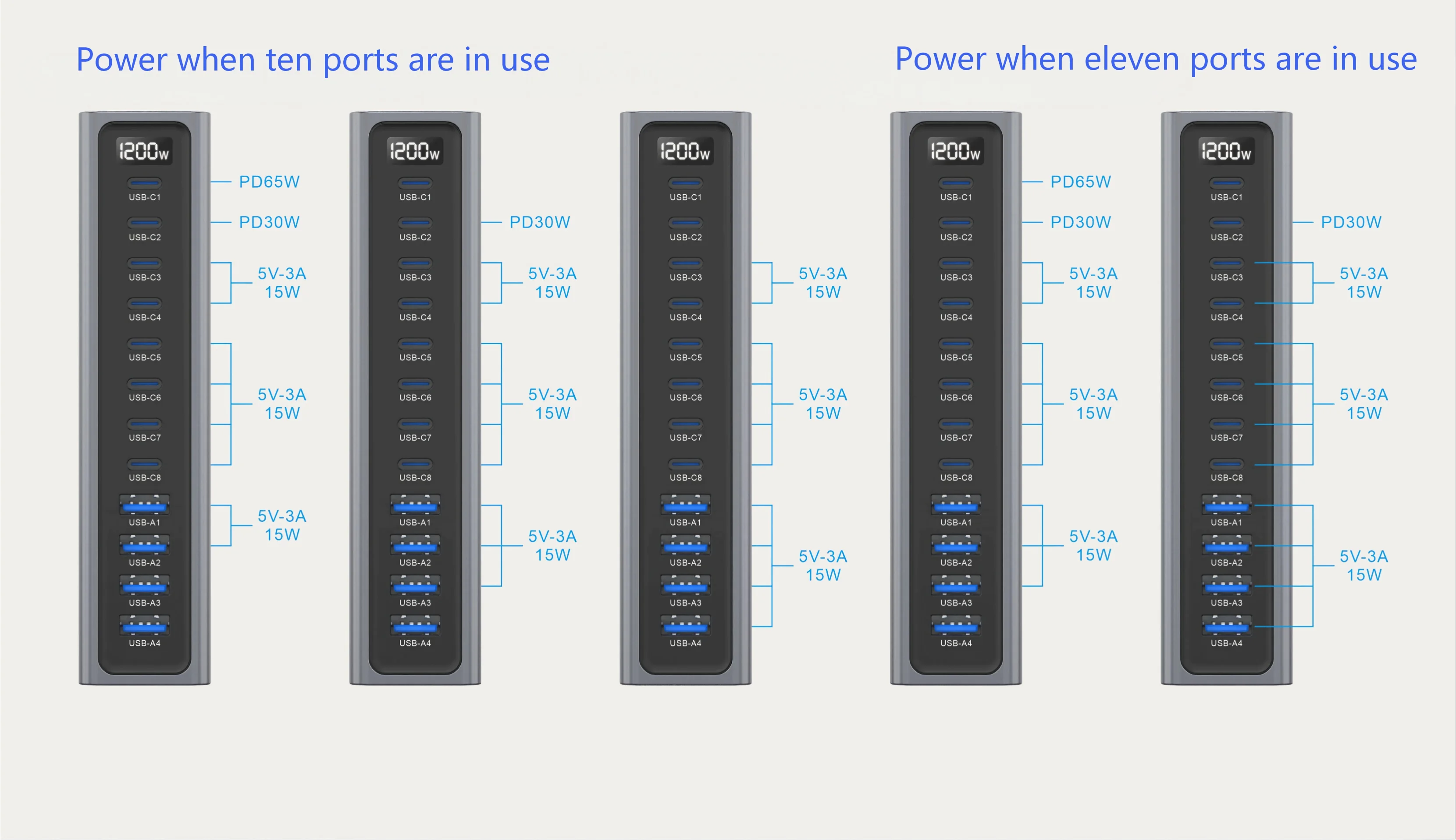
 Please read carefully before buying:
1.The charger's indicator light is not on.What should I do?
Answer: If the light is not on, please check if the power cord is properly connected to the charger and ensure that the charger's rear interface is fully inserted.
2.When charging, the charger blinks twice or thrice before charging normally.Is this normal?
Answer: Yes, it is normal.The GaN charger automatically matches the corresponding protocol to achieve fast charging, so some charging sessions may start after blinking twice.
3.When another device is plugged in while one is already charging, the charging of the original device pauses for a moment.Is this normal?
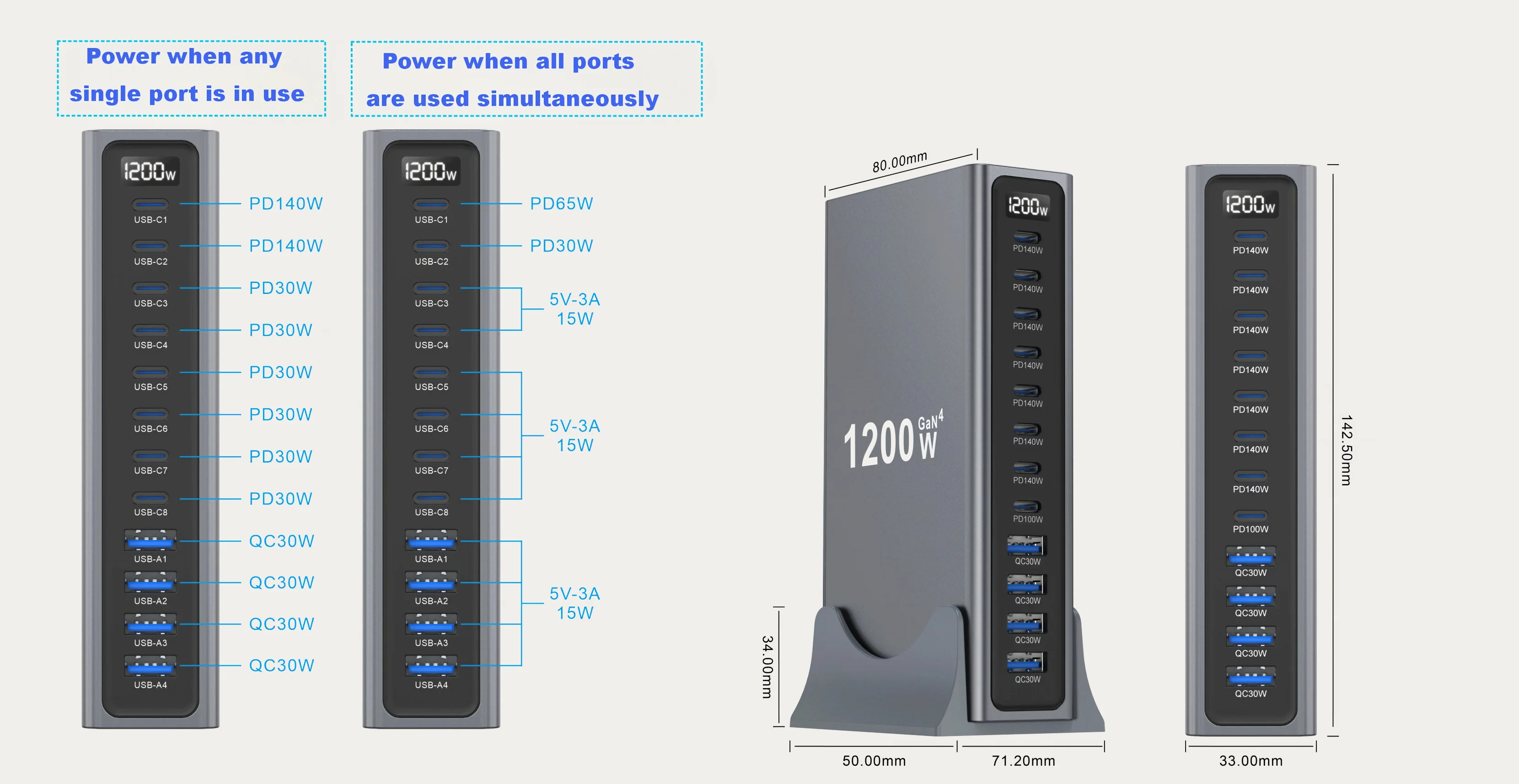
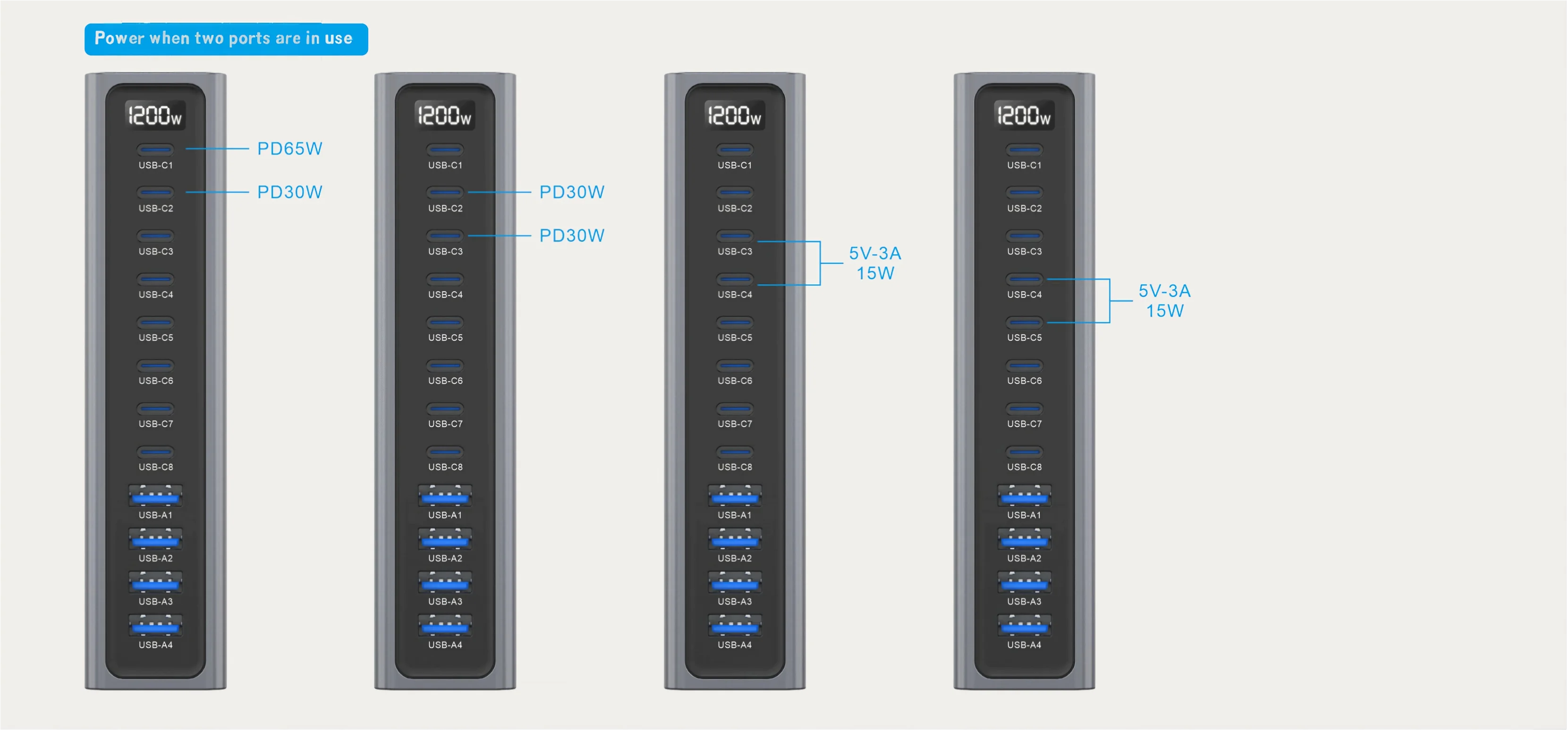
Answer: Yes, it is normal.The product is equipped with a circuit board that automatically allocates power.The charging power when multiple devices are charged simultaneously differs from when only one device is charged.Therefore, the product may pause briefly before continuing to charge.
4.Can the 100W Type-C port of the charger charge a laptop?
Answer: Yes, it can, but you need to use the correct cable for your laptop (a C-to-C cable that supports up to 100W) to charge the laptop.
5.When multiple ports are used for charging simultaneously, the product disconnects briefly before continuing to charge.What is the reason?
Answer: When a new device is plugged in for charging while multiple ports are in use, the charging device may pause briefly before continuing to charge.This is because the product averages the wattage when charging multiple devices simultaneously and continues to charge after matching the corresponding protocol.Therefore, the pause is normal.
6.Notes on using a Deception Device charger:
(1)When conducting charging tests, do not plug the Deception Device charger into a phone, as it may result in no charging.
(2)Do not connect the C1 port to a Deception Device charger for charging; instead, connect the device directly for charging.The C1 port has a VBUS MOS.
(3)When connecting a Deception Device charger, please ensure that the port is properly connected.Poor contact may prevent normal charging.To test if it can charge normally, please connect the device directly for charging.
(4)When the Deception Device charger is not connected to an output device, it outputs 5V. To test it, you must connect it to a charging device.