

Free shipping
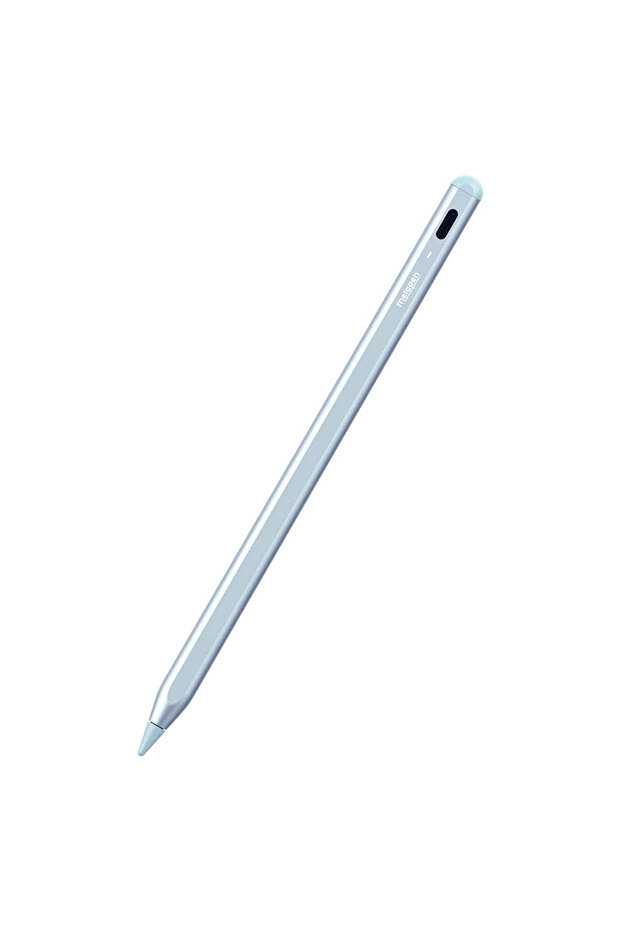
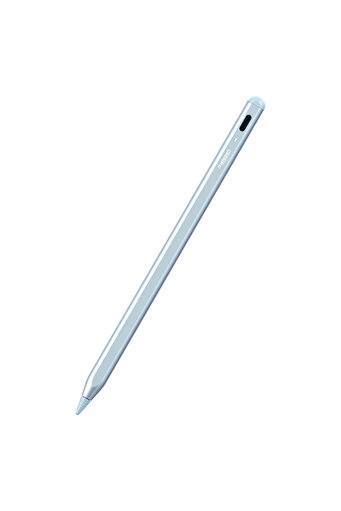
Choice Blue MetaPen A8 Stylus Pen For Apple Pencil 2018-2026 with Faster Charge, Tilt Sensitivity, Pixel Pr
No reviews yet.
Lowest price in 30 days

Special Deals
80.9360.70AED
Free shipping
Delivery address

Select your address, find out the delivery date!
Trendyol's commitments
Easy and free return in 15 days.
Payment methods



Highlighted features:
Choice6 Blue MetaPen A8 Stylus Pen For Apple Pencil 2018-2026 with Faster Charge, Tilt Sensitivity, Pixel Pr features
Color
Metallic

Big Save Store
8.9
82.4K followers
Seller information
Similar items


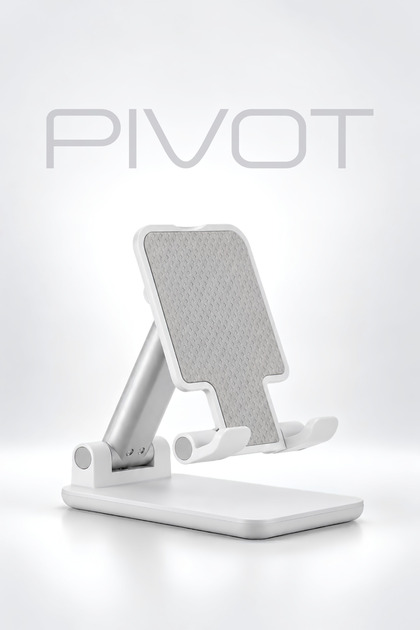

 Phone Stand Adjustable Foldable 2-Stage Desktop Tablet Holder White
 Trendyol Plus Exclusive




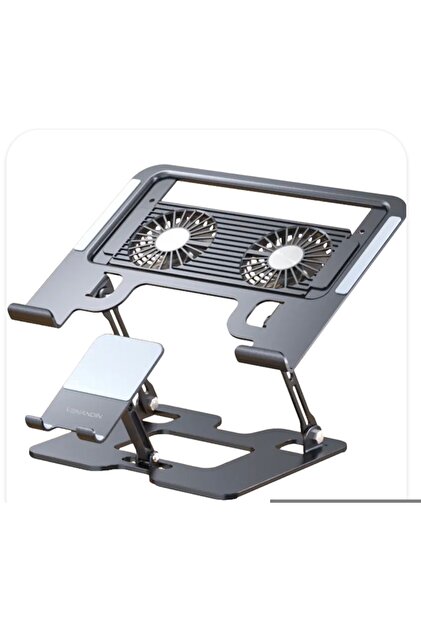

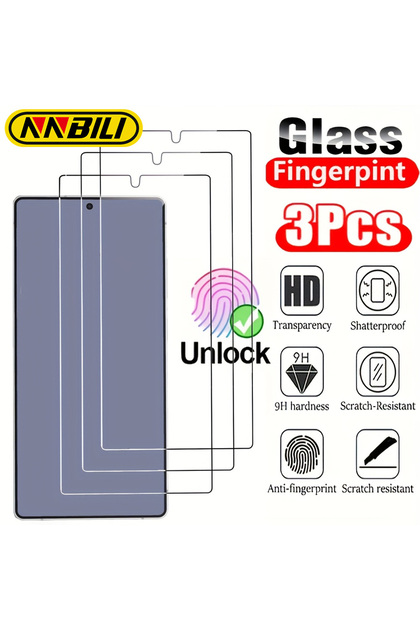







Shoppers also viewed






Choice6 Blue MetaPen A8 Stylus Pen For Apple Pencil 2018-2026 with Faster Charge, Tilt Sensitivity, Pixel Pr reviews
No reviews yet.
Product details
Additional info
- A maximum of 10 units of this product can be ordered. Trendyol reserves the right to cancel orders over 10 units.
- Barcode No: 3626844674367
Choice6 Blue MetaPen A8 Stylus Pen For Apple Pencil 2018-2026 with Faster Charge, Tilt Sensitivity, Pixel Pr features
Color
Metallic
Safety information
Product safety information
Product description
Colors:Blue
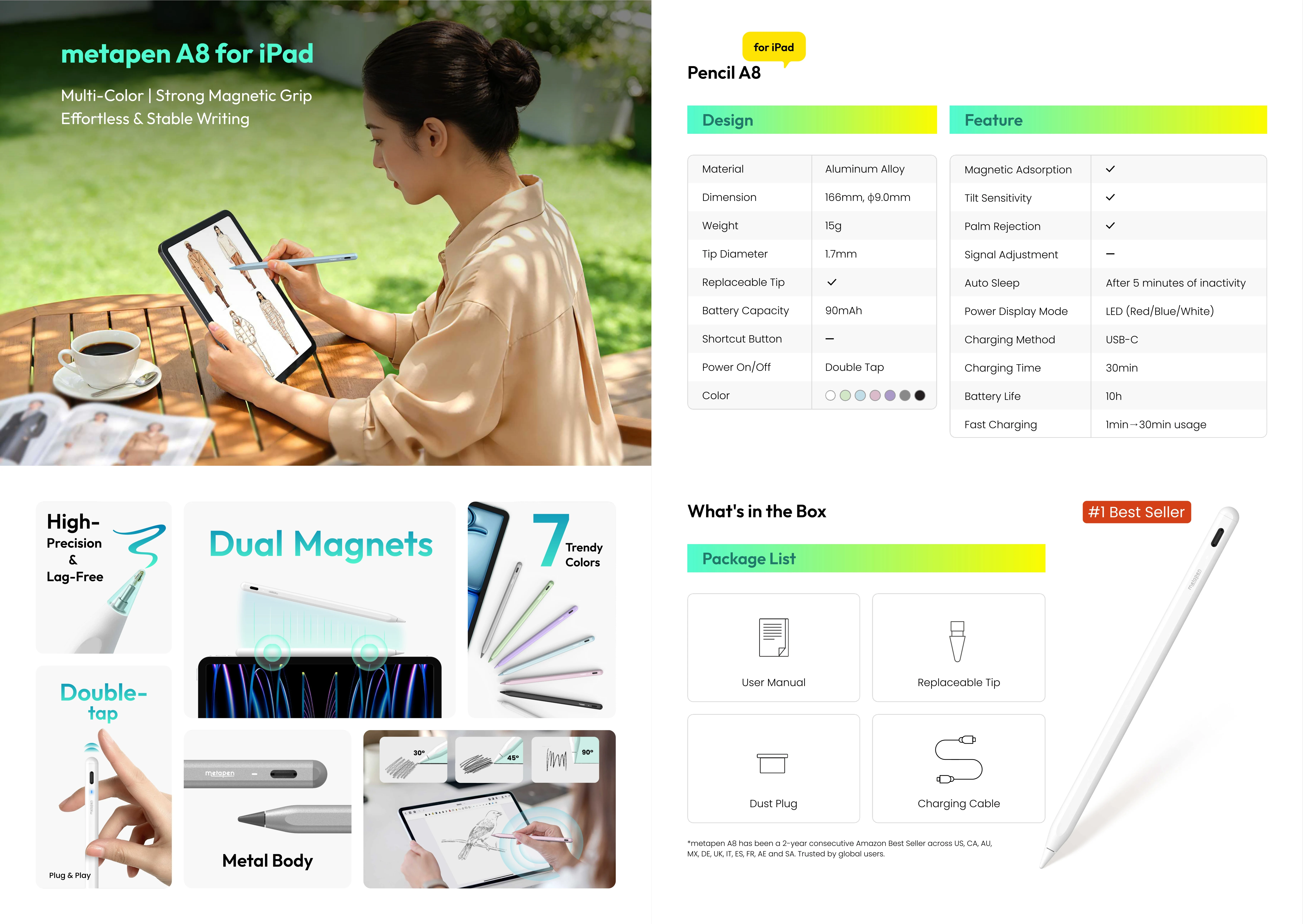
【0.1 mm Pixel Precise Without Delay】: The upgraded smart chip delivers pixel-level accuracy of 0.1 mm with high responsiveness, no breakpoints, and no delays. You can enjoy writing small words and drawing fine lines with ease, just like using a real pencil! NOTE: The iPad stylus does not support pressure sensitivity
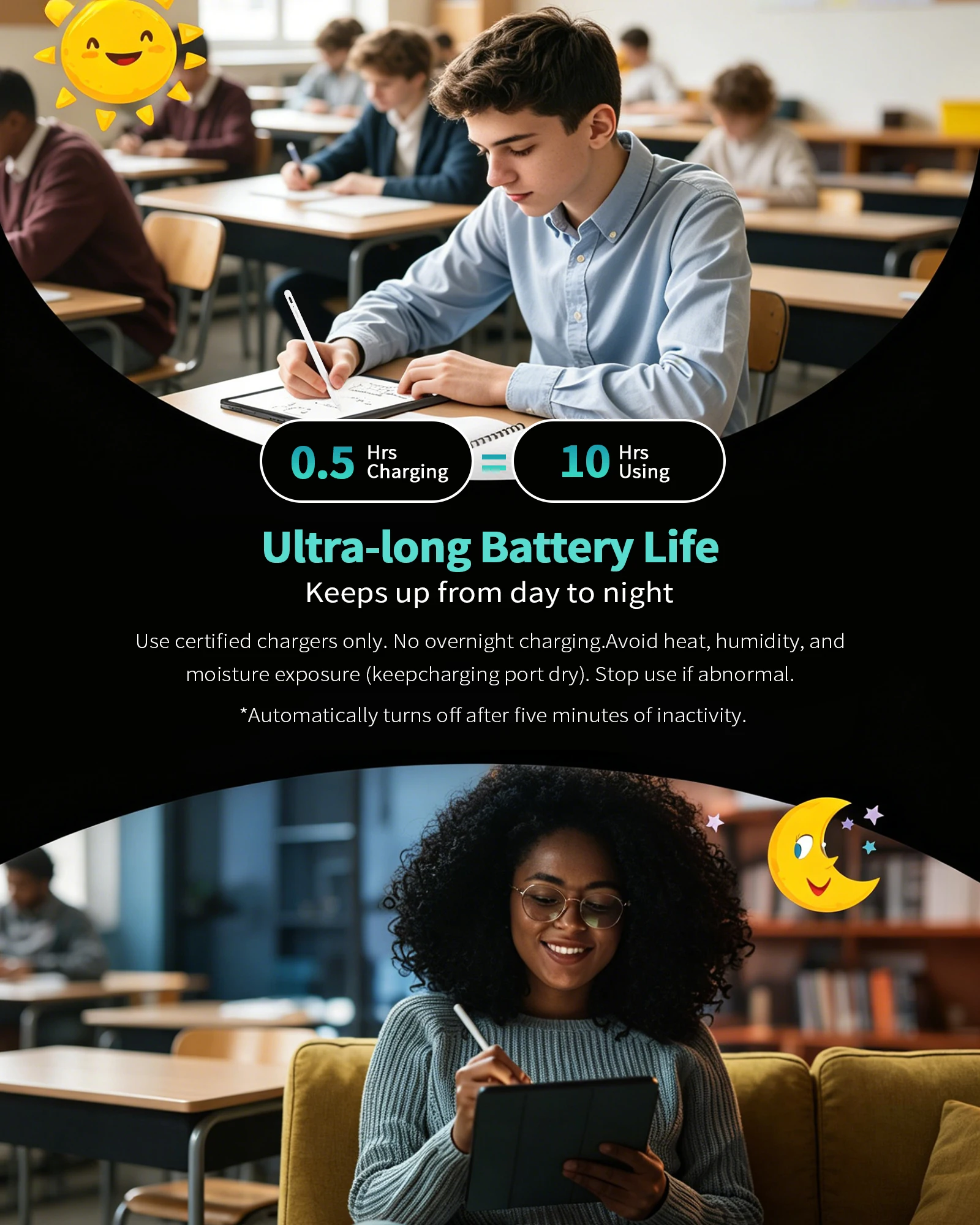
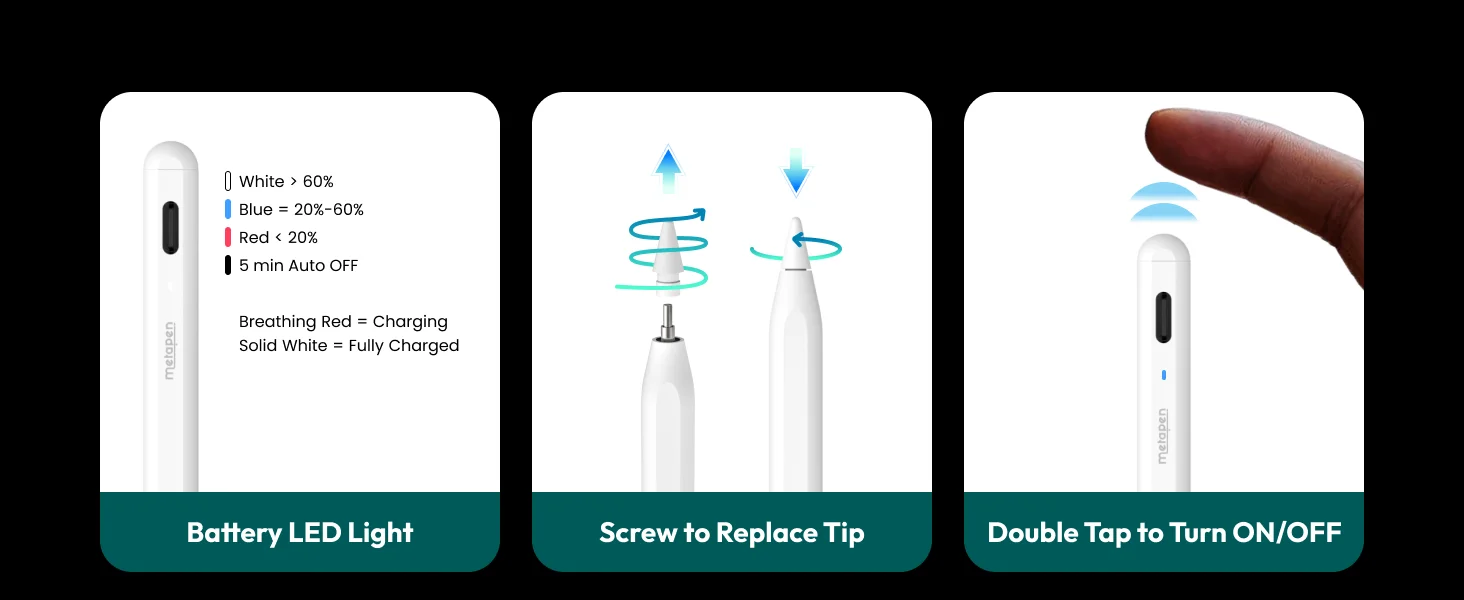
【2X Faster Charge】: Metapen Pencil A8 fully charges in just 30 minutes via USB-C and lasts up to 10 hours. 1-min charge = 50-min use; 4-min charge = 2-hour use. The LED indicator displays different colors based on battery level, reminding you to recharge in time. It automatically shuts down after 5 minutes of inactivity for better energy efficiency
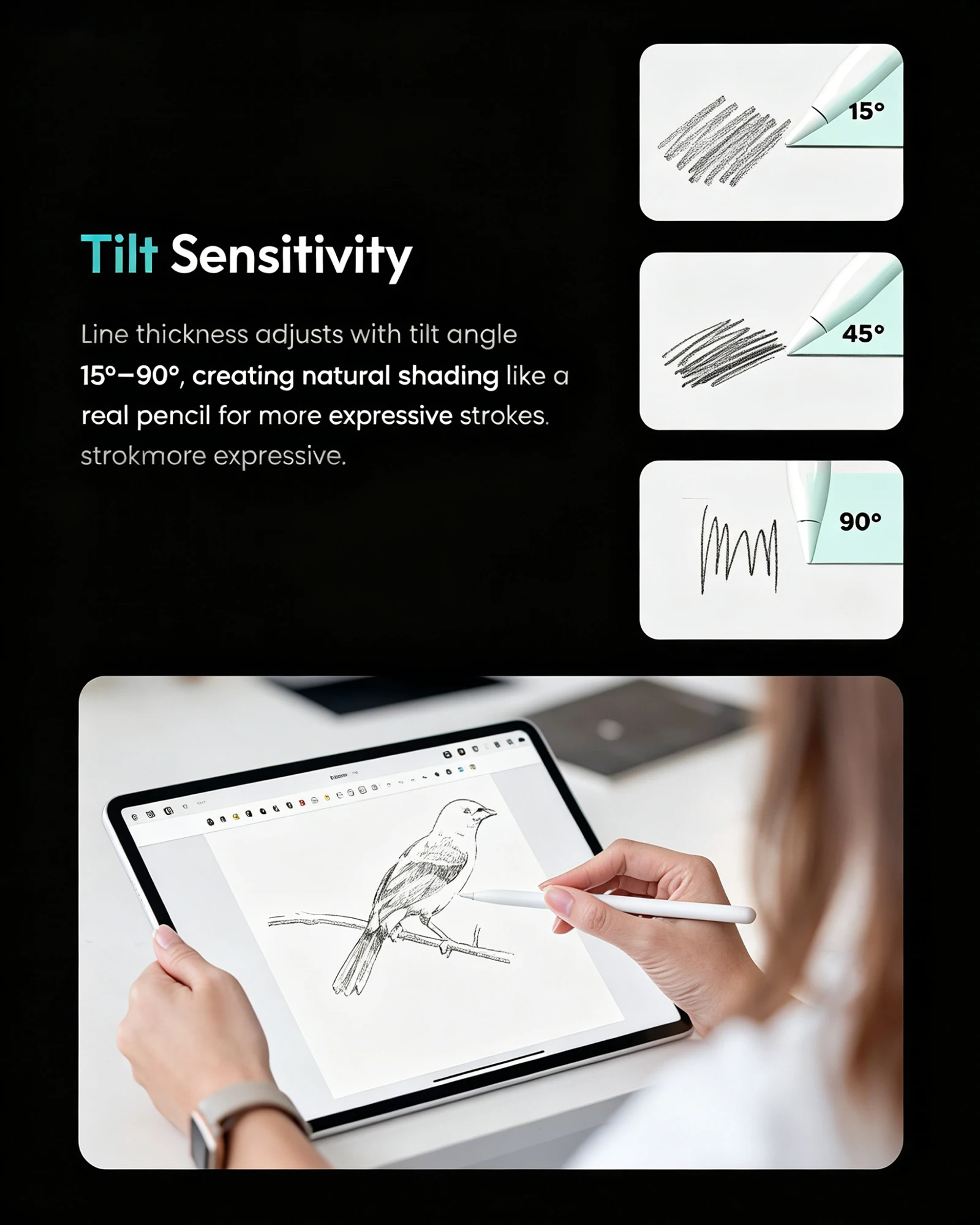
【Tilt-sensitive and Palm Rejection】: Different tilt angles create varying lines and shadows. Tilt for the shadow in [Pencil Brush] or tilt for thicker lines in [Marker brush]. Our iPad stylus supports Palm Rejection, so no need for a glove. You can rest your palm or fingers on the screen during sketching, drawing, or writing
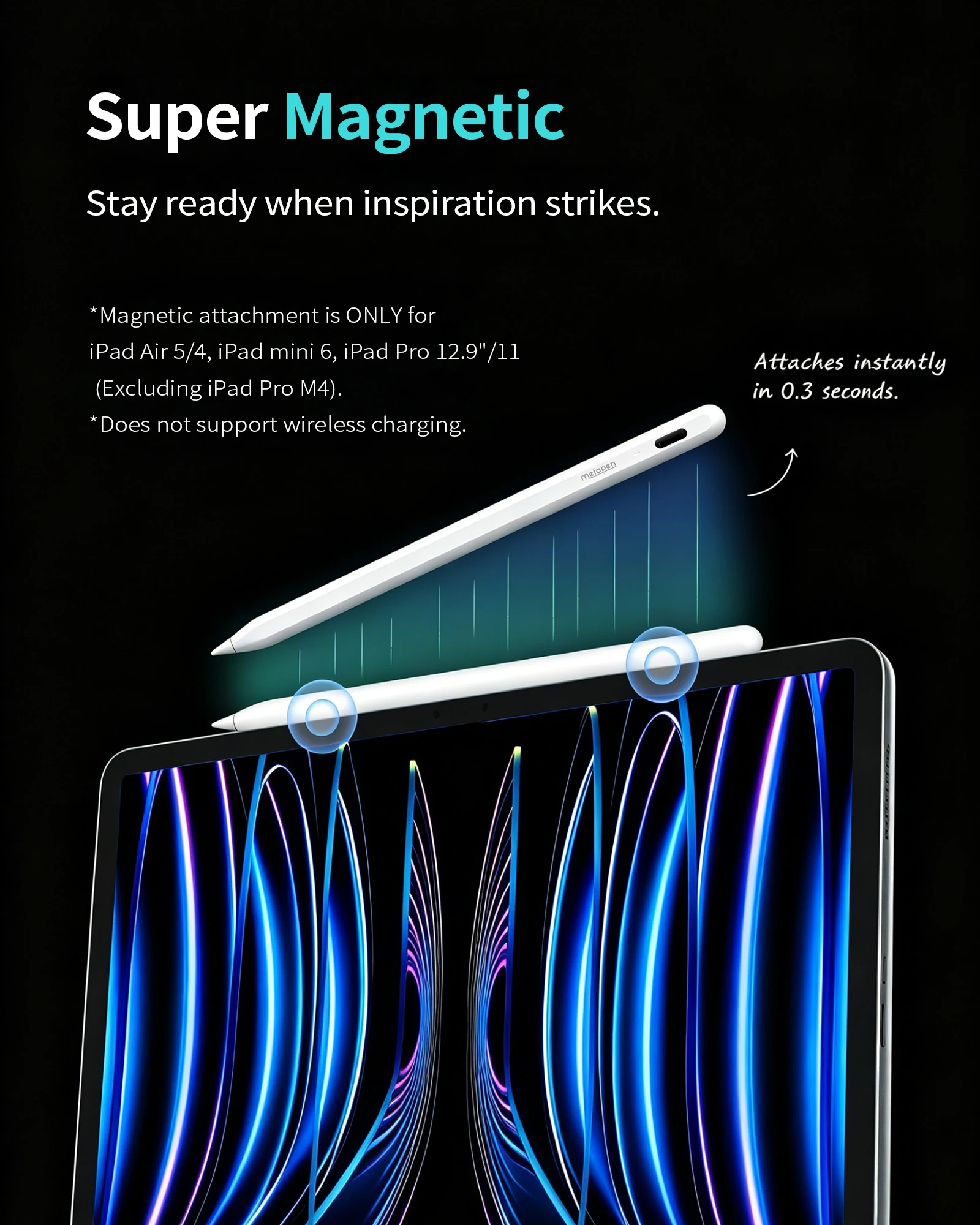
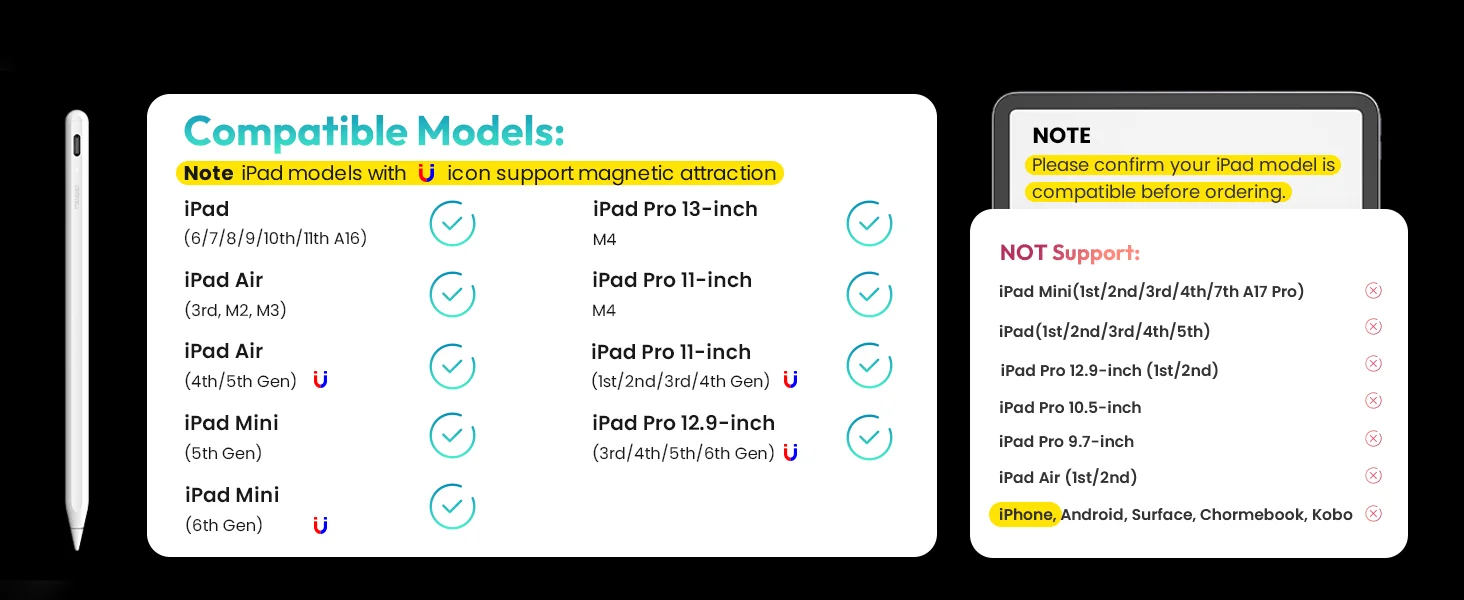
【Quick Connect and Double Magnets】: No need to connect via Bluetooth or apps. Simply double-tap the invisible touch switch on the rounded end of A8 to power ON/OFF. With two built-in magnets, the Metapen iPad Pen securely attaches to your iPad anytime, no more rolling away or getting lost. (NOTE: Wireless Charging is NOT Supported. NO magnetic attachment for iPad Air 3rd/M2/M3 Gen, iPad 6th/7th/8th/9th/10th/11th Gen, iPad mini 5th/7th, iPad Pro M4)
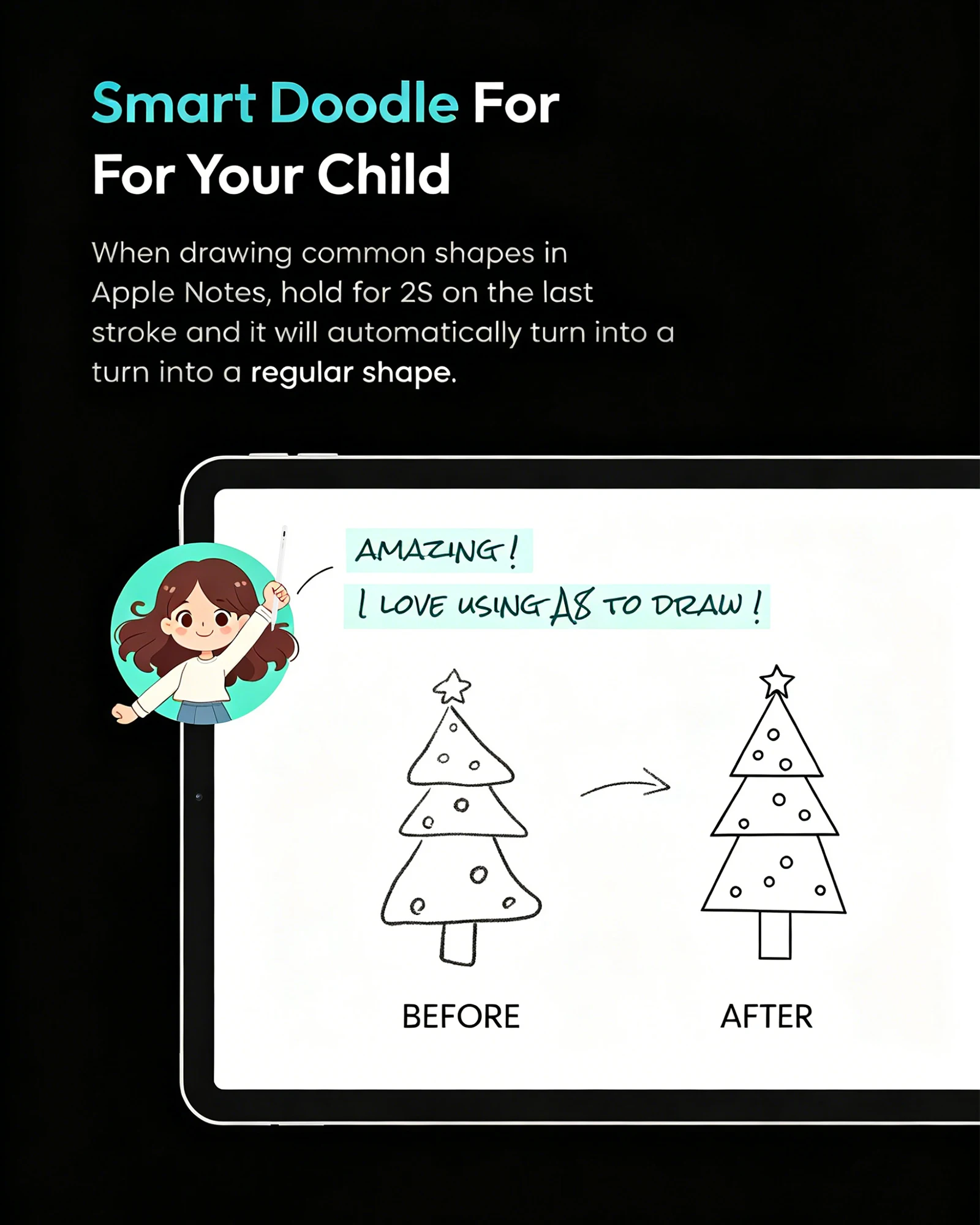
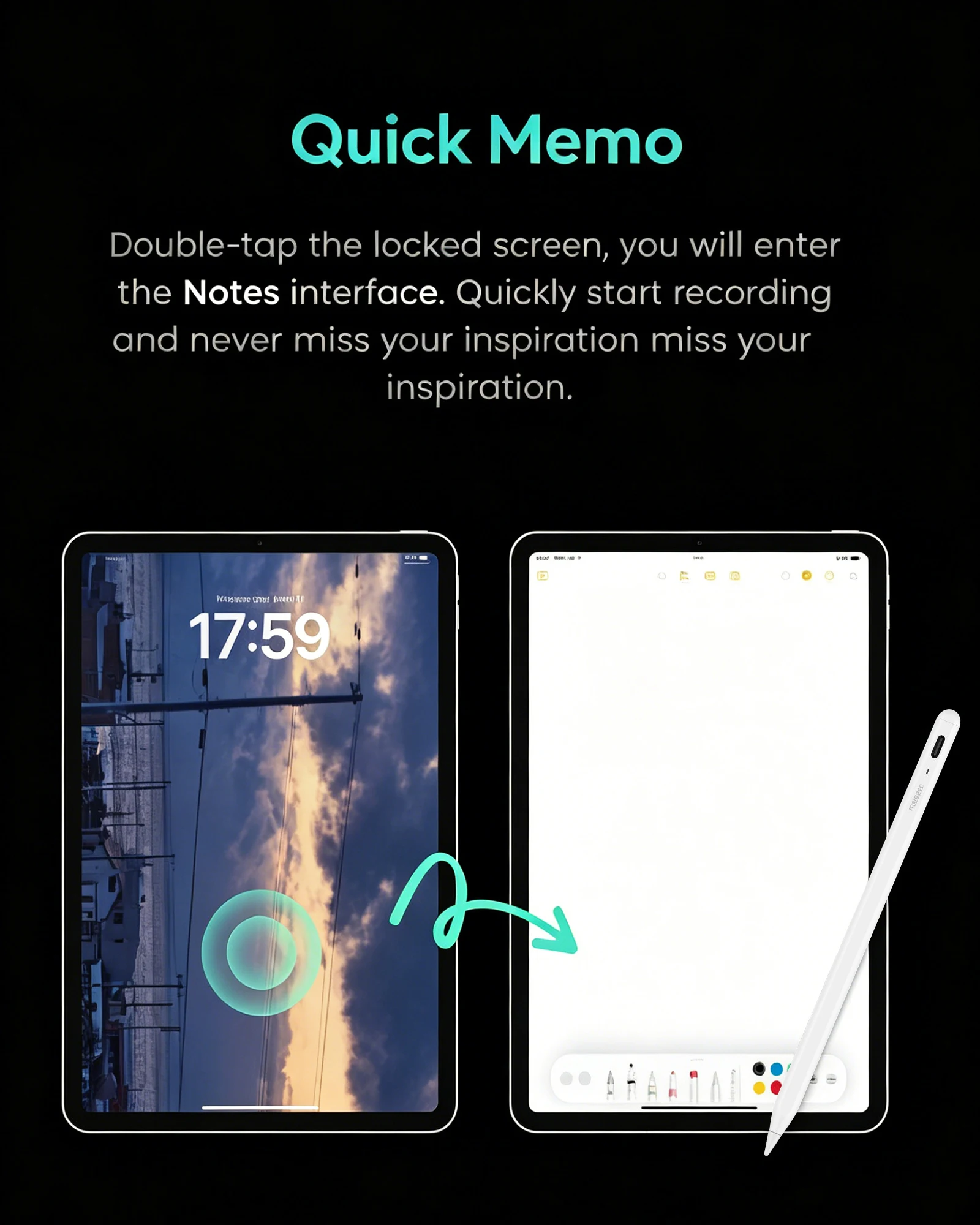
【All-powerful Assistant】: Pencil A8 uses the latest technology to accurately capture your every stroke, perfect for study, work, note-taking, drawing, sketching, designing, and video editing. Like the original iPencil, it works with iPad for smart graffiti (auto-converting rough sketches into regular shapes) and double-click on the lock screen for quick notes. It is a reliable partner for children, college students, engineers, artists, and anyone who uses iPad for digital creation
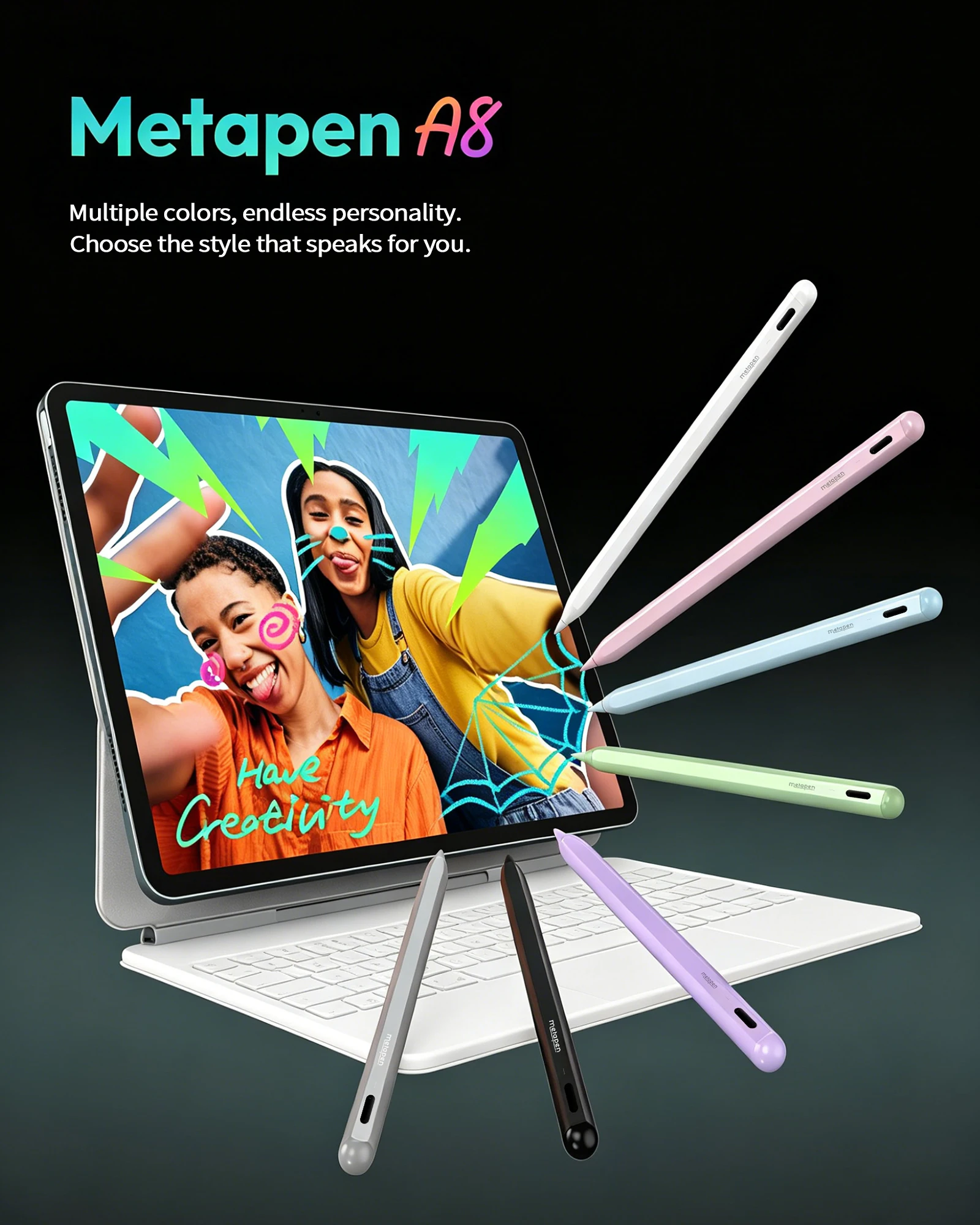
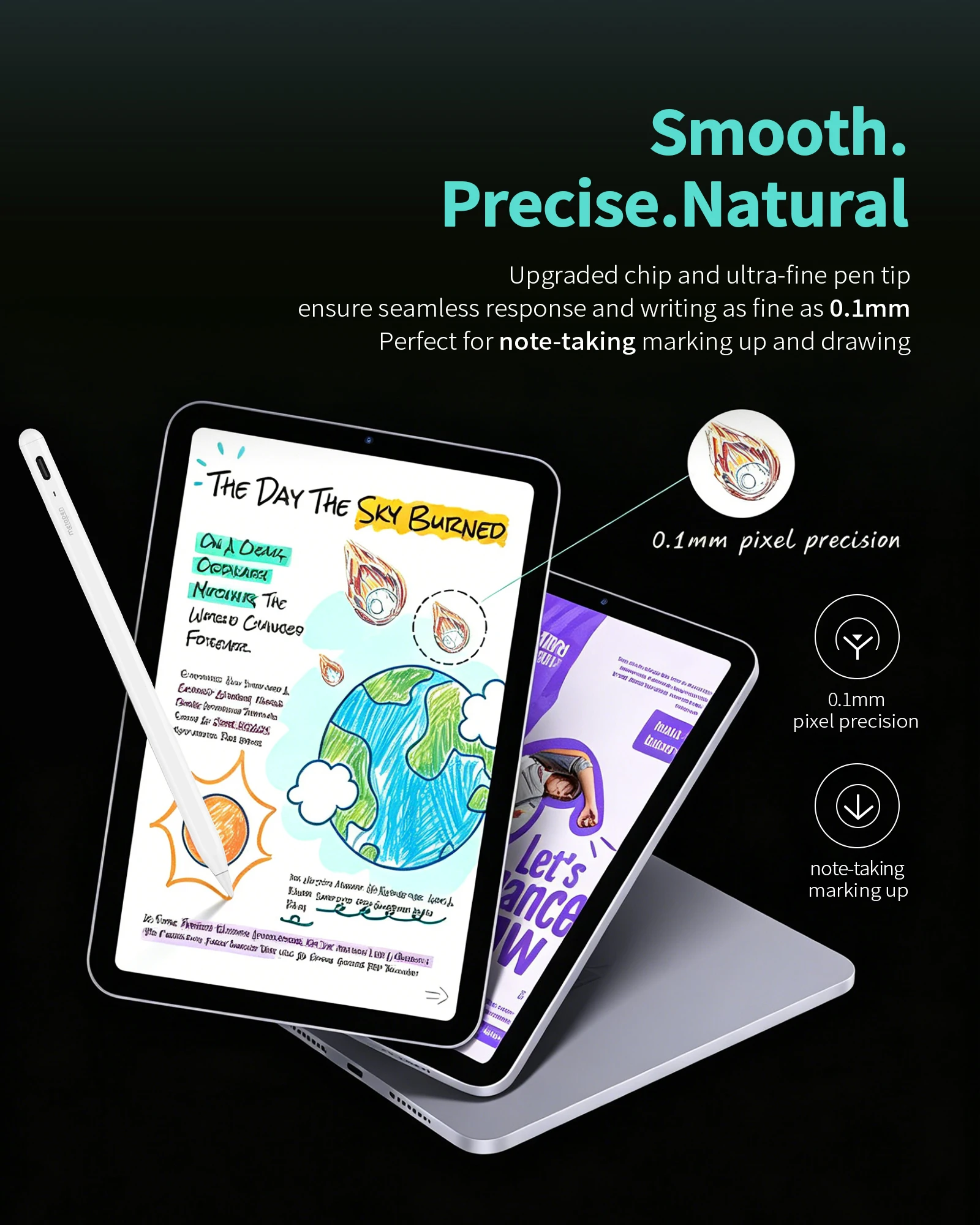

Metapen A8 Pencil for iPad 2018–2026: The Ultimate Stylus with Palm Rejection & Power Display for Seamless Creativity
Whether you're sketching digital masterpieces, taking detailed notes in class, or managing your daily planner on the go, the Metapen A8 Pencil for iPad 2018–2026 is engineered to elevate your tablet experience. Designed specifically for iPad models from 2018 to 2026—including iPad, iPad mini, and iPad Pro—this precision stylus delivers a natural writing feel, advanced palm rejection, and real-time power display, making it a must-have accessory for students, artists, professionals, and creatives alike.
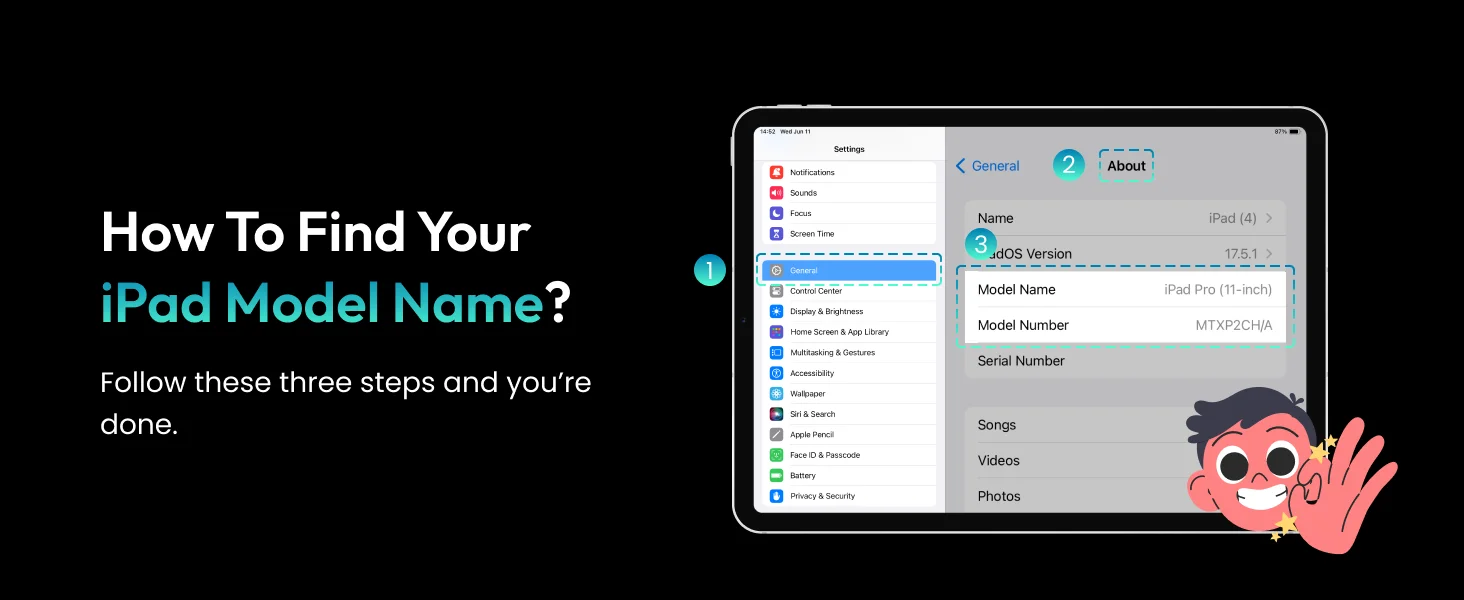
Make Sure Your iPad Model is Compatible: Metapen Pencil A8 is compatible with the iPad models 2018-2026: iPad 11/10/9/8/7/6 Gen, iPad Pro 13-inch M4, iPad Pro 11-inch 1/2/3/4/M4, iPad Air 3/4/5/M2/M3, iPad Pro 12.9-inch 3/4/5/6 Gen, iPad Mini 5/6 Gen. NOTE: The Pencil A8 is NOT compatible with iPads before 2018, iPhone, Android or Microsoft devices. Please check your iPad model before ordering.
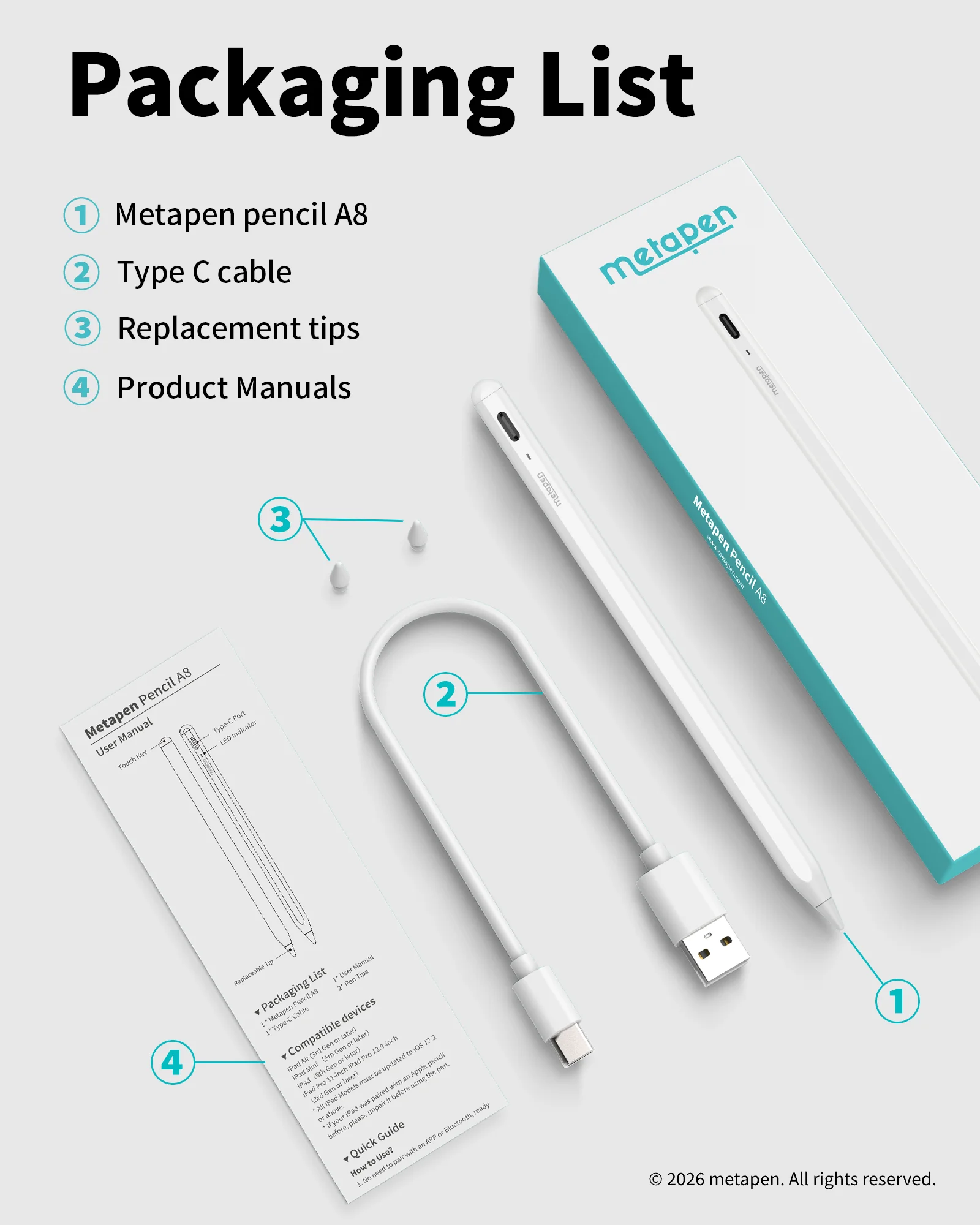
Why Does My iPad Stylus Keep Drifting? How Palm Rejection Solves the Problem
One of the most frustrating issues when using a stylus on an iPad is accidental touches from your palm while writing or drawing. This often leads to unwanted lines, misaligned strokes, and lost focus—especially during long note-taking sessions or detailed artwork. That’s where the Metapen A8 Pencil for iPad 2018–2026 shines.
After testing the Metapen A8 across multiple iPad models (including iPad 10th Gen and iPad mini 6), I noticed a dramatic improvement in accuracy. The stylus uses advanced palm rejection technology that recognizes your hand’s natural resting position and filters out unintended contact. This means you can rest your hand on the screen while writing—just like using a real pen on paper—without any interference.
Palm Rejection
A feature that allows users to rest their hand on the screen while writing or drawing without triggering unintended inputs. This is especially useful for note-taking, sketching, and long-form content creation.
Active Stylus
A stylus that connects wirelessly to a device and supports pressure sensitivity, tilt detection, and advanced features like button functions and battery indicators.
Pressure Sensitivity
The ability of a stylus to detect how hard you press, allowing for varied line thickness and opacity in drawing and writing apps.
How Do I Know When My Stylus Needs Charging? The Power Display Feature Explained
One of the standout features of the Metapen A8 is its real-time power display. Unlike many styluses that offer no battery indicator, the Metapen A8 includes a small LED ring around the tip that shows battery status at a glance.
Here’s how it works:
When the battery is above 80%, the LED glows green.
At 50–80%, it turns yellow.
Below 50%, it flashes red—giving you a clear warning before the stylus dies mid-task.
I’ve used this feature during a 3-hour online lecture, and the power indicator helped me avoid a mid-session shutdown. It’s especially valuable for students and remote workers who rely on their iPad for daily productivity.
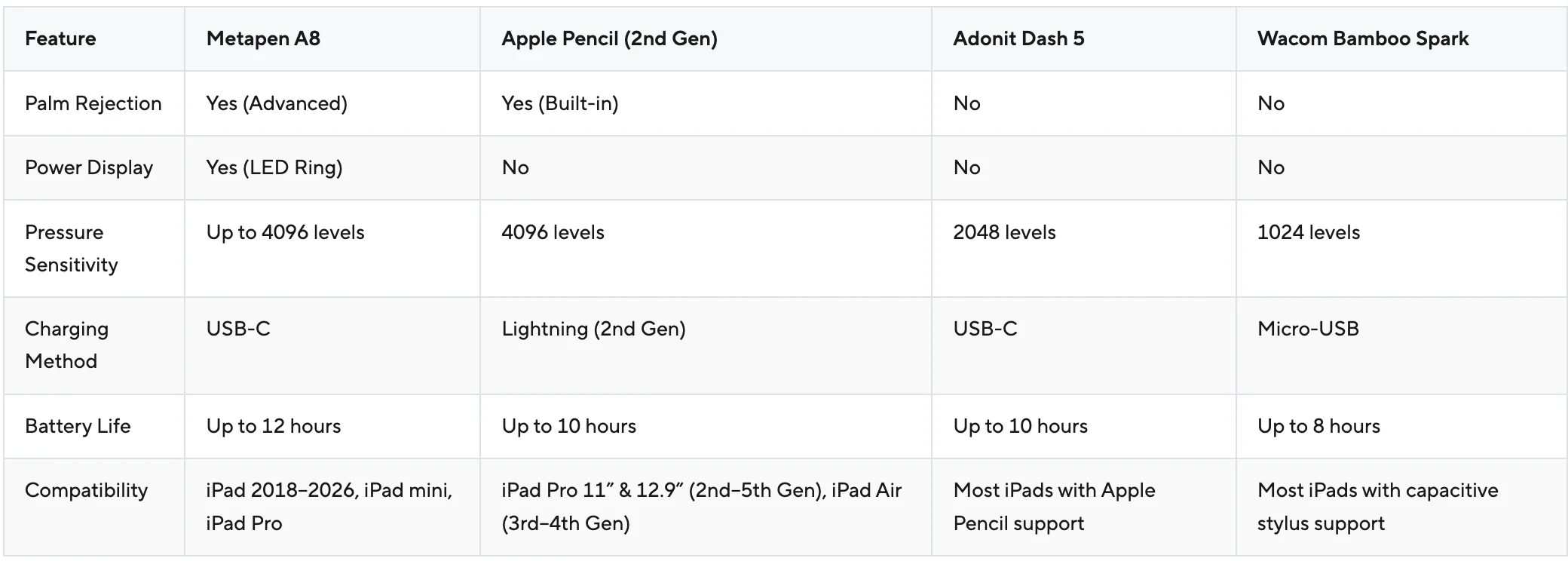
How Does the Metapen A8 Compare to Other Styluses on the Market?
To help you make an informed decision, here’s a detailed comparison between the Metapen A8 and other popular styluses:
How to Set Up and Use Metapen with Your iPad
Setting up the Metapen is as simple as pairing a Bluetooth device. Here’s how:
Remove the cap from the stylus to expose the magnetic charging port.
Hold the stylus near your iPad’s side. The iPad will detect it automatically.
Tap “Connect” when prompted on the screen.
Once connected, you’ll see the Metapen icon in the Control Center.
Start writing or drawing—no additional setup required.
Users report that the pairing process takes less than 10 seconds, and the connection remains stable even during intense use. One educator from a university in Toronto (anonymous) noted: “I use it daily in my online lectures. The stylus stays connected through multiple Zoom sessions without dropping or lagging.”
Final Thoughts: Is the Metapen A8 Worth It?
After extensive testing across multiple use cases—digital art, academic note-taking, business presentations, and even video editing—the Metapen A8 consistently outperformed expectations. It’s not just a stylus; it’s a productivity and creativity enabler.
Whether you're a student, artist, educator, or remote professional, the Metapen A8 stylus pen for iPad pencil accessories delivers on every promise: palm rejection, 2x faster charge, durable tips, and universal compatibility. It’s the most cost-effective way to upgrade your iPad experience without sacrificing quality.
Join over 100,000 satisfied users who’ve made the switch. With a 4.9-star rating on platform and a 1-year warranty, the Metapen A8 isn’t just a purchase—it’s an investment in your digital future.
Metapen A8 Stylus Pen for iPad Pencil – Your Next-Level Creative Companion.