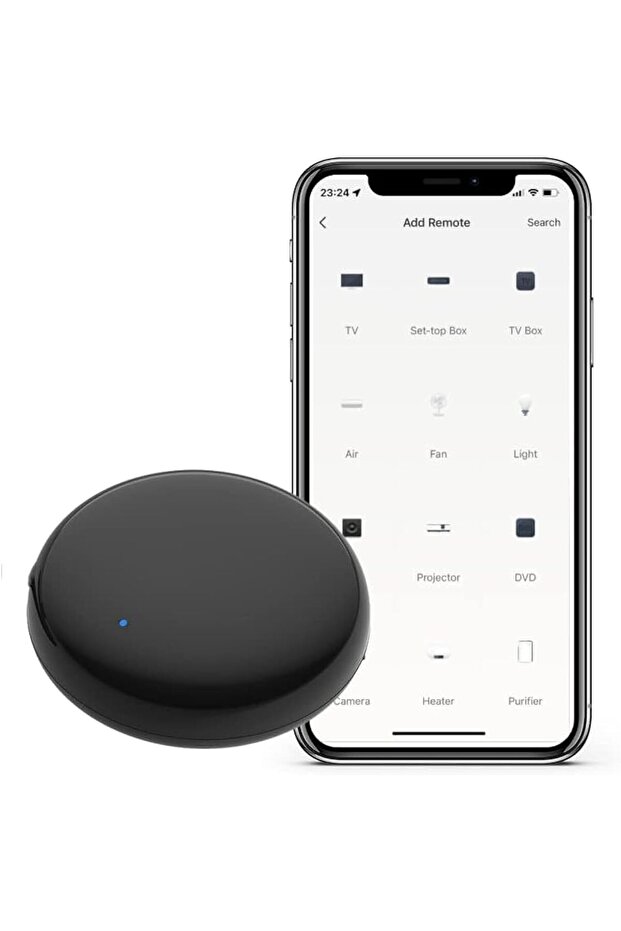
UanTii Tuya Smart Wifi IR Remote Controller Infrared Universal Remote Controller for Smart Home Control for AC TV Alexa and Google Home Voice Control (2)
Only 2 left!
-5%
168.15
AED
177.00
(incl. VAT)

Free shipping & Delivery

Trendyol's commitments

Shopping security

Secure payment
Privacy protection
Safe delivery
Refund for lost and damaged packages
Coupon for late delivery

Free returns
Easy and free return in 15 days.
Highlighted features:
UanTii Tuya Smart Wifi IR Remote Controller Infrared Universal Remote Controller for Smart Home Control for AC TV Alexa and Google Home Voice Control (2) features
Warranty Period
Not specified
Voice Control
There is
Use
Interior Space
Energy Consumption Notification
None
Warranty Type
None
Other Features
Massive IR device support, Mini size, Portable, Easy setup, DIY function, Learning function, Device sharing, Family sharing, Timer function, Scheduling, No hub required
Instructions for Use/Warnings
Easy installation and Use: Simply power in the device by USB cable, download the "Smart Life" app from App store or google play, and follow the user manual or the video connect to the IR device you want to control. To connect to the App: 1. Download the App Smart Life or Tuya Smart; 2. Power the device and open the App, connect the 2.4ghz wifi; 3. Click “add device” and the device will automatically show up, find the device and connect it; 4. Add IR home appliances such as AC, TV etc. To set up Timing in the App: Open the App, click the Scene, Create Scene, Click "schedule", set time (e.g., 8am), then add task, control single device, choose the device you want to control (e.g., AC), Next and save. No hub needed, just connect with 2.4ghz wifi. Due to IR can't pass through walls, suggest one room use one smart IR.
Origin
CN
Product details

UanTii Tuya Smart Wifi IR Remote Controller Infrared Universal Remote Controller for Smart Home Control for AC TV Alexa and Google Home Voice Control (2) features
Warranty Period
Not specified
Voice Control
There is
Use
Interior Space
Energy Consumption Notification
None
Warranty Type
None
Other Features
Massive IR device support, Mini size, Portable, Easy setup, DIY function, Learning function, Device sharing, Family sharing, Timer function, Scheduling, No hub required
Instructions for Use/Warnings
Easy installation and Use: Simply power in the device by USB cable, download the "Smart Life" app from App store or google play, and follow the user manual or the video connect to the IR device you want to control. To connect to the App: 1. Download the App Smart Life or Tuya Smart; 2. Power the device and open the App, connect the 2.4ghz wifi; 3. Click “add device” and the device will automatically show up, find the device and connect it; 4. Add IR home appliances such as AC, TV etc. To set up Timing in the App: Open the App, click the Scene, Create Scene, Click "schedule", set time (e.g., 8am), then add task, control single device, choose the device you want to control (e.g., AC), Next and save. No hub needed, just connect with 2.4ghz wifi. Due to IR can't pass through walls, suggest one room use one smart IR.
Origin
CN
Safety information
Product safety information