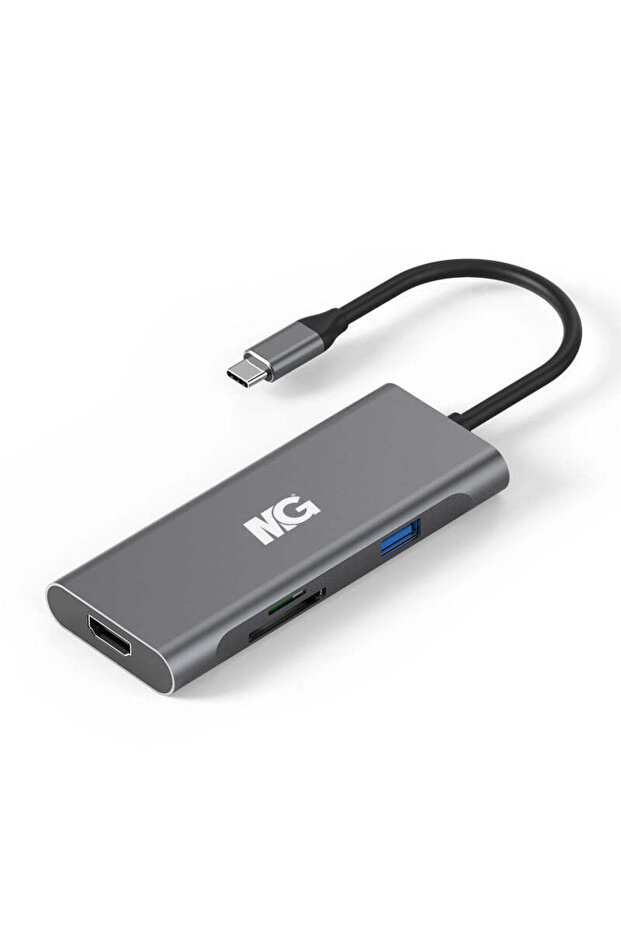


maxguard Rayo-Series 7 In 1 USB-C Hub
Almost sold out!
Lowest price in 30 days
-10%
222.23
AED
246.92
(incl. VAT)

Free shipping & Delivery

Trendyol's commitments

Shopping security

Secure payment
Privacy protection
Safe delivery
Refund for lost and damaged packages
Coupon for late delivery

Free returns
Easy and free return in 15 days.
Highlighted features:
maxguard Rayo-Series 7 In 1 USB-C Hub features
Other Features
USB 3.0 charging standard: 5V 1A; HDMI supports 4K 60Hz (video only) and 4K@30Hz (video + data transfer); Apple-style design; Package includes: 1* RO-701 Hub, 1* User manual; Usage notes: Product may get slightly warm under full load (normal); Troubleshooting tips for connection issues; Environmental precautions.
Instructions for Use/Warnings
The phenomenon that may appear during the use of the product: There is no reaction after the product is inserted, please check whether the product is inserted correctly. After checking the correct insertion, if you still cannot connect, please check the laptop's power or whether the charging cable is connected. When the product is fully loaded, the shell will be slightly hot, which is a normal phenomenon. If the high temperature persists, unplug the product. Before use, please confirm the use environment: No water drops on the surface of the product; No small sundries on the interface of the product; laptop is placed smoothly; Please insert the product after the computer starts; Please ensure that there is no significant fluctuation of magnetic field intensity in the operating environment.
Origin
AE
Product details
maxguard Rayo-Series 7 In 1 USB-C Hub features
Other Features
USB 3.0 charging standard: 5V 1A; HDMI supports 4K 60Hz (video only) and 4K@30Hz (video + data transfer); Apple-style design; Package includes: 1* RO-701 Hub, 1* User manual; Usage notes: Product may get slightly warm under full load (normal); Troubleshooting tips for connection issues; Environmental precautions.
Instructions for Use/Warnings
The phenomenon that may appear during the use of the product: There is no reaction after the product is inserted, please check whether the product is inserted correctly. After checking the correct insertion, if you still cannot connect, please check the laptop's power or whether the charging cable is connected. When the product is fully loaded, the shell will be slightly hot, which is a normal phenomenon. If the high temperature persists, unplug the product. Before use, please confirm the use environment: No water drops on the surface of the product; No small sundries on the interface of the product; laptop is placed smoothly; Please insert the product after the computer starts; Please ensure that there is no significant fluctuation of magnetic field intensity in the operating environment.
Origin
AE
Safety information
Product safety information