Free shipping

Launch AIOBD X431 AIOBD Mini Bluetooth Connector Adapter OBD2 Scanner Diagnostic Tools AI Exp
No reviews yet.

Special Deals
146.10AED
Free shipping
Delivery address
Trendyol's commitments
Easy and free return in 15 days.
Payment methods



Highlighted features:
Launch AIOBD X431 AIOBD Mini Bluetooth Connector Adapter OBD2 Scanner Diagnostic Tools AI Exp features
Instructions for Use/Warnings
*AIOBD
Available campaigns

Applied at checkout
Big Save Store
8.8
80.3K followers
Seller information
Launch AIOBD X431 AIOBD Mini Bluetooth Connector Adapter OBD2 Scanner Diagnostic Tools AI Exp reviews
No reviews yet.
Product details

Additional info
- A maximum of 10 units of this product can be ordered. Trendyol reserves the right to cancel orders over 10 units.
- Barcode No: 3674903911224
Launch AIOBD X431 AIOBD Mini Bluetooth Connector Adapter OBD2 Scanner Diagnostic Tools AI Exp features
Instructions for Use/Warnings
*AIOBD
Safety information
Product safety information
Product description
Color:AIOBD
*Please check your car model before buying
LAUNCH AIOBD Bluetooth Connector
How to activate the product:
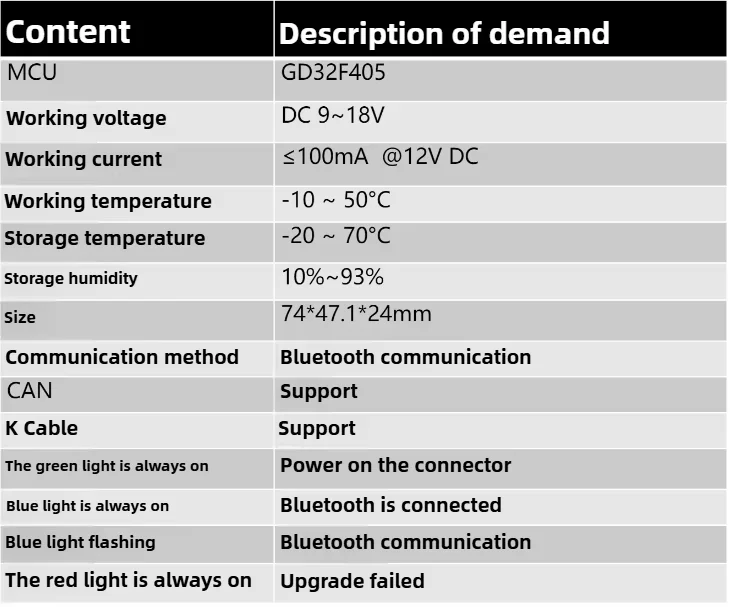
1. Install the device in the vehicle first. When the green light is on, turn the ignition switch to the ON position or idle with the parking brake engaged.
2. Keep the mobile phone's Bluetooth turned on.
3. Open the AIOBD mobile App. If prompted for permissions such as Bluetooth authorization, discovering nearby devices, and GPS positioning, grant these permissions.
4. The App will automatically connect to Bluetooth, start the binding process, and perform diagnostics.
Download :

Key Features & Highlights
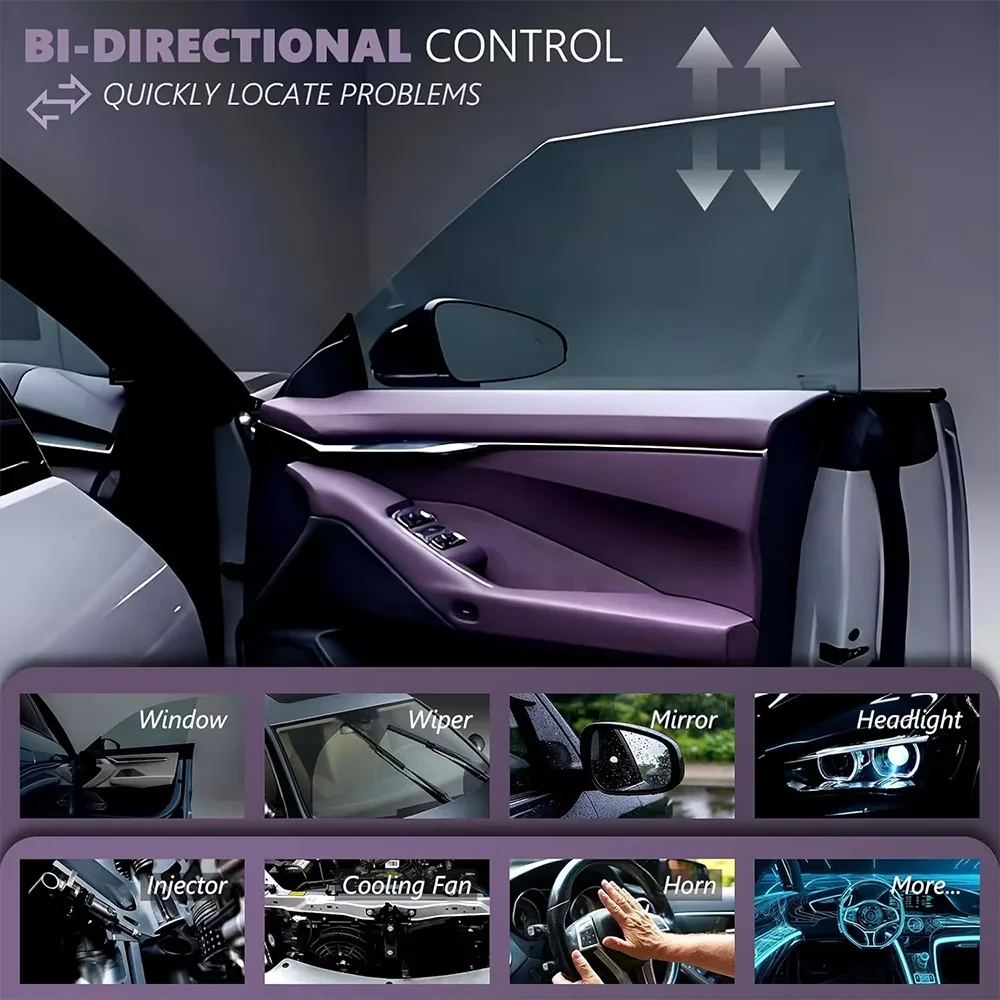
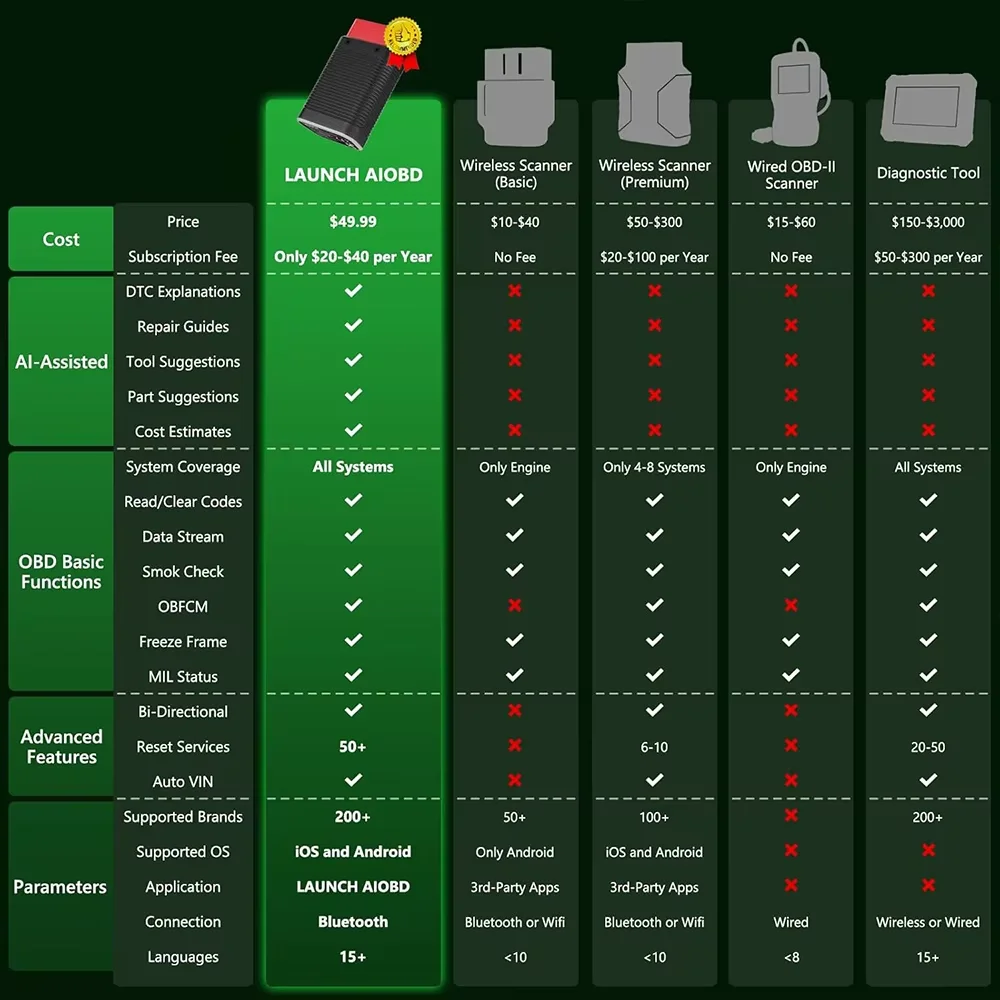
1.Professional-Grade Diagnostics: Perform comprehensive vehicle scans, read/clear fault codes, and generate detailed reports.
2.Bluetooth Connectivity: Connect the OBD2 adapter to your smartphone via Bluetooth – no cables or complicated setup required.
3.User-Friendly App: The LAUNCH AIOBD app (iOS & Android) offers a clean, intuitive interface with one-touch full system scanning.
4.Lifetime Free Reports: Generate and share OBD static data reports for free – supports 10 OBD modes, Smog Check, and OBFCM.
5.AI-Powered Insights: Unlock advanced features like AI analysis, predictive maintenance suggestions, repair time, and part replacement recommendations.
6.Flexible Subscription Plans: Choose from annual, quarterly, or monthly plans to unlock full diagnostic features for your vehicle model.
7.Global Compatibility: Works with most gas and diesel vehicles (post-1996) – compatible with luxury and standard brands.
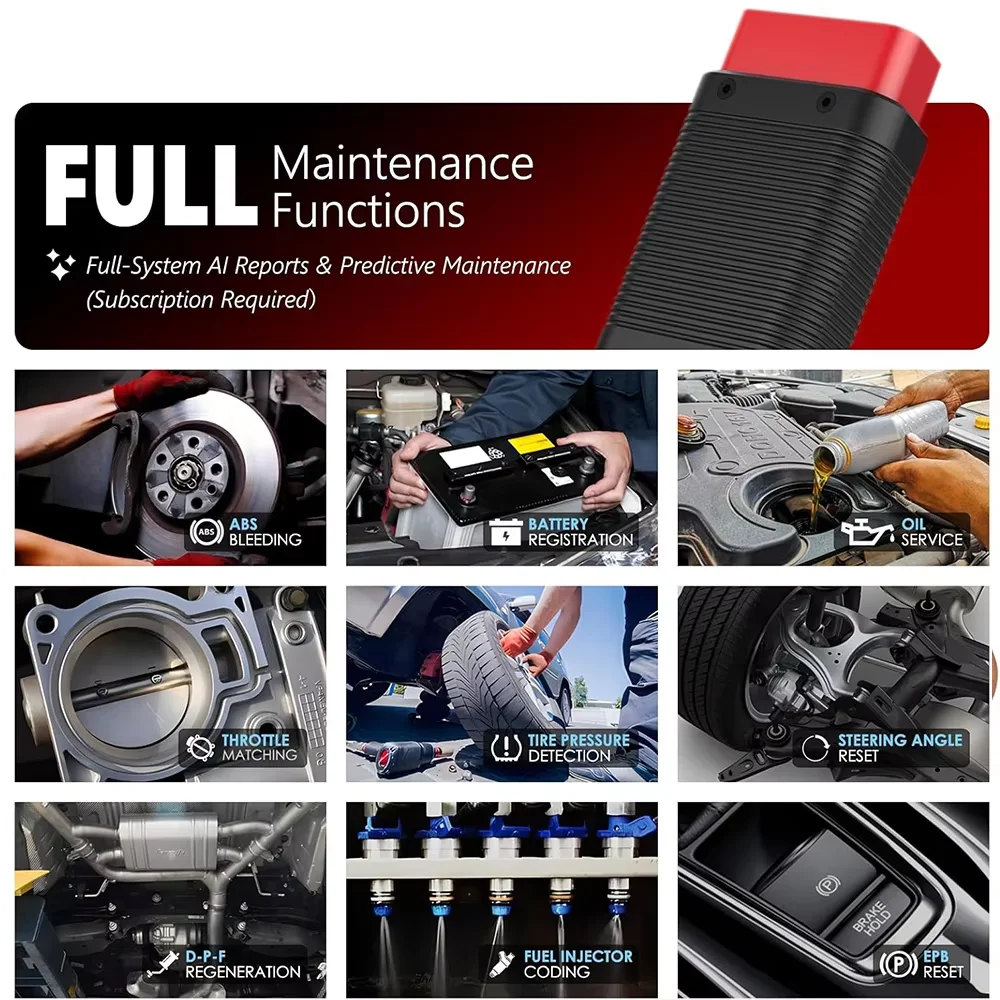
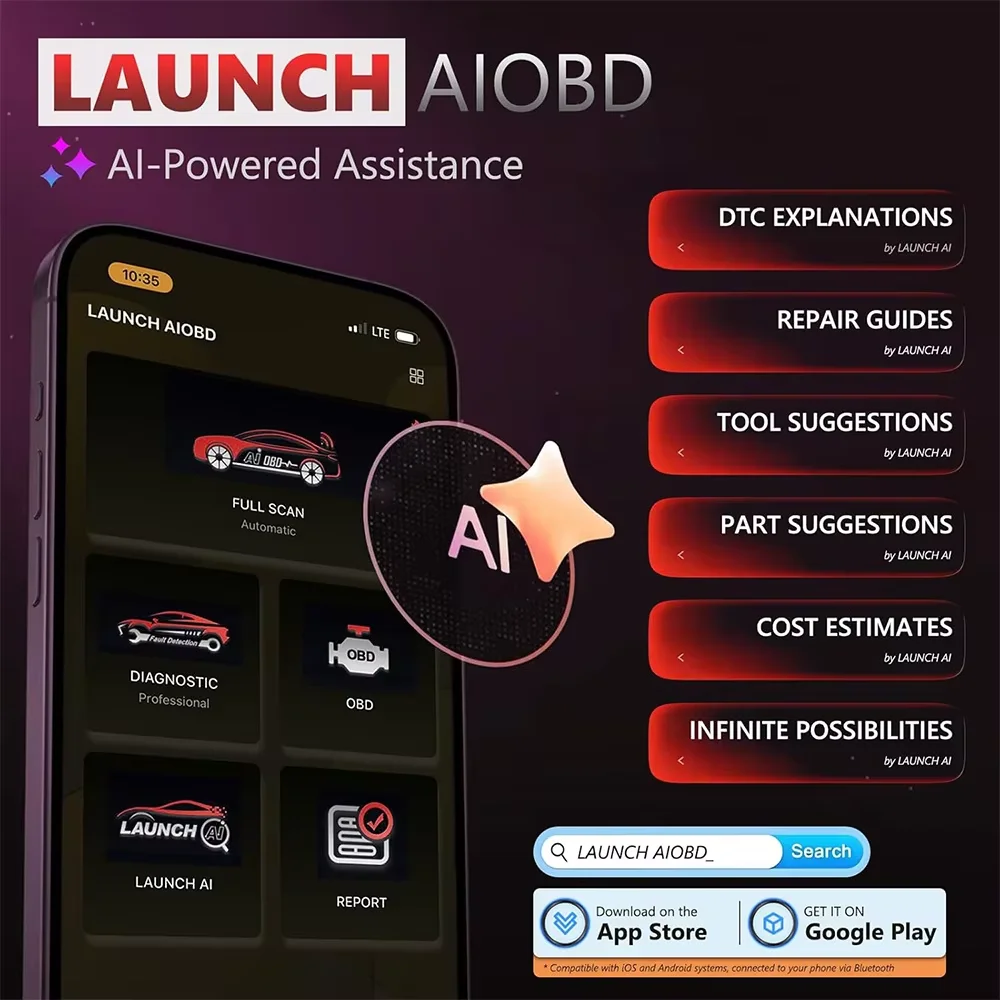
LAUNCH AIOBD (NueraDiag) is a next-generation automotive diagnostic tool designed for both DIY car owners and professional mechanics. It combines a compact Bluetooth OBD2 adapter with a powerful mobile app to deliver professional-level vehicle diagnostics right on your smartphone.
Whether you're troubleshooting a check engine light, performing a pre-purchase inspection, or maintaining your car’s health, LAUNCH AIOBD makes it easy and affordable.
App Functions & Benefits
✅ One-Touch Full System Scan
Get a complete vehicle health report in seconds.
Even without purchasing a model-specific plan, you can still run a free OBD scan and view basic fault information.
✅ Free & Paid Reports
Free Reports: Basic OBD data, fault code definitions, and smog check results.
Paid Reports: Unlock AI analysis, predictive maintenance tips, repair time estimates, and part replacement suggestions.
✅ Save & Share Reports
Store historical diagnostic reports and track your vehicle’s health over time.
Share reports with mechanics or friends via email or social media.
✅ Smart Subscription Model
Purchase access by vehicle model – one-time payment per model per year.
Upcoming versions will support monthly/quarterly subscriptions.
Prices vary by brand (luxury vs. standard) and region
How It Works
1.Download the App – Scan the QR code on the package or search “LAUNCH AIOBD” in the App Store or Google Play.
2.Plug In the Adapter – Connect the LAUNCH AIOBD device to your car’s OBD2 port.
3.Pair via Bluetooth – Open the app and let it automatically detect the adapter.
4.Start Diagnosing – Run a full scan or select specific systems to check.
Compatibility
Vehicles: Compatible with most cars, SUVs, and light trucks (OBD2 compliant, 1996 and newer).
Phones: iOS (App Store) and Android (Google Play). Requires Bluetooth 4.0 or higher.
Why Choose LAUNCH AIOBD?
✅ No manual activation – auto-detection and registration for new users.
✅ No recurring fees for basic OBD reports.
✅ Regular app updates for improved performance and coverage.
✅ Clear, professional reports with repair recommendations.
✅ Affordable subscription plans with multi-purchase discounts.
Download Instructions
iOS Users: Visit the App Store → Search “LAUNCH AIOBD” → Download.
Android Users: Visit Google Play → Search “LAUNCH AIOBD” → Download.
Or: Scan the QR code on the product packaging for direct store access.
Pricing & Subscription Notes
1.Software is sold per vehicle model.
2.Pricing is dynamic – based on brand, region, and diagnostic code coverage.
3.Discounts available for repeat purchases with the same serial number.
4.All subscriptions include full system diagnostics and AI analysis (excludes online programming).
Ideal For
1.Car Owners & Enthusiasts
2.DIY Mechanics
3.Small Auto Repair Shops
4.Used Car Inspectors
Order Your LAUNCH AIOBD Today and Take Control of Your Vehicle’s Health!
Support: Contact us via Messenger for setup help or claims.
: 12-month limited on hardware.