


Free shipping
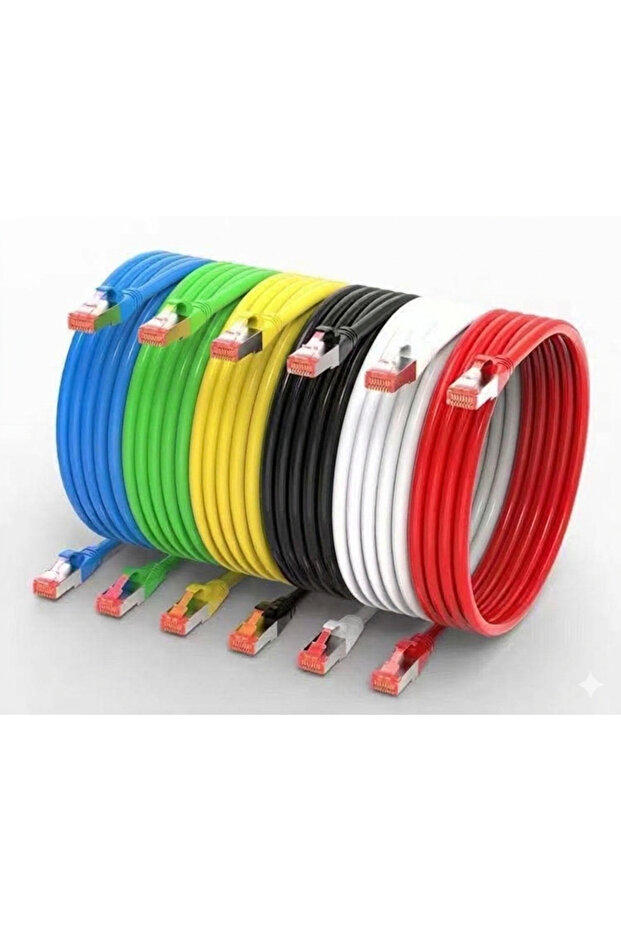
HANSEN Cat6 Ethernet Cable
No reviews yet.
-32%
10.50
AED
15.50
(incl. VAT)
Delivery address
Free shipping
Select your address, find out the delivery date!
Local delivery
Trendyol's commitments
Easy and free return in 15 days.
Payment methods



Highlighted features:
HANSEN Cat6 Ethernet Cable features
Other Features
To get the most out of Cat6 (Category 6) Ethernet cables, it helps to understand how they differ from older versions and how to set them up for the best performance. Key Features Cat6 is designed for high-speed data transfer and reduced interference. Speed & Bandwidth: Supports data transfer speeds up to 10 Gbps at a distance of up to 55 meters, and 1 Gbps up to 100 meters. It operates at a frequency of 250 MHz. Internal Divider: Most Cat6 cables feature a longitudinal separator (a plastic "spline") that keeps the wire pairs separated to reduce crosstalk (signal bleeding between wires). Backward Compatibility: It uses the standard RJ45 connector, meaning it works perfectly with older Cat5 or Cat5e ports. Shielding: Available in UTP (Unshielded Twisted Pair) for standard home use or STP (Shielded Twisted Pair) for environments with high electromagnetic interference.
Instructions for Use/Warnings
Identify Your Ports: Look for the LAN or Ethernet ports on your router, modem, or PC. They look like slightly oversized telephone jacks. The "Click" Test: Insert the connector into the port until you hear a distinct click. This ensures the spring-loaded tab has locked the cable in place. Avoid Sharp Bends: While Cat6 is flexible, avoid "kinking" the cable or bending it at a 90-degree angle. This can damage the internal copper strands or the plastic spline, leading to signal loss. Keep Distance from Power: For the cleanest signal, try not to run your Ethernet cables parallel to high-voltage electrical lines. If they must cross, do so at a 90-degree angle. Test the Connection: Once plugged in, check the LED lights on your device's port. A solid or flickering green/amber light usually indicates an active data link.
Origin
CN
Powerbase Plus
6.6
Seller information
Shoppers also viewed



 Set of 2 Mega Self-Labelled Multi-Purpose Powder and Tablet Detergent Storage Box Containers with Lid 7.3Lt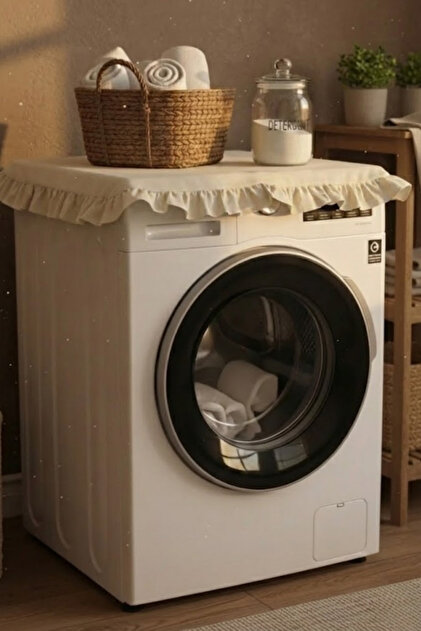









HANSEN Cat6 Ethernet Cable reviews
No reviews yet.
Product details
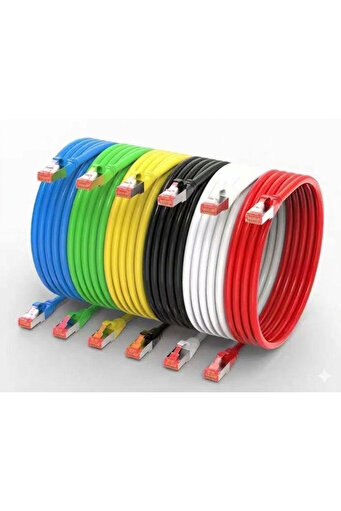
Product description
Connect any device on your network with this high-performance Cat6 patch cable.
Available in precise lengths from 0.5m to 50m, you get the exact reach you need—no excess cable clutter.
Key Features: Gigabit Speed: Supports 1000BASE-T and 10GBASE-T networks (250MHz bandwidth).
Pure Copper Wires: 24AWG stranded bare copper (Non-CCA) for reliable signal and PoE support.
Durable Build: Snagless RJ45 connectors with gold-plated contacts protect against damage.
Versatile Use: Perfect for routers, PCs, gaming consoles, switches, and smart TVs.
Additional info
- Sold by .
- A maximum of 5 units of this product can be ordered. Trendyol reserves the right to cancel orders over 5 units.
- Barcode No: PBCAT6_003
- Origin: CN
HANSEN Cat6 Ethernet Cable features
Other Features
To get the most out of Cat6 (Category 6) Ethernet cables, it helps to understand how they differ from older versions and how to set them up for the best performance. Key Features Cat6 is designed for high-speed data transfer and reduced interference. Speed & Bandwidth: Supports data transfer speeds up to 10 Gbps at a distance of up to 55 meters, and 1 Gbps up to 100 meters. It operates at a frequency of 250 MHz. Internal Divider: Most Cat6 cables feature a longitudinal separator (a plastic "spline") that keeps the wire pairs separated to reduce crosstalk (signal bleeding between wires). Backward Compatibility: It uses the standard RJ45 connector, meaning it works perfectly with older Cat5 or Cat5e ports. Shielding: Available in UTP (Unshielded Twisted Pair) for standard home use or STP (Shielded Twisted Pair) for environments with high electromagnetic interference.
Instructions for Use/Warnings
Identify Your Ports: Look for the LAN or Ethernet ports on your router, modem, or PC. They look like slightly oversized telephone jacks. The "Click" Test: Insert the connector into the port until you hear a distinct click. This ensures the spring-loaded tab has locked the cable in place. Avoid Sharp Bends: While Cat6 is flexible, avoid "kinking" the cable or bending it at a 90-degree angle. This can damage the internal copper strands or the plastic spline, leading to signal loss. Keep Distance from Power: For the cleanest signal, try not to run your Ethernet cables parallel to high-voltage electrical lines. If they must cross, do so at a 90-degree angle. Test the Connection: Once plugged in, check the LED lights on your device's port. A solid or flickering green/amber light usually indicates an active data link.
Origin
CN
Safety information
Product safety information