


Free shipping
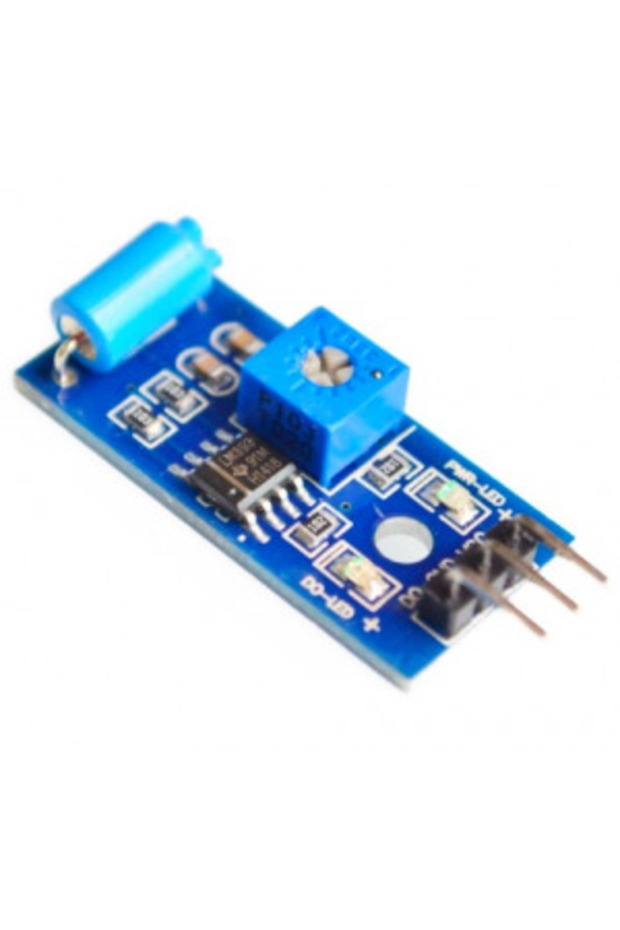
Generic 2D7 SW-420 Motion Sensor Module Vibration Switch Alarm Sensor Module
No reviews yet.
27.25
AED
(incl. VAT)
Delivery address
Free shipping
Local delivery
Estimated delivery: 21 - 23 October
Select your address, find out the delivery date!
Trendyol's commitments
Easy and free return in 15 days.
Payment methods


Highlighted features:
Generic 2D7 SW-420 Motion Sensor Module Vibration Switch Alarm Sensor Module features
Other Features
Operating Voltage: 3.3V-5V, Power Status LED, Sensor Output LED, Potentiometer for Threshold Control
Instructions for Use/Warnings
To use the SW-420 vibration sensor module, you will need an Arduino Uno R4 or R3 board, the Vibration Sensor Module(SW-420), and Jumper Wires for circuit assembly. Connect the sensor to Arduino, typically using digital pin 7. Upload the provided code to the Arduino: `const int sensorPin = 7; void setup() { Serial.begin(9600); pinMode(sensorPin, INPUT); } void loop() { if (digitalRead(sensorPin)) { Serial.println("Detected vibration..."); } else { Serial.println("..."); } delay(100); }`. This code initializes serial communication, sets pin 7 as input, and continuously checks for vibrations, printing 'Detected vibration...' or '...' to the serial monitor.
Blue PCB Electronics
7.8
Seller information
Shoppers also viewed

 Collage Series 13 - the Islamic Notebook That Will Make God Pleased with You (with Verses and Hadiths)












Generic 2D7 SW-420 Motion Sensor Module Vibration Switch Alarm Sensor Module reviews
No reviews yet.
Product details
Product description
Description SW-420 vibration sensor is a module that can detect vibrations or shocks on a surface.
It can be used for various purposes, such as detecting door knocks, machine malfunctions, car collisions, or alarm systems.
It operates from 3.3 V to 5 V.
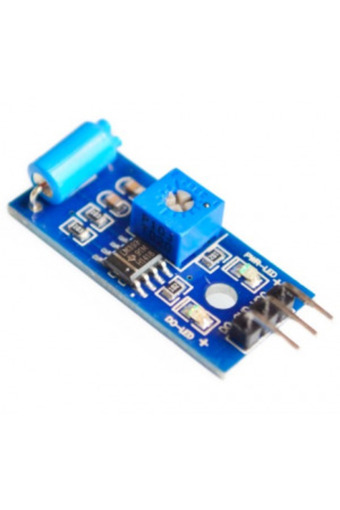
The module has three peripherals, two LEDs, one for the power status and the other for the sensor output.
In addition, there is a potentiometer that can be further used to control the threshold point of the vibration.
SW-420 vibration sensor module consists of a SW-420 vibration switch and an LM393 voltage comparator.
A SW-420 vibration switch is a device that has a spring and a rod inside a tube.
When the switch is exposed to a vibration, the spring touches the rod and closes the circuit.
The vibration sensor in the module detects these oscillations and converts them into electrical signals.
The LM393 comparator chip then compares these signals with a reference voltage set by the potentiometer.
If the amplitude of the signal exceeds this reference voltage, the output of the comparator goes high (1), otherwise it goes low (0).
Hardware components Arduino Uno R4 or R3 board * 1 Vibration Sensor Module(SW-420) * 1 Jumper Wires Circuit Assembly Code // Define the pin numbers for Vibration Sensor const int sensorPin = 7
void setup() { Serial.
begin(9600)
// Start serial communication at 9600 baud rate pinMode(sensorPin, INPUT)
// Set the sensorPin as an input pin } void loop() { if (digitalRead(sensorPin)) { // Check if there is any vibration detected by the sensor Serial.
println("
Detected vibration.
"
// Print "
Detected vibration.
"
if vibration detected } else { Serial.
println("
"
// Print "
"
other wise } // Add a delay to avoid flooding the serial monitor delay(100)
} Output Code explanation The first line of code is a constant integer declaration for the vibration sensor pin.
We use digital pin 7 to read the output from the vibration sensor.
const int sensorPin = 7
In the setup() function, we initialize the serial communication at a baud rate of 9600 to print readings from the vibration sensor to the serial monitor.
We also set the vibration sensor pin as an input.
void setup() { Serial.
begin(9600)
// Start serial communication at 9600 baud rate pinMode(sensorPin, INPUT)
// Set the sensorPin as an input pin } The loop() function is where we continuously check for any vibrations detected by the sensor.
If the sensor detects a vibration, it prints “Detected vibration…” to the serial monitor.
If no vibration is detected, it prints “…”.
The loop repeats every 100 milliseconds.
void loop() { if (digitalRead(sensorPin)) { // Check if there is any vibration detected by the sensor Serial.
println("
Detected vibration.
"
// Print "
Detected vibration.
"
if vibration detected } else { Serial.
println("
"
// Print "
"
otherwise } // Add a delay to avoid flooding the serial monitor delay(100)
Additional info
- Sold by .
- A maximum of 5 units of this product can be ordered. Trendyol reserves the right to cancel orders over 5 units.
- Barcode No: 2900000001596
Generic 2D7 SW-420 Motion Sensor Module Vibration Switch Alarm Sensor Module features
Other Features
Operating Voltage: 3.3V-5V, Power Status LED, Sensor Output LED, Potentiometer for Threshold Control
Instructions for Use/Warnings
To use the SW-420 vibration sensor module, you will need an Arduino Uno R4 or R3 board, the Vibration Sensor Module(SW-420), and Jumper Wires for circuit assembly. Connect the sensor to Arduino, typically using digital pin 7. Upload the provided code to the Arduino: `const int sensorPin = 7; void setup() { Serial.begin(9600); pinMode(sensorPin, INPUT); } void loop() { if (digitalRead(sensorPin)) { Serial.println("Detected vibration..."); } else { Serial.println("..."); } delay(100); }`. This code initializes serial communication, sets pin 7 as input, and continuously checks for vibrations, printing 'Detected vibration...' or '...' to the serial monitor.
Safety information
Product safety information