


Free shipping
Delivery address
Free shipping
Local delivery
Estimated delivery: 22 - 24 October
Select your address, find out the delivery date!
Trendyol's commitments
Easy and free return in 15 days.
Payment methods


Highlighted features:
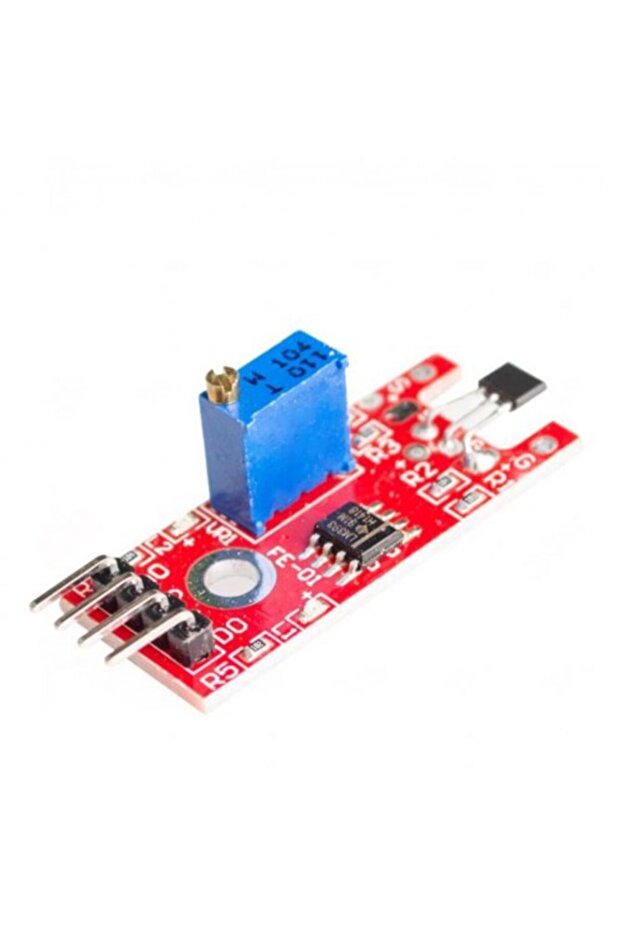
Generic 2C1 Counting Sensor Module KY-024 features
Other Features
Digital and Analog output, Responds to Positive or Negative Gauss, Linear Output, Compatible with Arduino Raspberry Pi and ESP32, Potentiometer for sensitivity adjustment, Stable and Accurate Output
Instructions for Use/Warnings
Pinout: The KY-024 module has four pins: A0 (Analog Output), G (Ground), (+) (+5V), D0 (Digital Output). Wiring Diagram: Connect KY-024 module pins to Arduino Uno board as follows: KY-024 A0 to Arduino A0, KY-024 G to Arduino Ground, KY-024 (+) to Arduino +5V, KY-024 D0 to Arduino pin 8. The Code: Save the provided Arduino sketch as KY-024.ino and upload it to your Arduino board. The sketch sets pin 13 (built-in LED) as OUTPUT and pin 8 (module digital output) as INPUT, initializes serial communication, reads analog and digital values, and controls the built-in LED based on the digital output. Project Test: Apply power to your Arduino Uno board and open the Serial Monitor in the Arduino IDE. The Arduino will output analog and digital values. If the value reaches the threshold set by VR1, the built-in LED will light up. Adjust the threshold by turning VR1.
Blue PCB Electronics
7.8
Seller information
Generic 2C1 Counting Sensor Module KY-024 reviews
No reviews yet.
Product details
Product description
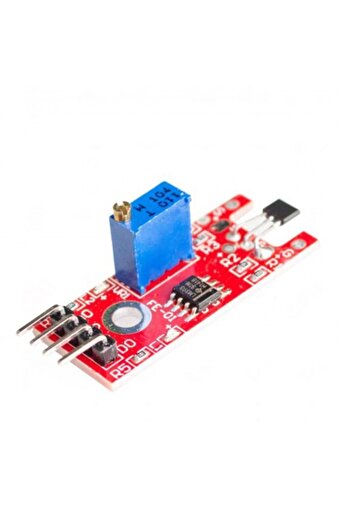
Description: The KY-024 Linear Magnetic Hall Sensor responds when a magnetic field is present, It features a potentiometer to modify the sensor's sensitivity and offers both analog and digital outputs.
Similar to the KY-003, the digital output functions as a switch that is activated or deactivated by the presence of a magnet.
The polarity and relative strength of the magnetic field can be measured using the analog output, the SS49E hall-effect sensor, on which the KY-024 module is based, allows an operating voltage range of 2.7V to 6.5V.
The ESP8266 and ESP32 microcontrollers, both of which operate at 3.3V, as well as our Arduino microcontroller, which operates at 5V, are ideal for this voltage range.
Because the KY-024 module measures the analog signal and generates a digital signal as well, it is bigger than some other hall-effect modules.
As a result, the module includes additional parts like the LM393 dual comparator and a 100k potentiometer.
Datasheet Features: This Module includes Digital and Analog output Responds to Either Positive or Negative Gauss Linear Output for circuit design flexibility compatible with Arduino Raspberry Pi And ESP32 Stable and Accurate Output Package Includes: 1x Hall Effect Magnetic Sensor Module KY-024 Pinout The KY-024 module has four pins: PIN DESCRIPTION A0 Analog Output G Ground (+) +5V D0 Digital Output PROJECT - ARDUINO AMBIENT THERMOMETER After learning about the KY-024 module and the hall-effect sensor, it is now time to build a project using the module.
Our project will get the analog and digital signals from the KY-024 module, display it on the serial monitor and control the Arduino’s built-in LED.
COMPONENTS For this project, we need the following components: Arduino Uno board (1 pc.
) KY-024 Linear Magnetic Hall Sensor (1 pc.
) Jumper wires WIRING DIAGRAM The KY-024 module pins are connected to the Arduino Uno board as follows: COMPONENT PIN ARDUINO UNO PIN A0 A0 G Ground (+) +5V D0 8 THE CODE Below is the Arduino sketch for our project.
I have added comments to explain important parts of the code.
Save the code as KY-024.ino and upload it to your Arduino board.
// Arduino and KY-024 module void setup () { pinMode (13, OUTPUT)
// built-in LED pin set to output pinMode (8, INPUT)
// module digital output connected to Arduino pin 8 Serial.
begin(9600)
// initialize serial } void loop () { Serial.
print("
Analog pin: "
// display analog and digital values to serial Serial.
print(analogRead(A0))
Serial.
print("
| Digital pin: "
if (digitalRead(8) == HIGH) { Serial.
println("
High"
digitalWrite (13, HIGH)
// if magnetic field is higher than threshold , switch-On built-in LED } else { Serial.
println("
Low"
digitalWrite (13, LOW)
} delay(100)
// wait 100 milliSeconds } PROJECT TEST Apply power to your Arduino Uno board and open the Serial Monitor in the Arduino IDE.
Arduino will output the analog value sent by the module to the serial monitor.
If the value reaches the threshold setpoint set by VR1, the built-in LED of the Arduino will also light-up.
Adjust the threshold by turning VR1..
Additional info
- Sold by .
- A maximum of 5 units of this product can be ordered. Trendyol reserves the right to cancel orders over 5 units.
- Barcode No: 2900000004870
Generic 2C1 Counting Sensor Module KY-024 features
Other Features
Digital and Analog output, Responds to Positive or Negative Gauss, Linear Output, Compatible with Arduino Raspberry Pi and ESP32, Potentiometer for sensitivity adjustment, Stable and Accurate Output
Instructions for Use/Warnings
Pinout: The KY-024 module has four pins: A0 (Analog Output), G (Ground), (+) (+5V), D0 (Digital Output). Wiring Diagram: Connect KY-024 module pins to Arduino Uno board as follows: KY-024 A0 to Arduino A0, KY-024 G to Arduino Ground, KY-024 (+) to Arduino +5V, KY-024 D0 to Arduino pin 8. The Code: Save the provided Arduino sketch as KY-024.ino and upload it to your Arduino board. The sketch sets pin 13 (built-in LED) as OUTPUT and pin 8 (module digital output) as INPUT, initializes serial communication, reads analog and digital values, and controls the built-in LED based on the digital output. Project Test: Apply power to your Arduino Uno board and open the Serial Monitor in the Arduino IDE. The Arduino will output analog and digital values. If the value reaches the threshold set by VR1, the built-in LED will light up. Adjust the threshold by turning VR1.
Safety information
Product safety information