


Free shipping
Delivery address
Free shipping
Local delivery
Estimated delivery: 23 - 26 October
Select your address, find out the delivery date!
Trendyol's commitments
Easy and free return in 15 days.
Payment methods


Highlighted features:
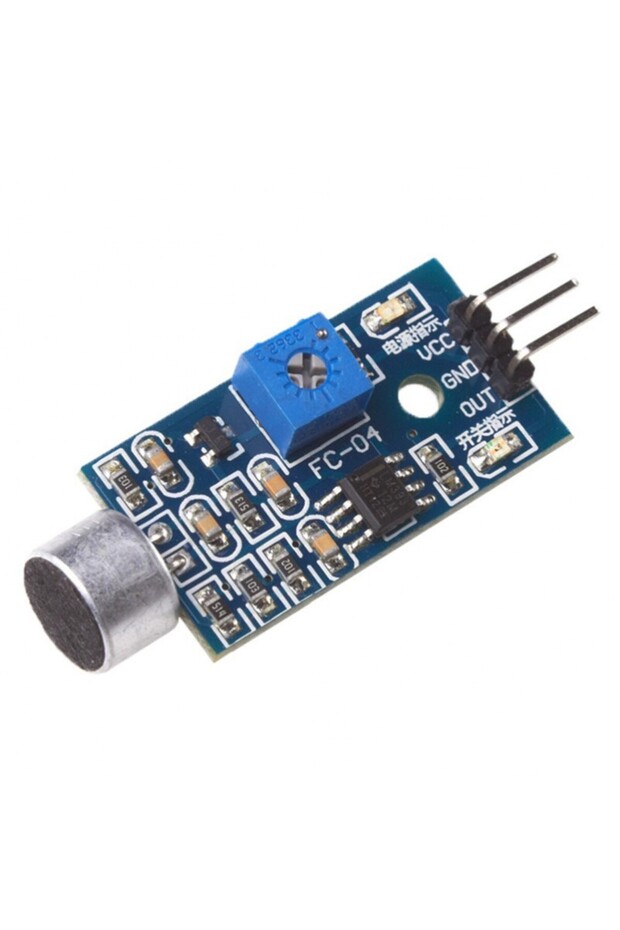
Generic 1B17 Sound Detection Sensor Module Intelligent Vehicle features
Other Features
Onboard potentiometer for trigger level adjustment, M2 mounting hole, Status LED
Instructions for Use/Warnings
Pinout: VCC supplies power to the sensor (recommended 3.3V to 5V). GND is the ground pin. OUT pin outputs HIGH under quiet conditions and LOW when sound is detected, connectable to any digital pin on an Arduino or a 5V relay. Wiring Diagram: Connect module’s VCC pin to Arduino’s 5V pin, GND pin to ground, and OUT pin to Arduino digital pin #8. Setting the Threshold: Use the built-in potentiometer to set the sound level threshold. Click your finger close to the microphone and adjust the potentiometer until the module’s Status LED blinks in response to your clicks.
Blue PCB Electronics
7.8
Seller information
Generic 1B17 Sound Detection Sensor Module Intelligent Vehicle reviews
No reviews yet.
Product details
Product description
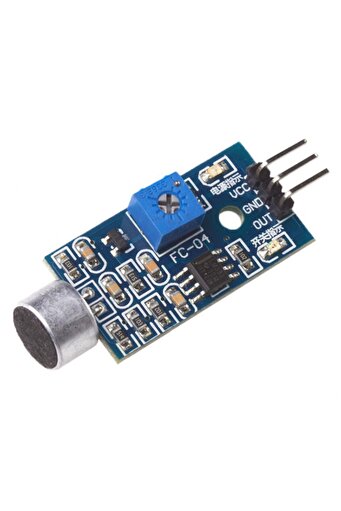
Description: This module is ideally suited to adding sound control to your project.
This is a sound detection module which can detect noise and produce an analog output that can be used to trigger a switch like response.
This allows you to replace those mechanical switches that have been holding back your project all this time with something a little noisier or begin a long term sound level monitoring system.
An onboard potentiometer allows you to tailor the trigger level to account for a project's background noise.
As a simple module, it will suit use within a large range of projects based on microcontrollers, such as Arduino boards and the Raspberry Pi.
The module has a M2 mounting hole, allowing for easy attachment to a multitude of surfaces.
Please do not hesitate to contact us if you require further information regarding the module's operation.
Size: About 32mm17mm15mm (length * width * height) Main Chip: LM393, Electret condenser microphone Working Voltage: DC 4-6V Signal Output Indication: Single channel signal output The output effective signal is low level When there is sound, the output is low, and the signal lights up Applications: Can be used for acoustic control light Works with a photosensitive sensor for sound and light alarm Maximum Induction Distance: 0.5 meters Documentation: sound detection module datasheet Workshop: Pinout: The sound sensor only has three pins: VCC supplies power to the sensor.
It is recommended that the sensor be powered from 3.3V to 5V.
GND is the ground pin.
OUT pin outputs HIGH under quiet conditions and LOW when sound is detected.
You can connect it to any digital pin on an Arduino or to a 5V relay directly.
Wiring Diagram: Connections are fairly simple.
Start by connecting the module’s VCC pin to the Arduino’s 5V pin and the GND pin to ground.
Finally, connect the OUT pin to Arduino digital pin #8. That’s it! The wiring is shown in the image below.
Setting the Threshold: The module has a built-in potentiometer for setting the sound level threshold above which the module outputs LOW and the status LED lights up.
Now, to set the threshold, click your finger close to the microphone and adjust the potentiometer until the module’s Status LED blinks in response to your clicks.
That’s all there is to it
your module is now ready to use.
Sample Code: The following simple example detects claps or snaps and displays a message on the serial monitor.
#define sensorPin 8 // Variable to store the time when last event happened unsigned long lastEvent = 0
void setup() { pinMode(sensorPin, INPUT)
// Set sensor pin as an INPUT Serial.
begin(9600)
} void loop() { // Read Sound sensor int sensorData = digitalRead(sensorPin)
// If pin goes LOW, sound is detected if (sensorData == LOW) { // If 25ms have passed since last LOW state, it means that // the clap is detected and not due to any spurious sounds if (millis() - lastEvent >
25) { Serial.
println("
Clap detected!"
} // Remember when last event happened lastEvent = millis()
} } If everything is working properly, you should see the following output on the serial monitor when the clap is detected.
Additional info
- Sold by .
- A maximum of 5 units of this product can be ordered. Trendyol reserves the right to cancel orders over 5 units.
- Barcode No: 2900000008694
Generic 1B17 Sound Detection Sensor Module Intelligent Vehicle features
Other Features
Onboard potentiometer for trigger level adjustment, M2 mounting hole, Status LED
Instructions for Use/Warnings
Pinout: VCC supplies power to the sensor (recommended 3.3V to 5V). GND is the ground pin. OUT pin outputs HIGH under quiet conditions and LOW when sound is detected, connectable to any digital pin on an Arduino or a 5V relay. Wiring Diagram: Connect module’s VCC pin to Arduino’s 5V pin, GND pin to ground, and OUT pin to Arduino digital pin #8. Setting the Threshold: Use the built-in potentiometer to set the sound level threshold. Click your finger close to the microphone and adjust the potentiometer until the module’s Status LED blinks in response to your clicks.
Safety information
Product safety information