


Free shipping


Only 2 left!
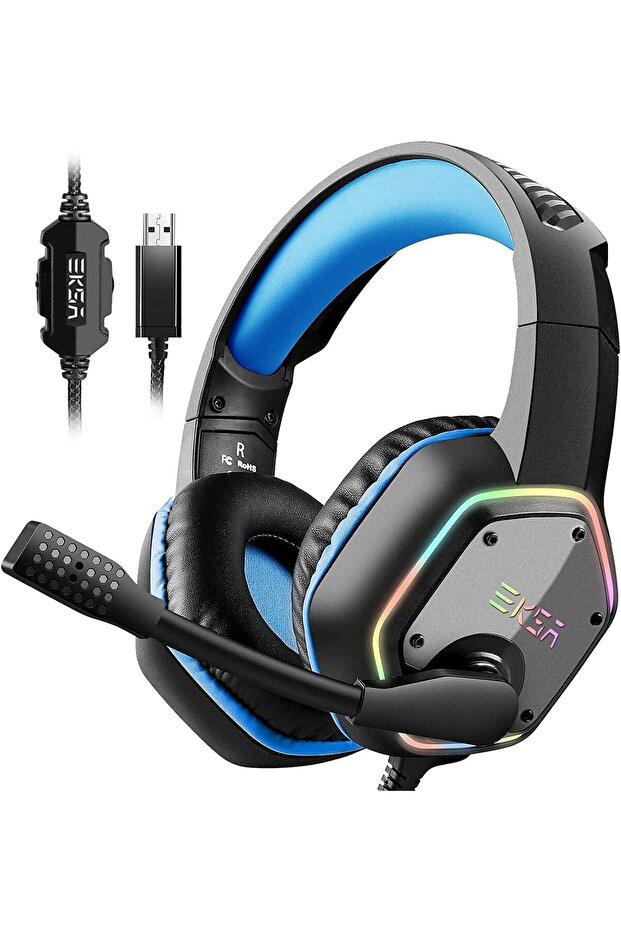
Eksa E1000 Gaming Headset, Computer Headphones with Noise Canceling Mic & RGB Light, 7.1 Surround Sound, Compatible with PC, PS4 PS5 Console, Laptop
No reviews yet.
233
AED
(incl. VAT)
Free shipping
Delivery address

Local delivery
Estimated delivery: 28 - 30 November
Select your address, find out the delivery date!
Trendyol's commitments
Easy and free return in 15 days.
Payment methods




Highlights

Highlighted features:
Eksa E1000 Gaming Headset, Computer Headphones with Noise Canceling Mic & RGB Light, 7.1 Surround Sound, Compatible with PC, PS4 PS5 Console, Laptop features
Color
Blue
Connection Type
Cabled
Microphone
Available
Usage Type
On-ear
Active Noise Cancellation (ANC)
Available
RGB Lighting
Available
Instructions for Use/Warnings
Q: Mikrofon kullanılamıyor mu?
A1: Lütfen kontrol panelinin donanım bölümündeki ses cihazlarınıza girerek bilgisayarın yerleşik mikrofonunu kapatın ve kulaklığın mikrofonunu seçin.
A2: Lütfen sessize alma anahtarının açık olup olmadığını kontrol edin.
S: Küçük ses veya hiç ses yok mu?
A1: Ses cihazlarınızın iyi çalıştığından ve ses anahtarının açıldığından emin olun.
A2: Ses seviyesini yükseltin, kulaklığın fişini sese doğru şekilde bağladığınızdan emin olun.
S: Mevcut ses geliyor mu?
A1: Lütfen fişin arayüze iyi takılıp takılmadığını kontrol edin.
A2: Cep telefonu, fan vb. güçlü manyetik alana sahip elektrikler bu soruna yol açabilir.
Headset Model
Above Ear

Shoppers also viewed






 Trendyol Plus Exclusive

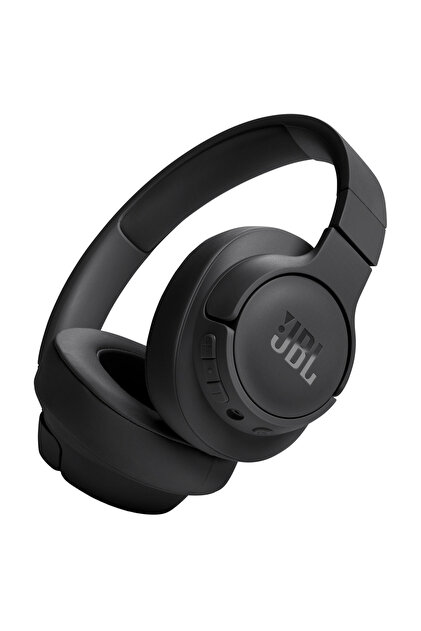
 Tune 530C USB-C Wired On-Ear Headphones - Blue


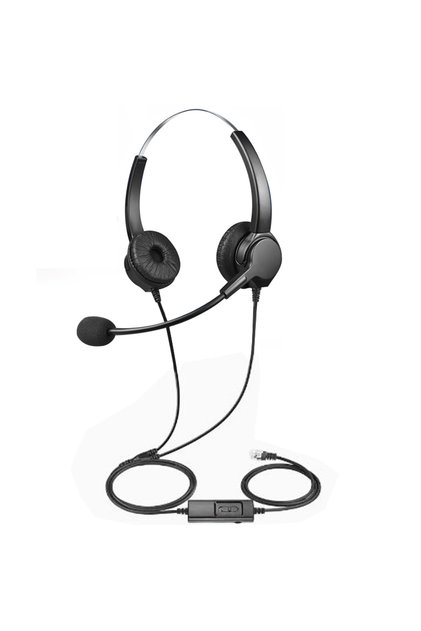




Eksa E1000 Gaming Headset, Computer Headphones with Noise Canceling Mic & RGB Light, 7.1 Surround Sound, Compatible with PC, PS4 PS5 Console, Laptop reviews
No reviews yet.
Product details

Product description
[Compatibility]: Professional gaming headset for PC gamers, compatibility with PC (Win 7, Win 8, Win10), PS4 Console, laptops, and other devices with USB audio port.
[7.1 Surround Sound]: EKSA gaming headset equip built-in USB audio sound chip with 7.1 surround sound.
Combine with 50mm magnetic neodymium driver, create an immersive gaming experience with stereo surround sound in the game.
No driver required, very easy and convenient to use.
[Noise-Cancelling Mic &
One Key Mute Function]: High sensitive microphone with omnidirectional noise reduction tech, reduces distracting background noise, to collect your voice clearly.
easy-to-use volume adjustment and one key Mic mute switch, easy for your game operation.
And noise-cancelling micphone guarantee loud &
hig quality voice talks in game or online chat.
[Ergonomic design]: Designed for all-day comfort.
With soft memory protein earmuffs on both side, you won't feel any discomfort while wearing this 7.1 gaming headphones even for long time gaming.
The headband was designed for balanced weight distribution and reduced clamping force to maximize comfort during lengthy gaming sessions.
EKSA E1000 USB GAMING HEADSET FOR PC - 7.1 SURROUND SOUND PLUG AND PLAY What makes a USB headset better than an analog headset? The main advantage of a USB headset is its connector, which allows the device to bypass the soundcard on your computer.
Instead of processing the audio that the headset's microphone picks up in the soundcard, the USB headset does the job of creating a higher quality of sound without unnecessary noise.
Meanwhile, an analog headset highly depends on the computer's soundcard to process its audio input.
The quality of the soundcard can also affect the quality of the audio input (have more static, background noise, hissing, etc.
) compared to a USB headset that eliminates most if not all unwanted sounds.
What should you use a USB headset for? USB headsets are often used in gaming since they provide better sound quality which, in turn, makes the gameplay more enjoyable.
Those that have bulky earmuffs and thick foams are usually used for this purpose since they are more comfortable to wear for long hours of gaming.
However, there are USB headsets that can also be used for business or work settings.
Mono headsets are among the most popular choice for this purpose since they offer excellent audio while also keeping you aware of the environment and people around you.
Troubleshooting Methods for gaming headset: Q: Microphone cannot be used? A1: Please close the computer’s onboard mic by enter your sound devices in the hardware section of the control panel, and choose the mic of the headset.
A2: Please check whether the mute switch is turning on.
Q: Small sound or no sound? A1: Make sure that your audio devices work well and sound switch has been turned on.
A2: Turn up the sound volume level, makes sure connecting the plug of headset to audio correctly.
Q: Gets current sound? A1: Please check whether the plug is well plugged into the interface.
A2: Electrics of strong magnetic field such as mobile phone, fan and etc.
might lead to this problem.
Additional info
- A maximum of 5 units of this product can be ordered. Trendyol reserves the right to cancel orders over 5 units.
- Sold by .
- Barcode No: 619191400492
- Origin: CN
Eksa E1000 Gaming Headset, Computer Headphones with Noise Canceling Mic & RGB Light, 7.1 Surround Sound, Compatible with PC, PS4 PS5 Console, Laptop features
Color
Blue
Connection Type
Cabled
Microphone
Available
Usage Type
On-ear
Active Noise Cancellation (ANC)
Available
RGB Lighting
Available
Instructions for Use/Warnings
Q: Mikrofon kullanılamıyor mu?
A1: Lütfen kontrol panelinin donanım bölümündeki ses cihazlarınıza girerek bilgisayarın yerleşik mikrofonunu kapatın ve kulaklığın mikrofonunu seçin.
A2: Lütfen sessize alma anahtarının açık olup olmadığını kontrol edin.
S: Küçük ses veya hiç ses yok mu?
A1: Ses cihazlarınızın iyi çalıştığından ve ses anahtarının açıldığından emin olun.
A2: Ses seviyesini yükseltin, kulaklığın fişini sese doğru şekilde bağladığınızdan emin olun.
S: Mevcut ses geliyor mu?
A1: Lütfen fişin arayüze iyi takılıp takılmadığını kontrol edin.
A2: Cep telefonu, fan vb. güçlü manyetik alana sahip elektrikler bu soruna yol açabilir.
Headset Model
Above Ear
Origin
CN
Safety information
Product safety information


