Free shipping

Choice Cable And Adapter ENET Cable Refresh Hidden Data Car Diagnostic Line for ECU Programming Refresh Hid
No reviews yet.

Special Deals
83.8867.10AED
Free shipping
Delivery address

Select your address, find out the delivery date!
Trendyol's commitments
Easy and free return in 15 days.
Payment methods



Coupons
Highlighted features:
Choice Cable And Adapter ENET Cable Refresh Hidden Data Car Diagnostic Line for ECU Programming Refresh Hid features
Instructions for Use/Warnings
*Cable And Adapter

Big Save Store
8.8
79.5K followers
Seller information
Choice Cable And Adapter ENET Cable Refresh Hidden Data Car Diagnostic Line for ECU Programming Refresh Hid reviews
No reviews yet.
Product details

Additional info
- A maximum of 10 units of this product can be ordered. Trendyol reserves the right to cancel orders over 10 units.
- Barcode No: 3674904407125
Safety information
Product safety information
Product description
Color:Cable And Adapter
✅ 1‐YEAR | 🔌 2M SHIELDED ENET CABLE | 🛡️ CE & RoHS COMPLIANT
X-OBD
For BMW I/F/G Series And Land Rover Jaguar, ENET Ethernet to OBD2 Cable
For F/G/I‐Series Coding, Diagnostics & ECU Flashing – 2m Heavy‐Duty Shielded
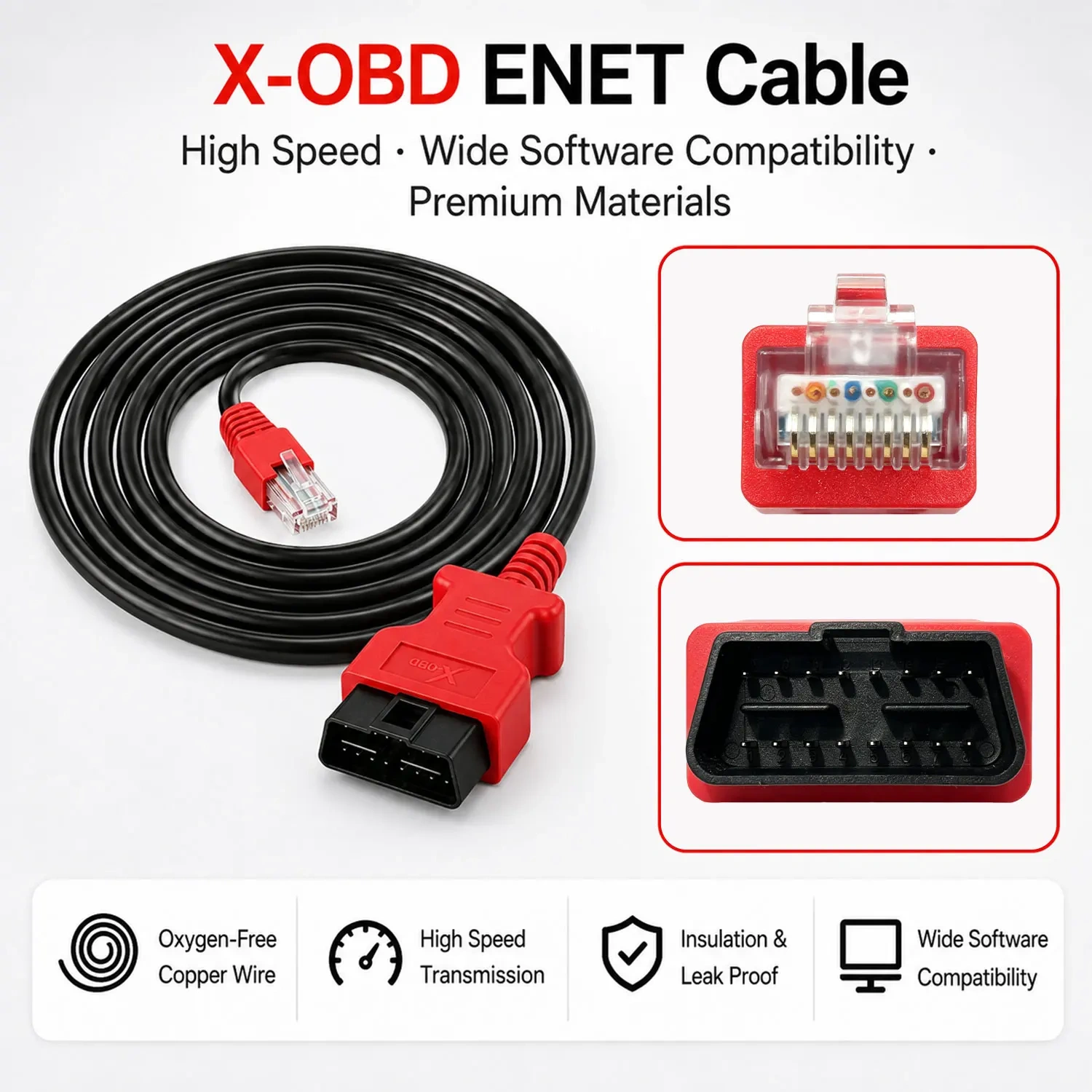
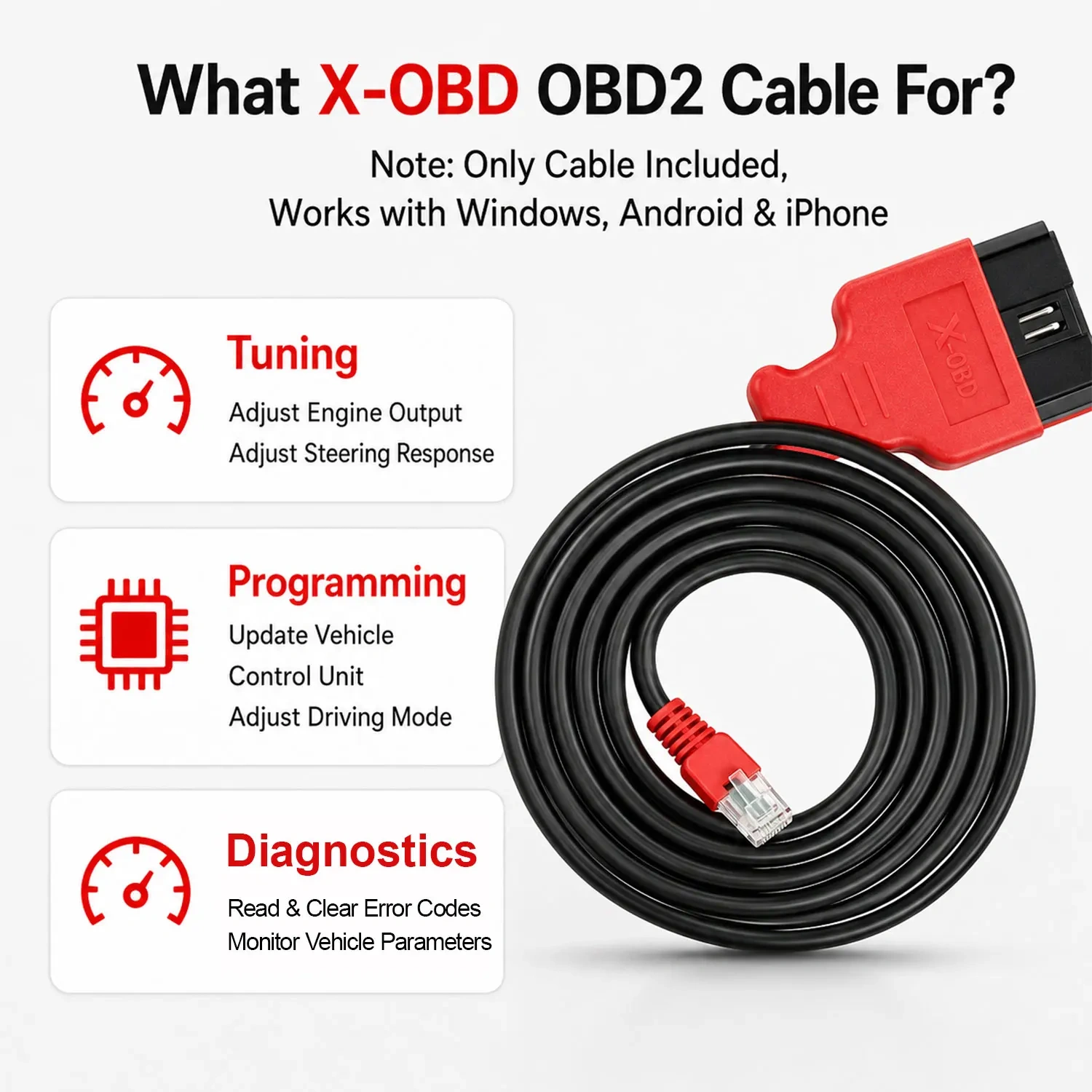
[Professional BMW Coding Cable] – OHP ENET Cable for BMW I/F/G Series enables Bimmercode, E-SYS, ISTA, and ICOM coding and programming via Ethernet-to-OBD2 connection. Perfect for diagnostics, retrofits, and module configuration
[Fast, Reliable Connection] – Shielded CAT5e Ethernet cable with gold-plated RJ45 and pure copper wiring ensures stable data transfer during BMW coding or firmware updates
[Software Compatibility] – Works with ISTA+, INPA, and other BMW diagnostic programs. Supports vehicle coding, feature activation, and programming
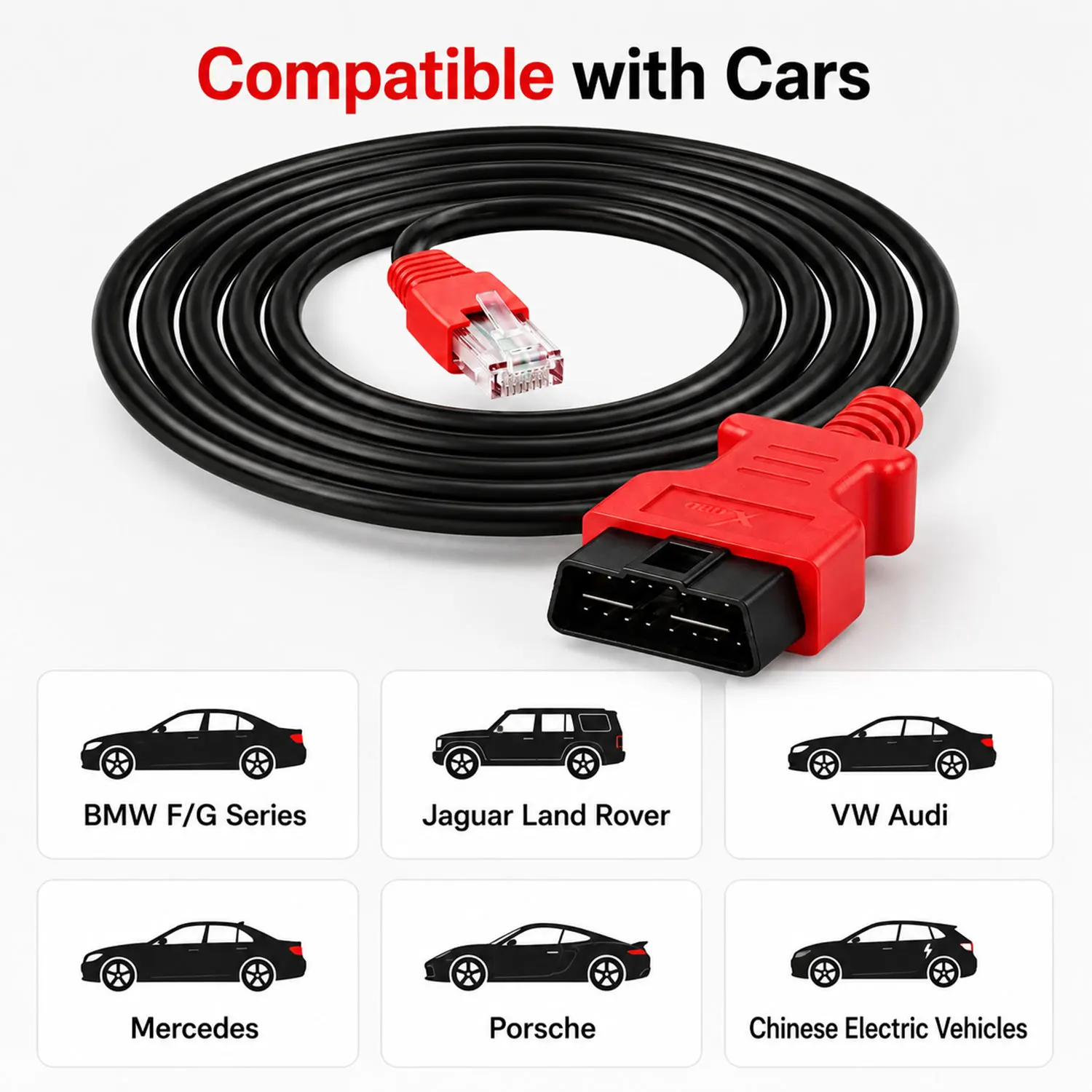
[BMW Model Support] – Designed for F-Series I-Series G-Series BMW: 1, 2, 3, 4, 5, 7, X3, GT, and more using ENET interface. Not for E-Series (requires K+DCAN cable)
[Important Notes] – For Windows OS only. Can work on MacBook through Virtual Machine. Includes OHP quality assurance 1 year
ENET OBD2 Cable for BMW F/G/i Series Ethernet Adapter Pure Copper 2M/6.6ft | Compatible with Bimmercode,E-SYS, ISTA+, Bootmod3, Bimmerlink,ProTool,Bimmer-Tool
⚡
ENET High‐Speed
Up to 100 Mbps
Up to 100 Mbps
🛡️
Shielded CAT5e
Pure Copper, Gold‐plated
Pure Copper, Gold‐plated
📏
2m / 6.5ft
Perfect Workshop Length
Perfect Workshop Length
💻
No Drivers
Plug & IP‐Config
Plug & IP‐Config
✅ Why Choose This ENET Cable?
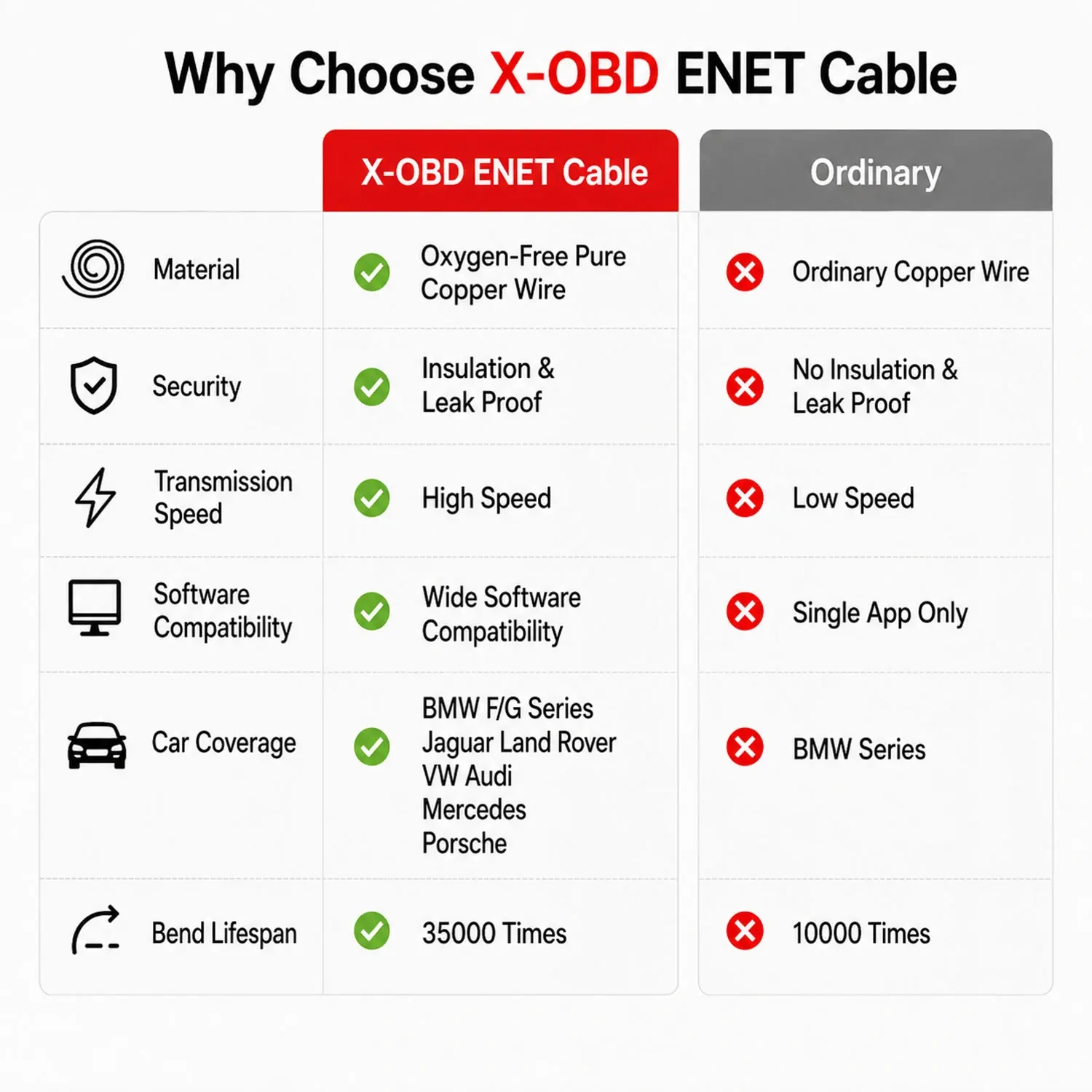
📡 Factory‐Level Communication – Direct Ethernet link to BMW’s ENET (DoIP) system, far faster than K+DCAN or USB‐OBD cables.
🔧 Full Coding & Programming – Activate hidden features (digital speed, folding mirrors, video in motion), code new modules, flash ECUs.
🛠️ Wide Software Compatibility – Works flawlessly with E‐SYS, ISTA+, INPA, WinKFP, Bimmercode, Bimmerlink, Bootmod3, Tool32 and more.
📦 Ready for Professional Use – Gold‐plated RJ45 connector, shielded twisted‐pair cable, durable OBD2 plug with strain relief.
🔄 Plug & Play (No Drivers) – Just set static IP, no software installation required for the cable itself.
⚙️ Technical Specifications
Connector A |
OBD2 (16‐pin female) |
Connector B |
RJ45 Ethernet (gold‐plated) |
Cable Type |
CAT5e shielded, pure copper core |
Length |
2 meters (6.5 feet) |
Protocols |
ENET (DoIP), CAN, K‐Line |
OS Compatibility |
Windows 7/8/10/11 (32/64‐bit), macOS via VM, iOS/Android with adapters |
Power Supply |
Powered via vehicle OBD2 port (12V DC) |
1 year |
🚗 Compatible BMW Models (2010+ ENET)
F‐Series
F20, F21, F22, F23, F30, F31, F32, F33, F34, F36,
F10, F11, F07, F06, F12, F13, F01, F02, F03, F04,
F15, F16, F25, F26, F85, F86, F80, F82, F83, F87, F45, F46
F20, F21, F22, F23, F30, F31, F32, F33, F34, F36,
F10, F11, F07, F06, F12, F13, F01, F02, F03, F04,
F15, F16, F25, F26, F85, F86, F80, F82, F83, F87, F45, F46
G‐Series
G20, G21, G22, G23, G26, G28, G30, G31, G38,
G11, G12, G01, G02, G05, G06, G07, G08, G29, G32
G20, G21, G22, G23, G26, G28, G30, G31, G38,
G11, G12, G01, G02, G05, G06, G07, G08, G29, G32
I‐Series / Mini / Rolls‐Royce
i3 (I01), i8 (I12)
Mini F55/F56/F57/F60
Rolls‐Royce Ghost, Wraith, Dawn (2010+)
i3 (I01), i8 (I12)
Mini F55/F56/F57/F60
Rolls‐Royce Ghost, Wraith, Dawn (2010+)

⚠️ Not for E‐series (E46, E60, E90, etc.) – those require K+DCAN cable.
📱 Compatible Diagnostic Software (Not Included)
✅ E‐SYS – Full coding & module programming (with PSdZData)
✅ ISTA+ (Rheingold) – Dealer‐level diagnostics, service functions
✅ Bimmercode / Bimmerlink – Mobile coding (Ethernet adapter may be required for iPhone)
✅ Bootmod3 – ECU tuning & flashing
✅ INPA / WinKFP / Tool32 – Legacy module support
💡 Software licenses must be obtained separately. We do not provide any software or activation codes.
🔧 Quick Setup Guide
Connect – Plug OBD2 end into car diagnostic port (driver side). Plug RJ45 into laptop Ethernet port.
Configure IP – Set static IP on your Ethernet adapter:
IP : 169.254.1.10 (or any 169.254.x.x)
Subnet mask: 255.255.0.0
Gateway: leave blank.Launch Software – Open E‐SYS, ISTA, or Bimmercode, select ENET connection type.
Start Coding – Follow software instructions. Done!
📘 Detailed PDF guide with screenshots available upon request (message us).
❓ Frequently Asked Questions
Q: Is this cable plug & play?
A: Yes, hardware is plug & play (no drivers). However you must manually set the laptop IP as described.
Q: Can I use this with my MacBook?
A: Yes, via a USB‐C to Ethernet adapter and a Windows virtual machine (Parallels, VMware, etc.). Also works with Bimmercode on iPhone with Lightning to Ethernet adapter.
Q: Does it work with Bimmercode on Android?
A: Yes, you need an OTG to Ethernet adapter (not included).
Q: What is the ?
A: 1 year against manufacturing defects. 30‐day return for defective items.
Q: Is this cable compatible with E‐series BMW?
A: No. ENET cables are only for F/G/I series (2010+). For E‐series, please search for K+DCAN cable.
Q: Where can I get the software?
A: You can purchase software licenses from official websites or automotive diagnostic platforms. We do not provide software or cracks.
🛡️ EU Declaration of Conformity (Summary)
This product complies with EMC Directive 2014/30/EU, RoHS Directive 2011/65/EU, and LVD 2014/35/EU. Harmonised standards: EN 55032, EN 55035, EN IEC 63000. CE marked. Manufacturer & EU authorised representative information available in the product manual.
This product complies with EMC Directive 2014/30/EU, RoHS Directive 2011/65/EU, and LVD 2014/35/EU. Harmonised standards: EN 55032, EN 55035, EN IEC 63000. CE marked. Manufacturer & EU authorised representative information available in the product manual.
📦 Bulk Orders for Workshops & Retailers – Contact us for special pricing (3+ units).
🛡️ 24/7 customer support – Message us with any questions before or after purchase.
🛡️ 24/7 customer support – Message us with any questions before or after purchase.
⚠️ DISCLAIMER: This is a professional diagnostic cable compatible with ENET‐supported BMW vehicles. All trademarks are property of their respective owners. Diagnostic software is NOT included. For BMW F/G/I series only (2010+). Not for E‐series.