Free shipping


Only 2 left!
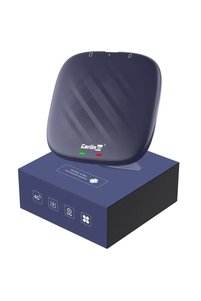
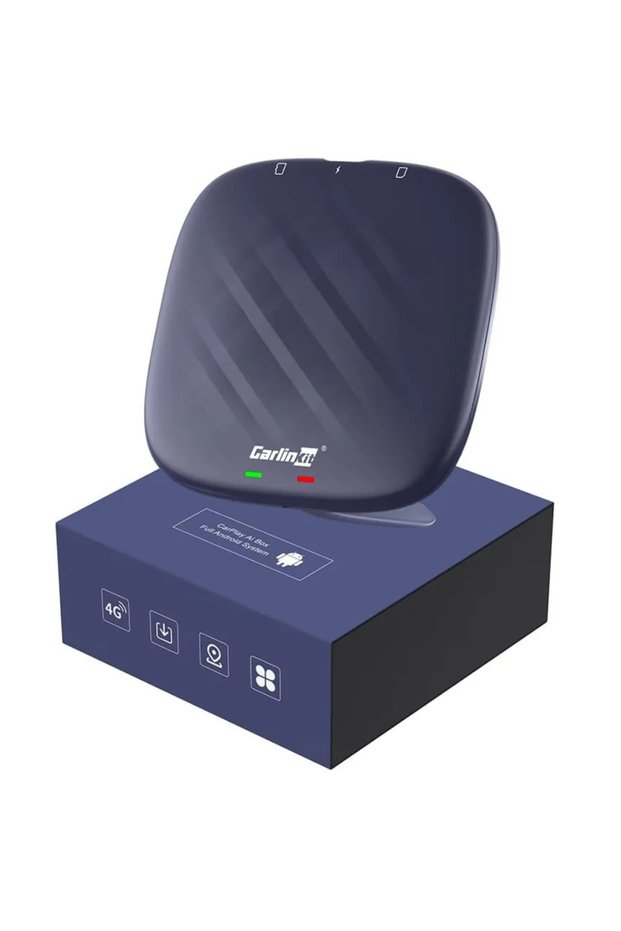
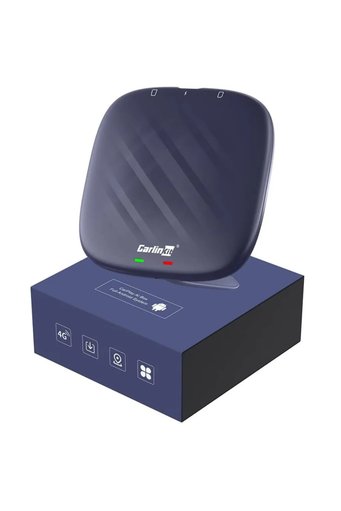
carlinkit Wireless CarPlay Adapter – ✅Fast & Easy Setup
No reviews yet.
5% off over 500 AED
At checkout
854.05 AED
899 AED
Free shipping
Delivery address

Local delivery
Estimated delivery: 25 - 26 November
Select your address, find out the delivery date!
Trendyol's commitments
Easy and free return in 15 days.
Payment methods




Highlighted features:

Shoppers also viewed






carlinkit Wireless CarPlay Adapter – ✅Fast & Easy Setup reviews
No reviews yet.
Product details
Additional info
- A maximum of 5 units of this product can be ordered. Trendyol reserves the right to cancel orders over 5 units.
- Sold by .
- Barcode No: 6972185560355
Safety information
Product safety information
Product description
Upgrade to wireless CarPlay with Carlinkit adapter – plug & play, fast connection, wide compatibility with iOS. Enjoy seamless smart driving experience. The Carlinkit Wireless CarPlay Adapter offers a seamless solution for integrating your i with your car’s infotainment system, eliminating the need for wired connections. This device enables wireless Apple CarPlay, allowing you to access your i’s features such as navigation, music, and messaging directly through your car’s display. CarlinKit CPC 200-TBOX Features Wireless Connectivity : The Carlinkit adapter connects your i to your car’s infotainment system without the need for a USB cable, providing a clutter-free experience. Plug and Play Installation : Installation is straightforward; simply plug the adapter into your car’s USB port, and it will automatically connect to your i. Compatibility : The adapter is compatible with a wide range of vehicles that support Apple CarPlay, enhancing the functionality of your existing infotainment system. OTA Firmware Updates : Carlinkit provides over-the-air firmware updates, ensuring that your adapter remains up-to-date with the latest features and improvements. Performance and Usability The Carlinkit Wireless CarPlay Adapter excels in delivering wireless CarPlay connectivity without major technical glitches. The setup process is quick, and once connected, users can seamlessly switch between apps like navigation, music, and messaging directly from the infotainment screen. Navigation: With Carlinkit, apps like Google Maps and Waze function flawlessly, providing turn-by-turn directions directly on your car’s display. The wireless connection ensures that you can get up-to-date traffic information without any delays. Music and Audio: Streaming music via Apple Music, Spotify, or other audio apps is just as responsive. Songs and playlists load quickly, and users enjoy smooth audio playback with no noticeable lags. Siri Voice Control: Siri’s integration into CarPlay via the Carlinkit adapter allows drivers to maintain focus on the road while interacting with their device. Whether you’re making calls or responding to messages, the voice command feature ensures that you can do so safely and hands-free. Security Considerations While the Carlinkit adapter offers convenience, it’s important to be aware of potential security concerns. The device creates a local Wi-Fi network for communication between the i and the car’s infotainment system. This network may not be secured with the latest encryption standards, potentially allowing unauthorized access. Users are advised to ensure that their i’s security settings are up to date and to be cautious when connecting to the adapter’s network. Why Choose the Carlinkit Wireless CarPlay Adapter? Convenience: The wireless feature is a huge convenience, eliminating the need for messy cables and offering a clean, streamlined setup. Once set up, the connection is automatic and hassle-free, making your driving experience easier and more enjoyable. Wide Compatibility: The Carlinkit adapter works with a variety of vehicles that already support Apple CarPlay, making it a great option for many car owners. If your car supports CarPlay but lacks wireless functionality, this adapter can enable that feature. Enhanced Driving Experience: With wireless CarPlay, you can access all your i’s features, including maps, music, and calls, directly from the car’s infotainment system. This enhances convenience, entertainment, and safety during your driving experience. Future-Proof: With OTA updates, Carlinkit ensures that your adapter stays current with the latest improvements and features, meaning it will continue to work smoothly as new versions of CarPlay are released. Valuable Accessory for i Users The Carlinkit Wireless CarPlay Adapter is a valuable accessory for i users seeking to enhance their in-car experience by enabling wireless Apple CarPlay. Its easy installation and broad compatibility make it a convenient choice for many drivers. However, users should be mindful of potential security considerations and ensure their devices are properly secured. Overall, the adapter offers a practical solution for integrating your i with your car’s infotainment system, providing access to a range of features that can enhance convenience and safety on the road. FAQ – CarlinKit CPC 200-TBOX 1. Does CarlinKit work with Netflix? CarlinKit, which provides wireless CarPlay and Android Auto solutions, does not natively support streaming services like Netflix. While you can use CarlinKit for mirroring your ’s screen, streaming Netflix might require additional apps or workarounds. 2. Does CarlinKit work with any car? CarlinKit is compatible with most cars that support Apple CarPlay or Android Auto . However, it may not work with every vehicle, especially older models that lack these features. It’s important to check your car’s compatibility before purchg. 3. Can you watch movies with Carlinkit? CarlinKit doesn’t directly support movie streaming; however, you can use screen mirroring or compatible apps from your to watch movies on your car’s infotainment system. Be aware that driving distractions and safety concerns should be considered. 4. Can Carlinkit play YouTube? CarlinKit does not support YouTube playback directly on its system. However, if your car’s system supports screen mirroring or if you have an Android or iOS device, you can mirror your ’s screen to play YouTube videos. 5. How to connect Carlinkit 13? To connect CarlinKit 13, plug the device into your car’s USB port, enable Bluetooth and Wi-Fi on your , then pair it with the CarlinKit device. Follow the on-screen prompts to complete the setup process. It’s typically a seamless, quick connection. 6. Can I connect Carlinkit to TV? Yes , you can connect CarlinKit to a TV via screen mirroring if your TV supports this feature. Using a device like an HDMI adapter, you can display the content from your to the TV. However, keep in mind that the CarlinKit is designed for automotive use. 7. How do I update Carlinkit? To update CarlinKit, you need to download the CarlinKit app (available for both iOS and Android). Open the app, connect your device, and follow the prompts for software updates. Regular updates can improve functionality and compatibility with new devices. 8. Does Carlinkit use Bluetooth or Wi-Fi? CarlinKit primarily uses Wi-Fi for the connection between your and the car’s infotainment system. It also uses Bluetooth for initial pairing, but once connected, Wi-Fi is the main communication method for CarPlay or Android Auto functionality.