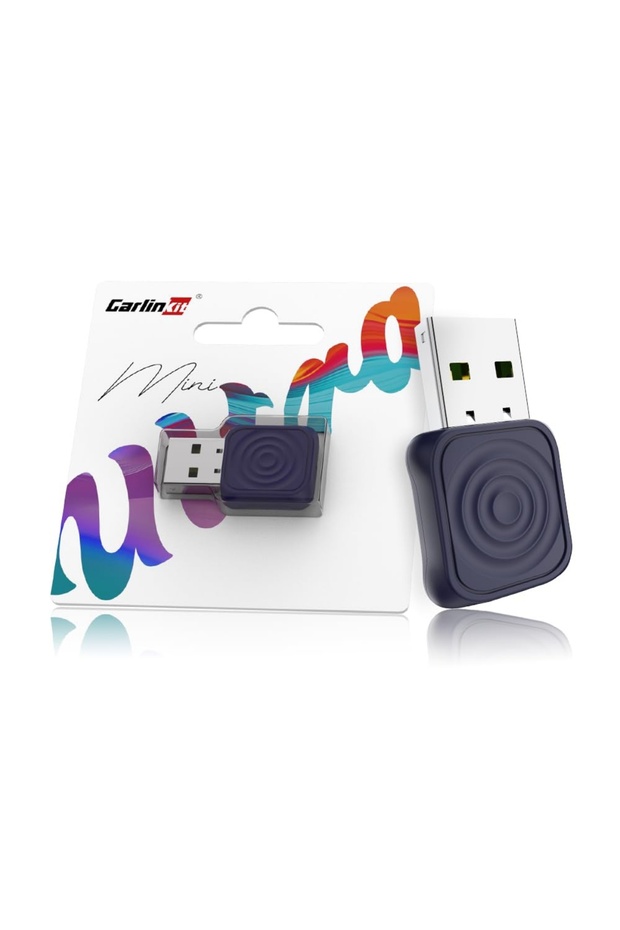


carlinkit MINI Wireless CarPlay & Android Auto Adapter Ultra Series (Deep Blue, USB-A/Type-C)
Only 3 left!
-24%
75.00
AED
99.00
(incl. VAT)

Free shipping & Delivery

Trendyol's commitments

Shopping security

Secure payment
Privacy protection
Safe delivery
Refund for lost and damaged packages
Coupon for late delivery

Free returns
Easy and free return in 15 days.
Highlighted features:
carlinkit MINI Wireless CarPlay & Android Auto Adapter Ultra Series (Deep Blue, USB-A/Type-C) features
Other Features
auto-connect setup without the need for additional apps, voice commands support (Hey Siri/Google Assistant), and maintaining original factory functionality, offering a seamless plug-and-play experience.
Instructions for Use/Warnings
Instructions for Use: Plug the adapter into your car’s USB-A or USB-C port. Turn on your car’s ignition and infotainment system. Enable Bluetooth and Wi-Fi on your smartphone. Pair your phone with the adapter via Bluetooth. Once paired, the adapter will automatically switch to Wi-Fi for CarPlay/Android Auto. Access apps, navigation, and media directly from your car’s display. The adapter will auto-connect each time you start your vehicle. Warnings: Do not use while driving—set up connection before moving. Keep away from water, extreme humidity, and heat. Avoid bending or pulling the adapter cable excessively. Only use with supported vehicles and smartphones. Disconnect if the adapter overheats or malfunctions. Keep out of reach of children and pets. Do not attempt to open, modify, or repair the device.
Origin
AE
Product details
carlinkit MINI Wireless CarPlay & Android Auto Adapter Ultra Series (Deep Blue, USB-A/Type-C) features
Other Features
auto-connect setup without the need for additional apps, voice commands support (Hey Siri/Google Assistant), and maintaining original factory functionality, offering a seamless plug-and-play experience.
Instructions for Use/Warnings
Instructions for Use: Plug the adapter into your car’s USB-A or USB-C port. Turn on your car’s ignition and infotainment system. Enable Bluetooth and Wi-Fi on your smartphone. Pair your phone with the adapter via Bluetooth. Once paired, the adapter will automatically switch to Wi-Fi for CarPlay/Android Auto. Access apps, navigation, and media directly from your car’s display. The adapter will auto-connect each time you start your vehicle. Warnings: Do not use while driving—set up connection before moving. Keep away from water, extreme humidity, and heat. Avoid bending or pulling the adapter cable excessively. Only use with supported vehicles and smartphones. Disconnect if the adapter overheats or malfunctions. Keep out of reach of children and pets. Do not attempt to open, modify, or repair the device.
Origin
AE
Safety information
Product safety information